Untitled Linux Show 227 Transcript
Please be advised this transcript is AI-generated and may not be word for word. Time codes refer to the approximate times in the ad-supported version of the show.
Jonathan Bennett [00:00:00]:
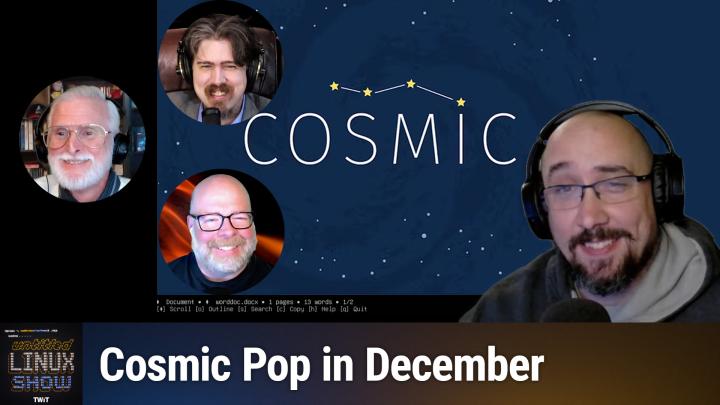
Hey folks, this week we're talking about SUSE's SLES and Red Hat's RELL and how they are embracing AI, at least in the form of adding an MCP and CUDA to those distros. FFMPEG scores a cool $100,000 donation. Pop Os and Cosmic finally have a release date and we're referring to it as the Cosmic POP and a whole lot more. You don't want to miss it, so stay tuned.
Jonathan Bennett [00:00:34]:
This is the Untitled Linux show, Episode 227, recorded Saturday, November 1st: Ancient Stack Tacks. Hey folks, it is Saturday and you know what that means. It is time for Linux get geeky about hardware and software. Everybody's favorite os. It is not just to me. Today on the Untitled Linux show, we have the normal panel of experts. Question mark, guys, Linux people and users. Sure, we'll go with that.
Rob Campbell [00:01:04]:
Enthusiast.
Jonathan Bennett [00:01:07]:
Yes, yes, yes. You know, it is. It's November. I was not ready for this. It is November 1st today, and it's got me thinking about the advent of code coming up in a month. You know, last year I started going through and doing the advent of code. That's a. It's a challenge, by the way, if you're not familiar with it.
Jonathan Bennett [00:01:27]:
It is a set of programming challenges. You get a new challenge per month, or, excuse me, every day because it's, you know, advent, the Advent calendar. And you get to pick your language and try to try to work out the challenges in whatever language you pick. I started it last year in Rust and I got three days done, I think. So, you know, not bad for my first attempt. I'm thinking I'm going to get back to it this year and we're going to try it again in Rust and maybe I can. Maybe I can finish the advent of code this year. It's going to depend upon some other things in life and how that goes, but I think it'd be fun if I could do it.
Jonathan Bennett [00:02:04]:
Any of you guys try it.
Rob Campbell [00:02:06]:
I've never tried it, but maybe I'll give it a try. I'm not going to try a language I don't know, like. Like you kind of did. I'm going to try some. I'd probably start with something I know really well first. And maybe the following year I go for a challenge of something. I don't know.
Jonathan Bennett [00:02:20]:
What language would you say, you know really well, Rob, that you would try it in php.
Rob Campbell [00:02:24]:
Php.
TWiT.tv [00:02:26]:
I bet.
Jonathan Bennett [00:02:26]:
I bet they have it in php. I was. I was actually really impressed when I went to last year and went and looked at the advent of code and like all of the different languages that you could do it in, it was really comprehensive. So I'm sure there is.
Rob Campbell [00:02:39]:
Well, I mean that's one of the best languages. Why wouldn't they?
Jonathan Bennett [00:02:45]:
I mean, it is basically C as a scripting language.
Rob Campbell [00:02:48]:
So it's basically the programming language of the web.
Jonathan Bennett [00:02:54]:
It was at one time.
Jeff Massie [00:02:57]:
I think that's probably JavaScript.
Ken McDonald [00:02:58]:
Now which pearl of the scripting languages or even programming languages would you say Randall would use?
Jonathan Bennett [00:03:08]:
Randall would use flutter now, but JavaScript.
Rob Campbell [00:03:12]:
Is the front end. I mean the backend.
Jonathan Bennett [00:03:16]:
Okay, that'd be good. Still JavaScript, man.
Rob Campbell [00:03:18]:
Okay. I haven't heard these ads for a while. JavaScript script. Nobody uses Java. Not on purpose.
Jonathan Bennett [00:03:25]:
Yeah, there you go. Nobody uses on purpose. That's accurate.
Rob Campbell [00:03:28]:
But I remember the old ads for WordPress, at least when they were advertiser. Some large number of the Web runs on WordPress. And that's PHP. And that's only one application.
Jonathan Bennett [00:03:41]:
That's true, that's true. WordPress has a lot of PHP. It is funny that Ken mentions Java though. I. I have Android Studio installed again and it's actually up to date. It was something like five years out of date. But I, I'm finally there and finally I think it's Kotlin. I think the project that I'm interested in is written in Kotlin.
Jonathan Bennett [00:04:01]:
So I'm. I'm trying to knock the rust off of all of that. I don't know, maybe I don't want to commit to this, but maybe I should think about doing it in Kotlin instead. The advent of code in Kotlin, because I need to, I need to figure it out and learn it.
Jeff Massie [00:04:16]:
I'll see if I can do it this year. I've looked at it before. I'll see how far I can get. And I would use Python.
Jonathan Bennett [00:04:23]:
All right, so Jeff's going to be in Python. Ken, I think we're going to peer pressure you into this. What language would you use?
Ken McDonald [00:04:33]:
I'd probably try to attempt English in Basic.
Jonathan Bennett [00:04:37]:
I think they do have a setup for doing it in basic. I'll have to look. I bet you, you could try it in BASH code too, for that matter. Yeah, do a, do a Bash script. Advent of code. I'll have to look into that.
Jeff Massie [00:04:50]:
That would be hard. You'd have to drop into AWK though, if there's any real nas.
Jonathan Bennett [00:04:54]:
Oh yeah, absolutely. You would have to chain a whole bunch of command line programs together to be able to do it in bash.
Jeff Massie [00:05:00]:
Script, but because I know bash only is whole numbers can't handle floating.
Ken McDonald [00:05:05]:
Well advantage to do it if you did it in bash is you could then call up C subroutines, Python subroutines.
Jonathan Bennett [00:05:14]:
Yeah, that's true, that's true. I will look into the languages that advent of code offers while Rob beats the AI drum yet again. Take it away Rob.
Rob Campbell [00:05:27]:
AI is where it's at so last week we talked about Canonical baking AI tools into Ubuntu's repos so devs can just apt install their weight into large language models. This week Seuss and Red Hat responded quickly to keep up with Canonical by announcing their own AI roadmap initiatives. Seuss officially launched SEUSS Linux Enterprise Server 16 and they're pitching it as the first enterprise Linux with Agentic AI built in. So slow ES SUSE, Linux Enterprise, whatever that is again, 16 implements the model context protocol MCP so you can wire OS tools to AI models your choice of providers without locking yourself into any single vendor. The aim is not just chatbots, it's letting the OS invoke AI to act on operational insights. General availability lands just in a few days as we record on November 4, 2025. Beyond the AI banner, there are the typical enterprise comfort bullets including up to 16 years life cycle, instant rollbacks, reproducible builds and a modern stack including Linux the kernel Linux kernel 6.12, LTS systemd257, Python 3.13 SLES16 also ships Ansible in the OS so I'd be a little cautious with Ansible and AI. Hopefully you're looking at it and don't have this running the same mistake I did and delete all your servers or anything and they're switching from app armor to SE Linux and folds it folds in the latest of a butterfs bits into that and much more.
Rob Campbell [00:07:47]:
So back to the AI piece. MCP support is is the key. It's a standard way to let models call tools and exchange context for ops teams. That can mean large language models that can check logs, query metrics or propose runbooks. Make sure to check your runbooks as I did not with your guardrails. So SUSE I guess I should be saying their messaging is all about reducing operational toil and avoiding AI provider lock. And meanwhile Red Hat said they'll distribute the Nvidia Cuda toolkit directly inside Red Hat, Enterprise Linux, Red hat AI and OpenShift. This provides consistent packaging, faster enablement and fewer you know Trying to figure out which repo which docs for devs to use.
Rob Campbell [00:08:51]:
The blog frames it as moving from AI, or moving AI from a science experiment to a core business driver. With the Cuda bits integrated so customers can pair the latest Nvidia hardware software with Red Hat's platform more cleanly. Red Hat's Ryan King emphasizes, they're not building a walled garden. They're building a bridge between open hybrid cloud and Nvidia's AI stack. For example, Cuda is there because customers need it, but choice stays on the table. If you run OpenShift from data center to Edge, this, this means a smooth GPU scaling, you know, CI images and you know, day two ops. So to put canonicals move together with SUSE's MCP agentic pitch and Red Hat's Cuda distribution, you get a clear pattern that the major enterprise distros. That's, that's pretty much the three of them out there are removing all the tiny prerequisite tasks that one has to do before they can actually do their AI work and allowing them to jump right into AI.
Rob Campbell [00:10:10]:
Basically the market signaling. And as a lot of us, and some of us even on the show are turning around to understand that AI is, it's going to be there for the future. So, you know, AI or.
Jonathan Bennett [00:10:25]:
Yeah, see, I personally think the bubble is bursting and we're already out looking for the next Big thing.
Rob Campbell [00:10:37]:
We're always looking for the next big thing doesn't make. The last big thing isn't good.
Jonathan Bennett [00:10:43]:
Well, that's true. The Last big thing does not necessarily go away. You no longer have people wanting to invest billions of dollars into it.
Ken McDonald [00:10:50]:
They just want to use the infrastructure that's left over.
Jonathan Bennett [00:10:54]:
Yeah, pretty much.
Jeff Massie [00:10:55]:
Very true. Well, and before the show started officially, I was talking about and saying, I think, I think in, you know, 10, 20 years, we're going to look at this kind of like spell check or grammar check. It's going to be a nice tool to use, but it's not taking over everything like we thought. It's just going to. It's just going to be there and we're going to use it and not think twice about it.
Jonathan Bennett [00:11:20]:
Yeah.
Ken McDonald [00:11:21]:
Now, I noticed with SUSE, it's only in their enterprise versions for from what I could find.
Rob Campbell [00:11:29]:
Yes.
Jonathan Bennett [00:11:31]:
Yeah. So one thing you have to remember is there are some licensing issues with trying to include Cuda with like your open source. So you're not going to see this. With Fedora, for instance, there's some licensing issues. So just installing this by default but when you're talking about a paid distro like Red Hat, then some of those, some of those licensing issues goes away.
Ken McDonald [00:11:58]:
Because you can pay for the license as well.
Jonathan Bennett [00:12:01]:
Yeah, just they can pay for the licenses. They don't have the same restrictions on not shipping any closed source software. All of those things makes it a little easier to include it in there.
Ken McDonald [00:12:12]:
Just means us individuals that just want to use the personal editions have to do a little bit more work to get it in there.
Jonathan Bennett [00:12:20]:
We have to do the legwork. I mean, that's always the case though for the, you know, us peons that don't use the enterprise software. We have to do a little more legwork. Legwork.
Jeff Massie [00:12:29]:
And remember. Yeah, well, and remember it is enterprise, so it's geared to. You better have some serious hardware. This is. Could you run AI on a Raspberry PI? Sure. It's just going to take really, really long.
Rob Campbell [00:12:46]:
Probably not going to speed up your job a whole lot.
Jeff Massie [00:12:49]:
No.
Jonathan Bennett [00:12:50]:
Although it's interesting.
Ken McDonald [00:12:52]:
Single Raspberry PI.
Jonathan Bennett [00:12:53]:
It's interesting. Actually, two things. One, it's interesting there are some models that are written and kind of minified to fit on the Raspberry PI and there has been some work that has had decent success doing that sort of thing. And then Jeff Geerling has done some experimentation on trying to do it across, you know, a cluster of Raspberry PIs and has not had very good success trying to do that. You know, these things do not scale on multiple Raspberry PIs very well. Anyway, let's talk about something that you absolutely can do on a Raspberry PI and that is run FFMPEG and Ken. FFMPEG got a sort of a shot in the ARM recently from an interesting and unexpected place, or not so unexpected.
Ken McDonald [00:13:42]:
If you've been following the news. But this week Saurav Rudra wrote about my favorite open source multimedia framework which received a significant grant from an Indian initiative focused on supporting open source software globally. As Jonathan said, FFmpeg, which handles video and audio processing at a scale most users never really imagine, powers everything from streaming platforms like YouTube and Netflix to video editing software such as Blender, KdenLive and other applications to include the Restream that we use now. Despite this critical role, the project has long struggle struggled with sustainable funding. Well, good news for FFmpeg. The project is set to receive $100,000 from Floss Fund. What is Flush SAS Fund? It is a program launched by Indian stock broking firm. I'm going to try to say this zero dra to give back to the ecosystem that made its success possible.
Ken McDonald [00:15:02]:
According to Saurav, the FFMPEG team acknowledged the donation Onx directly thanking Nithin Kamath, the CEO of ZERODRA and the person behind Flash Fund. According to the announcing this move on flashlass Fund's one year anniversary Nithin stated that and here I'm quoting. I would like to think that congratulating the recipients here is inappropriate as for them this is neither a victory nor an achievement. FOSS projects that the world depends on ought to receive financial backing as the norm. At the very least, a significant amount of collective societal gratitude and recognition is owed to FOSS maintainers and communities for profit orgs that benefit from Fosto. Give more money than gratitude, will you? This marks one of the larger individual grants and flush slash funds current funding round. FFmpeg joins 29 other open source projects receiving support in this what they called a trench. I'm going to recommend that you look at Saurav's article since he also lists them in his article along with a link to Floss Funds announcement blog and Saurav and I both think it is a must read if only for to find out about mas.
Jonathan Bennett [00:16:35]:
Yeah, you know, FFMPEG is interesting because basically anytime that you see video on your computer or your phone or just about anywhere in the world actually it has been touched by FFMPEG at least once. Like this software is everywhere and it is absolutely the backbone of what we do as a. As a. There's a world with video. It's just everywhere.
Rob Campbell [00:17:01]:
Yeah. As critical as that is, that piece of software is when, when Ken said how much they were getting, it just reminded me of Austin Powers. I thought he missed an opportunity to be like $100,000. And that's when everybody laughs. It's like okay, that's not very much anymore. They kind of deserve more than that.
Ken McDonald [00:17:25]:
Yeah, yeah, they need more than that.
Rob Campbell [00:17:27]:
They need.
Jonathan Bennett [00:17:30]:
$100,000 does not go very long, go very far for a business. And you know there are multiple, multiple developers salaries that need to get paid there. Yeah, it's not as much money as it sounds like. Can can confirm.
Ken McDonald [00:17:46]:
And on top of that it's not that easy for converting that into funds that they can actually use because of all the hasSLES that you have with transferring funds internationally and converting it from one.
Jonathan Bennett [00:18:03]:
I will say that's not actually very difficult. It is really easy these days to do an international wire. Where they might run into problems though is essentially doing their taxes right. Because I don't Know if FFMPEG is set up as a nonprofit, but then you have questions like, is writing code a nonprofit applicable activity? And I've talked to some people, some projects that have run into that as a problem, that it is not a valid charitable activity to write computer code in some countries. And so they can't set up a nonprofit because of that. So, like, that's really where you run into the sticking point.
Rob Campbell [00:18:45]:
Yeah. Maybe if you're writing it, if you're paying somebody and they're writing it just for you, I can maybe see the argument of not being a charitable thing. Maybe I'm not saying I agree with it. I could see it. But if you're. It's open source, you're writing it for everybody and someone else is donating to you, I don't see any.
Ken McDonald [00:19:01]:
And you're not getting any, any money for yourself, but yet you've got these corporate entities that are making a profit off of it. That kind of blurs the line too.
Jonathan Bennett [00:19:13]:
Yeah. Well, you just got to remember that in almost every country, these laws that, that regulate business, they are not modern. They were not written for open source, they were not written for computers at all in most cases. And so there are some very weird things on the books, which makes me.
Rob Campbell [00:19:29]:
Wonder how, how did they get translated that way to not include code if that wasn't even a thing that, you know, was thought of?
Jonathan Bennett [00:19:40]:
So in, in the United States, at least, the way that works is a judge will rule on it. And if a judge has not yet ruled on it, then it's just a big question mark.
Rob Campbell [00:19:49]:
Yeah, precedence. But.
Jonathan Bennett [00:19:50]:
And you're. And your. Well, that's essentially what common law is. Common law is the group of rulings that judges have made. And if you don't have a ruling on it, then a conservative lawyer will tell you, oh, you can't do that because it's not, you know, it's not black letter law. And we don't have a ruling on it to say it's safe. So I'm not going to.
Rob Campbell [00:20:09]:
Okay, maybe I'm not going to sign off and say, how could any judge set that precedence? What kind of mind, what kind of thing is there?
Jeff Massie [00:20:16]:
Well, I can tell you I deal internationally quite a bit and laws vary tremendously from country to country. So I mean it. Because there's so many different roots of where it came from because there's so many different styles of government. How the is, is the government pretty controlling or more open? Is it, you know, so, yeah, I can check, check your local jurisdiction to find out what, what if you, if.
Jonathan Bennett [00:20:50]:
You have $100,000 donation that you need to make legal, you need a lawyer that specializes in this sort of thing and possibly international.
Rob Campbell [00:20:59]:
And then you'll have 10,000 you can donate.
Jonathan Bennett [00:21:03]:
That is sort of, that is sort of the follow up. Expect to spend at least 10% of that on your lawyer fees.
Rob Campbell [00:21:08]:
Ah, what fun.
Jonathan Bennett [00:21:09]:
All right, Jeff, tell us about what's new with Arch. Do you run Arch, by the way?
Jeff Massie [00:21:16]:
Sort of. So on this show we talk a lot about distributions which are in the Arch universe, such as Manjaro or Cashios, which I run right now. But we don't often talk about the mothership itself, you know, because they're all based off architecture. But this story is about Arch itself. Well, today's story is basically about a couple updates for Arch that I think a lot of our listeners want to hear. For example, Pac Man 7.1 has been released. Neither version 7.0 or 7.1 totally changed the utility but put a finer edge on it. So like for example in 7.0 there were bug fixes, security fixes, you know, things like now it will prevent buffer overflow with long scriptlet shell path, you know, just tweaking a little bit.
Jeff Massie [00:22:13]:
The release of 7.7.1 is more of the same, you know, security and refinements like the downloader Sandbox got a lot of love as fixes introduced by the san fixes introduced by the sandboxing when running as non root or an NFS file system. So there was issues there improving error detection and reporting in the sandbox. It also restricts system calls and allows the person to now have finer grain control of the sandboxing with options in both the command line or in the Pacman config file. And that's just the sandboxing part of pacman to make sure it's keeping itself isolated as it's doing doing its work. Part of that as well was make package. Also saw a lot of updates such as to ensure options are not altered from within the package build command, improve reproducibility for source package tar balls and ensure that tidy up scripts run in the correct order. You know, you don't want something wiping out something before you're ready to have it wiped out. Performance has been improved by parallelization of the stripping of files.
Jeff Massie [00:23:35]:
You know, I'm skipping a lot of details there, but fixes improvements, you know, there's a big long list and basically the too long didn't listen as Pac man is seeing a lot of love and Continually improving. The other improvement that I wanted to cover is Arch install and it's been updated to version 3.0.12. Now this is the Arch text based installer. So one of the big changes is going from now this is going to get a little confusing here, but bear with me. Leaf Pad to Leaf pad except the second one is where the e is a now a3 so I'm not sure how 3 af pad yeah l3 afpad yeah so leaf Pad for those that don't know is a super simple basic text editor and it's, it's basically designed to be very small, simple as possible, only has some basic functionality and that's, that's the whole goal of it and the difference and why the three is in leaf pad is that regular. The old one leaf leaf pad was a GTK2 program and leaf pad with a three is a GTK3 program. So now other updates of the installer include stuff like not reordering AMD GPU and Radeon modules in MK INT CPIO. It's now going to rely on BTRFs hook instead of installing BTRFs modules and binaries manually and skip the bootloader config check when no bootloader is selected as the bootloader.
Jeff Massie [00:25:25]:
So there are several other changes, fixes, updates which all can be found in the link in the show notes. The updates I've talked about in the story can be found in the GitHub release notes with all the details which are also linked in the article for those who want to dig into the details and see if a specific issue has been addressed. So happy installing.
Jonathan Bennett [00:25:44]:
Yeah, fun stuff. I've never run Arch. I've never attempted an Arch install. Some days I think maybe I should, but then I quickly come back to my senses and realize I've got plenty of other things to keep me busy.
Rob Campbell [00:25:58]:
It doesn't take that long.
Ken McDonald [00:26:00]:
Yeah, installing this is probably the quickest part.
Jeff Massie [00:26:05]:
Yeah, most people I think are just running the manjaros, the cashies, the what's the immutable one for gaming Starts with.
Jonathan Bennett [00:26:16]:
A B. Yeah, I remember what you're talking about.
Jeff Massie [00:26:22]:
What'd you say?
Ken McDonald [00:26:22]:
Ken Betera? Something like that?
Jonathan Bennett [00:26:27]:
No, mutable Arch for gaming.
Rob Campbell [00:26:31]:
Bazite, Bazite, Bazite.
Jeff Massie [00:26:33]:
That's the one.
Rob Campbell [00:26:35]:
I installed Windows 98 today and I've installed Arch before. I can install Arch without the script faster than Windows or Windows 98 faster than I installed Windows 98, so.
Ken McDonald [00:26:48]:
Well, that's because you don't have to.
Rob Campbell [00:26:50]:
Change all the CDs 1C, 1 CD for Windows 98.
Jeff Massie [00:26:55]:
Ten floppies.
Jonathan Bennett [00:26:56]:
Ten floppies, yeah. Oh, my goodness.
Ken McDonald [00:26:58]:
That's what it was. It was all those floppies that came out.
Jonathan Bennett [00:27:01]:
I remember those days. Vaguely, vaguely remember those days of swapping floppies to get something installed.
Rob Campbell [00:27:07]:
Actually 30 minutes.
Ken McDonald [00:27:10]:
But realistically, I think of swapping floppies just to run the application.
Rob Campbell [00:27:17]:
We're not that old.
Ken McDonald [00:27:20]:
Some of us are not.
Jeff Massie [00:27:22]:
Well, you know, I think Arch is a little rougher around the edges, so I think it makes more sense to run one of the derivatives.
Jonathan Bennett [00:27:29]:
Well, I mean, it's just. It's the same thing as running Debian versus Ubuntu. Right. You can run sort of the Grandpappy and get all of its cool stuff, but it's an adventure to do it. So they have the downstream distros that make it a little bit more polished.
Rob Campbell [00:27:44]:
I mean, once it's installed, it's not really any difference. The maintenance is pretty much all the same. And many people are you, I don't know, like Manjaro, I. Apparently, they hold back things a little bit, which apparently actually causes more breakage. That's what people say. I don't know myself, but that's what a lot of people say.
Jonathan Bennett [00:28:07]:
That's what people say.
Jeff Massie [00:28:08]:
At least anecdotally, it seems like Manjaro's fallen out of favor a little bit. It's not the hot ticket that it was not. Not that it's going anywhere. It just. It's not cool.
Rob Campbell [00:28:19]:
Kid on the block, you've broken cash Eos. Yeah, I ran Arch for a couple of years.
Jonathan Bennett [00:28:26]:
Or he broke it pretty bad. He broke it pretty bad.
Rob Campbell [00:28:29]:
He had to reinstall it.
Jeff Massie [00:28:30]:
I had to reinstall.
Rob Campbell [00:28:31]:
I ran for a couple years and then. And it never broke.
Ken McDonald [00:28:37]:
Yeah, you can break Ubuntu just as easy.
Jeff Massie [00:28:42]:
I have reinstalled Kubuntu because I broke it.
Jonathan Bennett [00:28:47]:
All right, well, here in a minute, we're going to talk about another distro that you might want to check out sometime soon. We'll be right back after this.
TWiT.tv [00:28:55]:
Are you ready to grow in 2026? Let me tell you why. Advertising on Twit is the way to make that happen. I'm Mikah Sargent. I'm the host of Tech News Weekly and several other shows on the network. And if you've ever listened to our shows, then you know what makes what we do different? It's trust. When we introduce a new partner on the show, the audience knows we believe in what they offer because we're only taking on partners that will actually benefit our audience. And they know that when I'm waxing ecstatic about your product or service, I'm doing so with authenticity. Some other reasons why you should join the network? It's all about the numbers.
TWiT.tv [00:29:30]:
88%. That's the number of listeners who've made a purchase based on a twit ad. 90%.
TWiT.tv [00:29:37]:
Those are the people who are involved.
TWiT.tv [00:29:38]:
In their company's tech and IT decisions. Oh, and by the way, 99% is the number of people who listen to most or all of the episode. Every host read ad we offer is authentic. It's unique, it's embedded permanently. So that means that your brand is going to get exposure even after your campaign concludes. Because yes, our nerds, our listeners, our viewers, they go back and check out the stuff we've done in the past. Every ad is simulcast across our social platforms. It's always available in both audio and video formats.
TWiT.tv [00:30:12]:
So if you want your brand woven into conversations with tech experts and the world's most tech savvy audience, I mean, where else are you going to turn except right here at TWIT? So let's make 2026 your most substantial reach yet. Get in touch with us, email partner@twit.tv or visit twit.tv/advertise.
Jonathan Bennett [00:30:34]:
We like talking about distros around here, and one of the distros that we talk about from time to time been covering a distro and a desktop environment is POP OS and Cosmic. And we finally have a date. I'm not sure how solid of a date it is. I don't know what the betting markets are doing on this one, but Carl Ritchell's come out and said December 11th, December 11th we get Popos 24.04 LTS and Cosmic. They're calling it Epoch 1, which I believe that just means the first release like the 1.0. So we're finally going to be stable on these two. And it's almost time for Popos 26.04. It's not that many months until Ubuntu 2604 comes out.
Jonathan Bennett [00:31:28]:
And there is a. There's a bit of note on that as well. On the X post. PopOS 24.04 LTS and Cosmic Epoch 1 December 11, 2025 Future Pop OS releases starting with 26.04 LTS will align with the Ubuntu LTS timing approximately two weeks after the Ubuntu release date. So 24.04 is going to have sort of a short shelf life. Maybe that's going to be very useful for them for doing some last minute in the wild release testing and then fixing things for the next version. But good to see, you know, more than just us. People have suggested that the concentration on building Cosmic has slowed down the POP OS releases, which I think it's sort of clear that that has happened, at least to some extent.
Jonathan Bennett [00:32:27]:
Popos 2404 is very late, over a year late. But now that they have Cosmic out as a 1.0, are going to have Cosmic out as a 1.0 in December, they're going to have the Popos release. It should set them up very well starting with 2604. So if you really, really want to, you can run popos 24.04. I think the really interesting one, probably where they will really hit their stride and be an especially intriguing option for a distro and a desktop. It's going to be 2604 here in about six months we will see that come out. Six or seven months, that'll be very interesting. I've not decided yet on this laptop, on my production laptop, am I going to go to POP os, one of the new versions of POP os, or am I going to go over to Fedora? I'm still on the edge between those two.
Jonathan Bennett [00:33:25]:
It will probably be easy to just do an upgrade to pop, but I really do sort of miss my Fedora these days. So we'll see.
Jeff Massie [00:33:34]:
Well, I was just happy that they really kept to their word when they said, you know, their beta wasn't going to last long and it hasn't. It wasn't that long it went into beta. But they've also. I've heard people say that their beta was kind of like it was very solid product productions release, you know, it was very solid. But I agree with you. 2020-604 is going to be one where. That's the Ubuntu, it's another Ubuntu lts. So it's going to be a pretty stable platform and they'll have that six months to like hammer out any.
Jeff Massie [00:34:08]:
There's going to be plenty of bugs that people find because of different hardware or different things they're doing that they couldn't catch in testing.
Rob Campbell [00:34:15]:
So I believe one of you. One of my 2025 predictions was something along the lines of this happening this year or something about it being usable or. I don't remember exactly, but basically this is my prediction coming true. Now, as far as popos and Cosmic go, I'm more excited about Cosmic Cosmic Desktop than I AM popos, just because, I don't know, I like to go a little faster than lts. So I don't want to run the same for two years. But if you're missing Fedora, don't they have a cosmic spin now? They do get the best of both worlds.
Jonathan Bennett [00:34:53]:
Yeah.
Rob Campbell [00:34:54]:
I'm more interested in running it somewhere else, like maybe trying it on Cashy.
Jeff Massie [00:34:58]:
Yeah, Cache's got one too.
Jonathan Bennett [00:35:01]:
Yeah. I don't know if I'm going to go with Fedora. I'll probably just stick with kde. I like the KDE desktop.
Jeff Massie [00:35:05]:
I like it a lot.
Jonathan Bennett [00:35:07]:
It is my preference. I don't know, maybe I will test run Cosmic for a bit, just to be able to take a look at it.
Ken McDonald [00:35:12]:
You talking dual booting?
Jonathan Bennett [00:35:14]:
No, no, no, no. So, instance, I'll probably run Fedora, probably do a Fedora install on this laptop and then you could have multiple desktop environments set up and then just pick from them when you go to log in. That's probably how I'll set it up.
Jeff Massie [00:35:27]:
There's kind of a drop down where you log in that you choose.
Jonathan Bennett [00:35:31]:
Yep.
Ken McDonald [00:35:31]:
Here's the important question. When are you going to have Carl back on Floss Weekly?
Jonathan Bennett [00:35:37]:
I was just thinking about that. I think probably to celebrate their full release. It would be great to have him back. I have to see if I can get in touch with him and see if we can make that happen. See if he'd be willing to have.
Ken McDonald [00:35:51]:
The next Tuesday would be the 16th.
Jonathan Bennett [00:35:55]:
Yeah. Yep. I don't know. We'll see. Do we have somebody scheduled for the 16th already? The 16th is open. The 16th is open. I'll shoot him an email. We'll see what happens.
Jonathan Bennett [00:36:07]:
See if we can make it happen.
Jeff Massie [00:36:08]:
Window of opportunity.
Jonathan Bennett [00:36:09]:
Yeah, absolutely.
Rob Campbell [00:36:11]:
I can understand why you're not excited about Cosmic. It's a little too gnomish for you.
Jonathan Bennett [00:36:15]:
Probably, you know, a little bit, yeah. Because they do sort of come from that GNOME background, that shared heritage. I do like the KDE paradigm design structure is very. There's another paradigm out there that is neither KDE nor GNOME based, and that is Unity. And Rob's got a story here with something going on with Unity. What's new in that world?
Rob Campbell [00:36:46]:
Well, Unity is one of those desktop environments you circle back on and touch on from time to time. Not a lot, but for me, the interest has always been more with the maintainer itself than the more. More with the maintainer than with the project. So Ubuntu Unity brought it back from the brink, driven by a shockingly young maintainer. I believe he is 13 or 14 at the time when he first started working on it and you know, a community that kind of refused to let the UI fade away. But today that same project is at a crossroads, you know, and I forgot to make note, but the maintainer I believe is Rudra Saraswava. If I my memory serves me correctly, I should have put that in my notes here.
Jeff Massie [00:37:45]:
That is correct.
Rob Campbell [00:37:46]:
Okay.
Ken McDonald [00:37:47]:
Yeah.
Rob Campbell [00:37:47]:
Very, very young boy, kid, child maintaining a project. So anyway, Ubuntu Unity it launched back in May of 2020 as an unofficial remix after Canonical sunset it back in 2017, it didn't take long to find an audience folks who missed the UI. By October of 2022, Ubuntu Unity made it back into an official Release status with 22.10 joining the likes of Kubuntu Xubuntu Lubuntu with the Rudrava Saraswav at the Athlete. You know, fast forward to today the story turns a little a little somber. Development has largely stalled. Tina team member Mike Adam posted a call for help on Ubuntu's discourse. He stepped away back around 2410 for for personal reasons and now he has returned. And Rudra, he's been pulled away by University since 2504.
Rob Campbell [00:38:58]:
The the practical fallout, you know from this are bugs getting bugs aren't getting fixed. Testing isn't happening. The ISOs are being autogenerated without human eyes on them. You know there was no stable 2510 release this year because of the critical bugs. And those same issues are biting upgrades from 2504 or fresh unity installs atop other flavors. You know the folks currently steering the revival, Mike and Fuse team are dedicated, but they say they don't have the technical depth to repair the gnarly bits. You know, they need maintainers and contributors with the right skills or Unity risks drifting back into dormancy. So the community's already sketching a large to do list.
Rob Campbell [00:39:59]:
And it's not trivial. It's things like replacing unmaintained pieces such as Ubuntu Unity is the last consumer of the old vino package. It needs a modern substitute. Some Unity packages don't build anymore. Repos need migrating from Bazaar to Git security sensitive library moves that need to be done. And one big one is the display stack. Unity still leans on comp biz plus Nuxt plus X11 combo and that's not sustainable. By now we all know how critical it is to to move away from X and be on Wayland.
Rob Campbell [00:40:40]:
So you Know, these, these are huge tasks that Unity needs help with. You know, it's architecture, packaging, QA across releases. You know, this is a classic open source fatigue. Maintainers grow up, get busier and life reprioritizes things for them. You know, if you remember Neo Fetch Getting archive in 2024 when its maintainer moved on, you know, same pattern. When one person is the beating heart, the rhythm stops when they do. You know, I've seen the same thing with my own open source projects quite a distance in the past. I haven't done a whole lot in a long time.
Rob Campbell [00:41:17]:
Before my younger days, you know, life got busy and those prod, you know, and I drifted away from those projects, you know, they. But my projects fortunately weren't big enough for anyone to really miss. So if you're comfortable with packaging, CI build systems, there's an impact here you could make keeping Unity going. If you got Compositor experience, Wayland experience, or can help port from legacy libraries, you might be the hero the story needs. Even testers and documentation writers make a difference, especially with the ISOs that need eyes and an upgrade path that, you know, that needs verification. Unity's been resurrected once by a determined community. It can happen again, but only with your help. If you've been looking for a meaningful desktop project to adopt, you know, this might be your moment.
Jonathan Bennett [00:42:17]:
Yeah, it's. It is just a fact of life that people move on, get busy, lose interest, get burnt out, you know, what have you. I have been involved in at least three open source projects over the years that I don't really do anything with on the coding side anymore. OpenWRT, obviously, router software, FWNO, which is a secure firewall knocking, and ZoneMinder, which is, you know, open source camera system. I still run two of those three projects here at the house. I still have a zoneminder system. I still use OpenWRT for my router. I don't have the time, maybe enough interest, but just not enough time and energy to go in and actually do any maintenance and writing any code for those projects anymore.
Jonathan Bennett [00:43:13]:
It just happens. It's just a real thing that people move on. And if a project's gonna survive, you have other people come in and fill the gap. It's sticky enough, it's kind of viral enough in people's minds that they come back and keep working on it. And if there's not enough people doing that, then, you know, maybe it's time for a project to wrap it up.
Rob Campbell [00:43:31]:
If your project is critical, a succession plan is important.
Jonathan Bennett [00:43:34]:
Yeah, it's true.
Jeff Massie [00:43:35]:
Yep. Well, it said, and one of the comments said that when Rudra started this in 2020, he was 10 years old.
Jonathan Bennett [00:43:43]:
Goodness.
Jeff Massie [00:43:44]:
But you know, I, I believe that because I know some of the people involved with the Kubuntu packaging and whatnot and there was a kid in there that he was 13 and just wicked good at.
Jonathan Bennett [00:43:59]:
Sure.
Jeff Massie [00:44:00]:
Doing that.
Rob Campbell [00:44:01]:
He wasn't 10 years old in 2020 when he started maintaining it.
Jonathan Bennett [00:44:05]:
How old was he?
Rob Campbell [00:44:06]:
I don't think. Are you saying the comment was from 2020 or that comment said when he.
Jeff Massie [00:44:11]:
Started the project in 2020 he was 10 years old?
Rob Campbell [00:44:15]:
No, I. I'm pretty sure he was like 13, 14 years old. I haven't found a bio of him with a list of his projects. Unless. Unless that was current. I'm pretty sure though he's already at university. He's pretty, pretty young at university.
Ken McDonald [00:44:31]:
Rudra Service created the Unity remix project in 2020.
Rob Campbell [00:44:38]:
Yes.
Ken McDonald [00:44:38]:
He rescued the Unity. Went from obscurity when he was just 10.
Rob Campbell [00:44:45]:
Yeah, I think he was doing unity then in 2020.
Ken McDonald [00:44:49]:
He came up with a unity remix.
Rob Campbell [00:44:52]:
Project in 2017 is when it got sunsetted. So I think he was 10 then. So he was 13 when the remix started.
Jonathan Bennett [00:45:03]:
All right, so here is a news article that was written in 2020 that talks about Ruja Saraswat being born 10 years previous. Yes. A 10 year old has developed his own Linux distribution. So yeah, he is probably 15 now. The math would suggest he is 15.
Ken McDonald [00:45:23]:
Years old now and smart enough to start going to the university.
Jonathan Bennett [00:45:29]:
I'm going to resist so hard making smart ellic comments about university.
Jeff Massie [00:45:36]:
Yeah, it means different things in different countries.
Jonathan Bennett [00:45:38]:
It's true. This is absolutely true. All right.
Ken McDonald [00:45:44]:
What probably demonstrates what university means to most teenagers over here would probably be Animal House.
Jonathan Bennett [00:45:56]:
Not anymore.
Jeff Massie [00:45:58]:
I was going to say you're dating yourself.
Jonathan Bennett [00:46:00]:
Can most teenagers. Teenagers don't know what that is. Teenagers have no idea what that is.
Ken McDonald [00:46:07]:
When I was a teenager they knew what that was.
Jonathan Bennett [00:46:09]:
That's probably true. All right, let's talk about. Let's talk about Cody. Cody 22 peers. There's an Alpha of Cody. Ken. I'm behind the. I'm behind the times on this one.
Ken McDonald [00:46:23]:
I would have thought you would have seen this before me, John.
Jonathan Bennett [00:46:26]:
I know.
Ken McDonald [00:46:28]:
Especially since this week Marius Nester wrote about the Cody foundation releasing Cody 21.3 and the Alpha 2 version of the upcoming Kodi 22. By the way, it's going to be codename Peers. Kodi is a free open source and cross platform media center and home theater software compatible with Linux, Android, macOS, Windows and other platforms. I think I got a version running on your TV, Jonathan.
Jonathan Bennett [00:47:01]:
Yep, Android TV now.
Ken McDonald [00:47:05]:
Kodi 21.3 improves Blu Ray playback on Linux, adds HDR support on Xbox One, improves the speed of video library rescans, adds support for Turkish keyboards on Linux, improves touch support for slider dialog arrows, and adds support for HTTP Basic authentication. COTI 22 Alpha 2 introduces FFmpeg 8 support for optimal media handling, HEIF HEIC support, new season plot and movie or TV show original language sections in the library, sources and management, a new weather skinning API and a new dialog explaining microphone permissions on Android. It also improves video version importing, fixes daylight saving time switching issues for PVR personal video recording. You could use that tonight, couldn't you Jonathan?
Jonathan Bennett [00:48:17]:
In theory, if I was recording any video, I don't think we have any video set up to record.
Ken McDonald [00:48:22]:
It also adds various fixes and improvements for the home widget and weather window, and fixes high CPU usage in the background on Mac OS systems. Now, since I've only covered some of the enhancements, I do recommend reading Marius's article about Kodi 21.3 and Kodi 22 Alpha 2 and you might want to check into that, Jonathan, because I believe they mentioned about sunsetting.
Jonathan Bennett [00:48:53]:
Yeah, yeah. You know, I find it. Of all of that, the most interesting thing to me is the original language stuff because that is. That is absolutely. For anime Fans, that is 100% what that is. And I guess other people that enjoy, you know, translated media from various countries. But a lot of that is anime, where you've got the Japanese track and the English track and you've got the subtitles and you kind of want to be able to juggle between. Because some people are purists with their anime and they must only watch with the original Japanese audio because the English voice actors are terrible.
Jonathan Bennett [00:49:28]:
I've got a buddy that tells me that they're all whiny. Okay, that's right.
Ken McDonald [00:49:34]:
Yeah. Is that because they're too young for the character they're trying to do the voiceover for?
Jonathan Bennett [00:49:40]:
Historically, the English voiceovers have all. It's been a lot of overacting. It's gotten a lot better here recently.
Rob Campbell [00:49:47]:
Subtitles are great for kids and reading.
Jonathan Bennett [00:49:51]:
Yes, my son is beginning to pick up on that. I've gotten to the point to where I basically can't do anime with subtitles because I'm always trying to do something else and I can't stare at it to watch it. I just can't. So I'm basically, I'm a dub only sort of enjoyer.
Rob Campbell [00:50:11]:
I don't really watch any.
Jonathan Bennett [00:50:13]:
So I mean, yeah, I don't either. Of course I would, I would never do such a thing as that.
Jeff Massie [00:50:21]:
Yeah, I've never really watched any either.
Ken McDonald [00:50:22]:
Well, he's got to watch just to see what his kids are watching sometime.
Jonathan Bennett [00:50:27]:
My wife, my wife does not let the kids watch anime at this point. Every once in a while they'll sit down with me and watch something. She's like, are you really sure that's a good idea?
Rob Campbell [00:50:35]:
In, in. I did at the Museum of Modern. No, wait, Pop Culture or something like that. They had an anime section this summer, so I did see that.
Jonathan Bennett [00:50:46]:
Yeah, I mean it's like, it's like anything else. It's like TV shows, movies, whatever. Like there's a wide range both in quality and genres and there's probably something out there you would enjoy and there's a whole bunch that you would find ridiculous and wouldn't be interested in watching.
Ken McDonald [00:51:00]:
And I can guarantee what I enjoyed as a kid, you probably would not.
Rob Campbell [00:51:05]:
Museum of Pop Culture, that's what I was talking about.
Ken McDonald [00:51:07]:
It's going to be played on TV today.
Jonathan Bennett [00:51:09]:
Yeah. Yup. All right, so up next we are going to talk about some AMD Windows drivers and changes that totally won't impact Linux users. Jeff's going to bring that story right after this.
TWiT.tv [00:51:24]:
Are you curious about Club Twit? I can't blame you. It's our premium membership that transforms your Twit experience. Every show ad free and uninterrupted, exclusive podcasts you won't find anywhere else. Behind the scenes content and VIP access to our private Discord community where you can connect directly with hosts and fellow tech enthusiasts. Sound good and ready to Upgrade? Visit twit.tv/clubtwit.
Jeff Massie [00:51:49]:
You know, I wonder if somebody at Nvidia is paying someone at the AMD GPU division just to try and train wreck AMD's GPUs, you know, as soon as they start to gain traction. And then they dropped the ball. Case in point is the news release this week. Most of the big names in tech, you know, the hardware and Box, Paul's hardware's gamers, Nexus, LTT and so on, have been covering how AMD is no longer going to optimize games for the RX5000 and RX6000 GPU series. AMD's official terminology is those GPUs have been moved into maintenance mode, meaning they can still get bug fixes, but they're not going to get optimizations unless fixing a bug happens to make it faster. Basically they're kind of almost half abandoning those GPUs now. People are up in arms and feeling abandoned by a company that you know, might have just recently sold them their gpu. And when they look over at Team Green where there's about seven to 10 years of full support before it gets rolled into a legacy driver, support in that case means pretty much a frozen state, but it's still usable, you know, you can get a pretty good run of the hardware so out of Team Green.
Jeff Massie [00:53:09]:
So those on Team Red are not happy and I think rightfully so. The big thing to note though is this is all for Windows. Linux users are not going to be affected. The AMD GPU kernel driver has support and gets updates even for GPUs as old as the R300. The full RDNA series, Gen1, Gen2, Gen3 are all fully supported because of the open source nature of the driver. All the issues about support and optimization won't be an issue on Linux because we can change the code and do whatever we want to optimize a wide range of hardware. Now the article mentions that this is not the first time something like this has happened where a change in the AMD GPU Windows driver has had little or no effect to the Linux side. So you're running Linux, don't worry, you can purchase Team Red with confidence.
Jeff Massie [00:54:08]:
Your hardware is going to be fully supported and optimized for many years to come. Knowing Linux, the open source side, it's going to be optimized well past its probably useful life, but you'll be supported. You can take a look at the show notes for more details and links to some improvements to old hardware where they were showing how even really old hardware is still getting love and so just kind of showing that on Linux the GPU state for AMD is just fine. So there's nothing to worry about.
Jonathan Bennett [00:54:42]:
So yeah, it's nice to not have that problem over in Linux world. Yeah.
Jeff Massie [00:54:50]:
Oh it, it's blowing up big time on the Windows side. People are really not happy.
Ken McDonald [00:55:00]:
How will that affect the st?
Jeff Massie [00:55:06]:
It won't. Games won't get optimized. So if you're, if you're on Windows and you're running a 5000 or 6000 series GPU, they'll fix any bugs. But if there's a new, hey, we did this feature on the, on this 7000 series and we've got 10 more frames per second. You're not going to see that on the older generations. Yeah, well, it doesn't matter whether it's Steam or whoever. It's just because AMD is controlling the driver on the Windows side.
Jonathan Bennett [00:55:43]:
It's basically just the amount of developer resources that they have. Right. They're trying to cut out the tail of the things that they've got to maintain and work on.
Jeff Massie [00:55:53]:
I think that's what it is. But the flip side is AMD is doing pretty good right now and their GPUs are actually doing better than they have for many years. I mean, it's still, it's still well below Nvidia levels, but they were starting to make it some, you know, real headway. And it just, I mean, some of these aren't a 6000 series. You could have bought that very recently, you know, brand new, and then find out, oh, now I'm kind of losing optimization support now. It's not the end of the world. What you have for speed is what you have. You just won't get any more.
Jonathan Bennett [00:56:35]:
Have you heard the AMD fine wine meme? Uh oh, aha. Okay, so the meme is basically that when AMD ships a video card, they ship it with terrible drivers and like a fine wine, it just gets better and better, better with age. And so AMD has fine wine. You know, you could buy it, you could buy a card now and expect that within a year the drivers will get better. This is, this is a thing that some gamers bank on and it's just interesting to me that they are. They're spoiling their fine wine.
Jeff Massie [00:57:05]:
Yeah, now, now it's aging like milk.
Jonathan Bennett [00:57:08]:
Yeah, aging like milk. Goodness. All right, so there is a story that I saw, actually this was one of Rob's backup stories and I stole it. I was glad I stole it. Krita. We are watching some things in the Krita source code. For those that don't know, Krita is part of the KDE universe. It's part of Planet KDE and it is a professional grade painting software.
Jonathan Bennett [00:57:34]:
And krita is landing 10 bit color support and now initial HDR support. But only when you're on Wayland, maybe only when you're on kde. For now, I'm not sure. Um, but it. There is a merge request that is now merged and Krita has HDR support. So look forward to that. Your favorite digital artists. Not any of this AI slop.
Jonathan Bennett [00:58:00]:
The real stuff. I'm gonna get in trouble for that one, aren't I? Being able to do paintings and draw Things do digital art with hdr, which I think is pretty cool. It's fun to see more and more of the Linux ecosystem work with hd. You can now view it and on things like your web browser, play it back. And I anticipate now with Krita supporting it, even more of the ecosystem will get support for it. I don't know when the Krita version is supposed to come out that will have this. If they have sort of a timeline for their next release.
Rob Campbell [00:58:40]:
Yeah, but this is just one more example, one more reason why everybody should be on Wayland.
Jonathan Bennett [00:58:49]:
We're going to talk about that.
Ken McDonald [00:58:51]:
This is also another reason why I need to upgrade to an HDR monitor.
Jonathan Bennett [00:58:56]:
Exactly, exactly. Yeah, we just took care of your shop, your Christmas shopping list for you. There you go.
Ken McDonald [00:59:05]:
And all the money that I had set aside for everybody else's gift.
Jonathan Bennett [00:59:08]:
Exactly. Solved. Sorted. Sorted that out for you. Yeah, let's dive into. Well, Jeff will go and then I'll go.
Jeff Massie [00:59:17]:
I was just going to say, and monitors are something I tell people to spend some money on because you keep them for so long that. Yeah, you really go ahead and don't. Don't cheap out on the monitor. It's your interface to your computer. You're looking at it the whole time. Spend the money.
Jonathan Bennett [00:59:31]:
And I would say at this point, make sure it has a DisplayPort input on it.
Jeff Massie [00:59:36]:
Yes.
Jonathan Bennett [00:59:36]:
Don't get one that's just HDMI and.
Ken McDonald [00:59:38]:
Is a dumb monitor, not a smart one.
Jonathan Bennett [00:59:43]:
Good luck. Well, I guess with monitors you can do that. With TVs you really can't anymore, which is unfortunate.
Rob Campbell [00:59:47]:
There are smart monitors now, I bet.
Jonathan Bennett [00:59:50]:
I bet there are.
Ken McDonald [00:59:50]:
Yes. Remember we had an article a while back about a smart monitor that was running. Was it Google Android tv?
Rob Campbell [01:00:02]:
Sure it wasn't.
Ken McDonald [01:00:03]:
Have any TV tuners in it.
Jonathan Bennett [01:00:06]:
Yeah, I can totally believe that. All right, we're going to keep talking about this. We're going to talk about the Wayland side of it right after this, actually. All right, Rob, you've got the next story up and it's sort of a continuation of this. It's all about Wayland. Except your story is not about Wayland, is it?
Rob Campbell [01:00:27]:
It's not exactly about Wayland.
Jonathan Bennett [01:00:31]:
Great introduction. Nailed that one.
Rob Campbell [01:00:36]:
Yeah, so I keep saying it over and over. You know, I even said it during Jonathan's last story. If your distro isn't is still hanging on to Xorg x11x whatever. You know, with no real plan for Whelen, it's time to try something else. The. The Unity story We just covered that. I just covered, you know provides even the proves even the smallest projects. No, they must move on to be sustainable.
Rob Campbell [01:01:07]:
You know, they know they need to get out of X11. Why doesn't everybody else, you know. And this week brought even more reasons, not just Creta. That's one reason. But here's a couple more or more than a couple. So Trend Micro Zero Day Initiative flagged three new vulnerabilities in X.org Server and X Wayland which is the the shim to make X apps work with with Wayland.
Ken McDonald [01:01:37]:
Ups.
Rob Campbell [01:01:37]:
You know Upstream has already shipped fixes as Xorg Server 21.19 and X Wayland 24. So the three CVs are CV2025 6002229 which is use after free and present notifications introduced in Xorg 1.5. Then there's CVE2025 62230 which is used after free and XKB client resource removal. And this is code dating back to X11 R6 back in 1994. Bug is older than all. Well, I don't know what what are the age of our listeners are. Maybe it's not older than most of you, but it's older than a lot of people. Anyway, the third one, the third flaw is CVE 2020562231 value overflow in XKB set compat map also from the X11 R6 era.
Rob Campbell [01:02:46]:
So another one dating back to 31 years. That's 31 years. Yeah. So even Jonathan's older than that, but not much so vendors are already pushing updates like SUSE, Fedora, Ubuntu and others all have advisories live, you know. But you know, if you're staying on Xorg at all patch now. You know, two of these bugs predate USB sticks becoming common. That's the point. X11 code base is ancient and sprawling.
Rob Campbell [01:03:19]:
We keep discovering sharp edges decades later and every fix is a whack a mole across distros and versions Wayland's models no network transparent server, no global all powerful compositor buying protocol cuts the attack surface by design. Yes, X Wayland still exists for legacy apps and usually has a lot of same bugs. But if we can get those legacy apps moving forward, that would help that attack Surface also you know it's a compatibility shim and you could say in boxes too and keep current, you know like 249 this week. And as I implied, you know, even Unity's own contributors are saying the quiet part out loud to survive they need a Wayland path because old Compass Plus Nuxt Plus X11 stack isn't sustainable. They said the longer we cling to Xorg, the more time we spend on emergency plumbing instead of the desktop experience. So if you're a daily driver's Wayland compatible, flip the switch now. Keep. Keep Exwayland updated for those X apps you still need.
Rob Campbell [01:04:37]:
If your distro still defaults to Xorg with no roadmap. I know. Consider one that's a little more all in on Wayland. And you know, for admins, keep your systems patch. You know, we could keep paying the ancient stack tax or we could ship the Future. This week's CVEs are a reminder that Wayland is the way.
Jonathan Bennett [01:05:05]:
So it's really interesting if you click through to the CVEs and where they actually got fixed. Guess who the the author and the reviewer on these patches. Take a guess at what their AT domain name is for their email addresses.
Jeff Massie [01:05:27]:
Wayland.
Rob Campbell [01:05:29]:
Hotmail?
Jonathan Bennett [01:05:30]:
No.
Ken McDonald [01:05:30]:
Red hat?
Jonathan Bennett [01:05:31]:
Yes. All three of them fixed and reviewed by an edhat.com Red Hat employees.
Ken McDonald [01:05:39]:
Olivier Fordan's the one that posted the.
Jonathan Bennett [01:05:43]:
Advisory, he's the one that wrote the fixes. And then Michael Danzer is the one that did the review to get it in there. The reason that that is the case is Red Hat still actively supports Red Hat Enterprise Linux that runs X11 by default. Think about what's going to happen when Red Hat is no longer supporting those old RHEL versions. All of that engineering support for X11 is going to go away.
Ken McDonald [01:06:15]:
What's really interesting is who found all these security issues.
Jonathan Bennett [01:06:22]:
Over zdi.
Ken McDonald [01:06:25]:
Yeah, Trend Micro.
Jonathan Bennett [01:06:29]:
Yep. Yeah, you've got places like Trend Micro, all of these antivirus and security software places. They have labs and teams, they're just out looking for vulnerabilities because it's sort of their way to prove that they are serious security people. If they have a whole bunch of CVEs that are sort of connected to their company. So they have guys that are on the payroll that just do stuff like this to find these interesting CVEs.
Jeff Massie [01:06:54]:
And the short version, for people who don't know, the reason that we left X11 or in the process of leaving is because X11 was written at a time when computers had completely different architectures and the display was handled completely differently. And that's why it's configured in a way that you can't fix it without totally rewriting it. So Wayland is the rewrite.
Jonathan Bennett [01:07:19]:
Yeah. The other side of that is that when they did that Wayland rewrite. They sort of forgot some of the absolute requirements of running a Linux desktop. And we've had to slowly go back in and convince people that no, we really do need to be able to do global hotkeys or monitor sharing really is important. There needs to be a way for one program to be able to capture the entire desktop. There's multiple things like that. When they wrote the Wayland protocols, they went, this is obviously a security vulnerability. We never need to be able to do this.
Jonathan Bennett [01:07:56]:
We're going to make it completely impossible. And that attitude is one of the reasons why it's taken about a decade for Wayland to take off.
Ken McDonald [01:08:04]:
And we don't need to be able to. You move with a single mouse from one monitor on one system to another monitor on another system.
Jonathan Bennett [01:08:14]:
Yeah, that's true. Things like Synergy was difficult with Wayland as well. I don't. Can you run Synergy under Wayland at all? Don't know.
Ken McDonald [01:08:22]:
I haven't tried that barrier because I'm tempted to try that so I don't have to keep using the trackpad and the keyboard on my Chromebook. I can just have it set up so I can just pull down with the mouse and go straight to it to do stuff on the Chromebook without leaving the other keyboard.
Jonathan Bennett [01:08:43]:
Yeah.
Jeff Massie [01:08:44]:
Yep.
Jonathan Bennett [01:08:46]:
All right, let's see what is next. Ken, There's a Liberty Office update to cover.
Ken McDonald [01:08:52]:
Yes, we do. And there's been a lot happening there. We can thank both Bobby Borisov and Marius Nestor, who wrote about the final maintenance release of the LibreOffice 25.2 family being released by the Document Foundation. Now, LibreOffice 25 brings 43 bug fixes, according to Bobby. The most important ones are for general stability, numerous crash fixes related to undo operations, style changes, and text imports from Docx and DXF files. Some of the writer improvements include fixes for crashes when editing paragraphs, handling of mirrored page numbers, and reliability in showing headers and footers. Calc fixes include resolving issues with the count ifs and the sumproduct functions, decibel number comparisons and cell comment stability. The Impress and Draw updates, correct crashes when changing slide transitions, fixed displayed SVG text elements, and improved rendering of EMF transparency.
Ken McDonald [01:10:19]:
Now, according to both Bobby and Marius, this is the final maintenance Update in the 25.2 series, and the Document foundation encourages users of Liberty Office 25.2 to update to LibreOffice 25.8 any of the minor ones that happen to be out at the time. Since 25.2 reaches end of life on November 3rd 30th, 2025. Yes, that's the end of this month according to Marius. Liberty Office 25.8 introduces major changes like support for exporting PDF 2.0 up to 30% faster opening of files in rider and calc optimized memory, manage smoother operation on virtual desktops and thin clients, improved scrolling through large documents and completely overhauled word hyphenation and spacing. I recommend reading Bobby and Marius article for more details and links to the Document Foundation's announcement. You might even find where English language English manuals for LibreOffice 25.2 are can be found.
Jonathan Bennett [01:11:41]:
Yeah, how many? That's quite a few versions of Libya Office that they they have in some level of support. That's pretty impressive. I didn't realize it was that many. It was getting, you know, at least, at least security fixes. Yeah, interesting. All right, so we've got a couple of more stories left. We're going to let Jeff take it next. And apparently there was a bit of a dust up in the Debian world.
Jonathan Bennett [01:12:07]:
Jeff, what's going on there?
Jeff Massie [01:12:10]:
Yeah, and I thought this was kind of interesting to cover. So let's pretend for a moment that Jonathan and I are both developers on a project. Jonathan thinks we need to go down path A and I think we need to go down path B. Well, we have a civil conversation and point out the technical merits of each of our thoughts and I plans. But no matter what, we can't agree. What happens then? Well, in the case of Debian, there's the Debian technical committee which handles these type of things. This is the final top decision making authority at Debian. They come in and settle technical disputes.
Jeff Massie [01:12:44]:
And I use this example because it's something pretty much that just recently happened, you know, pretty analogous to that. And the committee had to make a ruling. In the real world case, Debian developers were disagreeing with systemd maintainers specifically over the VAR lock directory. It came up when an update was released, version 258 and it made VAR lock writable only by root. The issue is that it broke some compatibility for existing software which relies on it for system wide locks. In this case, the technical committee didn't agree with the system D maintainers and said that the change needed to be rolled back and have the more relaxed permissions on the VAR slash lock directory. They further stated that the package must continue to align with the FHS or file system hierarchy standard which is part of Debian's policy The rule said that until the affected software, you know, the packages that broke had a chance to move to a more modern ways of locking like using Flock or Flock, the permission for the var slash lock directory would stay the same. Once the programs have adopted Flock or whatever their solution is, then the FHS so the higher the file system document that Debian's basing things on would be updated with the change and then having only root privileges in the var slash lock directory would be following the FHS now systemd maintainer said they did not agree with the change and they were not going to make the change.
Jeff Massie [01:14:26]:
They didn't want to go back to the way it was and the council replied to them and said that a particular upstream is not interested in FHS compliance is not sufficient reason for a Debian package to disregard the fhs. Now the Council does have this authority. In the Debian Constitution, section 6.1.4 says the technical committee may ask a developer to take a particular technical course of action, even if the developer does not wish to. This does require a 3 to 1 majority. Bottom line, things are going back to the looser controls on the var lock directory until people have had time to shift to Flock. So take a look at the article in the show notes for full details and links to the different like the file standards and the Debian like constitutional standards so you can, you can see how they have set everything up but very interesting I thought.
Jonathan Bennett [01:15:27]:
Yeah, it is, I wonder is the, is the file system hierarchy standard still a thing that is, is it even possible to change this or is it sort of a done project?
Jeff Massie [01:15:41]:
No, they were saying it, it could be changed.
Jonathan Bennett [01:15:44]:
Okay, okay.
Jeff Massie [01:15:46]:
But, but it sounded that that was kind of a Debian specific like they were.
Rob Campbell [01:15:55]:
So I'm, I'm curious what the panel here, you know, if we were voting on this, what would we, what would you hope for?
Jonathan Bennett [01:16:02]:
I don't know enough about it. I would have to do quite a bit more reading about it to figure out what the details are.
Jeff Massie [01:16:09]:
I would, I would kind of follow the Linus Torvalds and say it stays the same until people had a chance to make a change. Because you don't break user land.
Rob Campbell [01:16:21]:
So, so you're saying you would leave it. So that way it's not just locked to root, but others can use.
Jeff Massie [01:16:28]:
Yes, well, I would, I would have a. Okay, you have a reasonable amount of time. Whatever that is, it will happen because it's, it's, it's more secure. But you have to have that transition time. You can't just Throw it out there and break things.
Rob Campbell [01:16:45]:
So I agree with that. And in my opinion, I mean, a lock file is kind of like a soft message saying, hey, someone's in here. Please don't touch this file. It's not like changing a permission on like, the file that or the service or whatever is being locked, just kind of saying, hey, somebody's here. Don't do it. It doesn't really seem like a big security thing like there are. If you really want to secure something, there are much harder ways or much stronger ways to secure it than with a lock file. So I, I don't see the, the whole reason to.
Rob Campbell [01:17:25]:
Because it doesn't seem like a security thing to me.
Ken McDonald [01:17:28]:
Well, when you've got a network system and you've got multiple users trying to access the same application data or database data, you will want some way of identifying who's supposed to have access for writing to it. And keep everybody else from writing to it at the same time.
Rob Campbell [01:17:49]:
Exactly. That's why I said it's like a way of saying, hey, I'm in this file. Please don't write to it.
Jonathan Bennett [01:17:58]:
Yeah, I guess, I guess what it boils down to is that FHS is not something that's universally respected, but Debian still wants to use fhs.
Rob Campbell [01:18:09]:
And I think there are, there are ways around that, even if you're not root, as long as the file permission is right.
Jonathan Bennett [01:18:16]:
Oh, of course. Yeah. And one of the, one of the things they suggested here is make it owned by dial out instead of root, and then, you know, you can control it that way. There's a bunch of, there's a whole bunch of different approaches that you could take to this. It's just, you know, it's kind of unfortunate there was the, the butting of heads over this.
Rob Campbell [01:18:33]:
So I think locking it down to root only seems, doesn't seem useful to me.
Jeff Massie [01:18:40]:
Yeah, well, and that, that's where they, the F lock comes in because that's like a, a way to have scripts and programs lock file. It's kind of a intermediate, intermediate area in there.
Rob Campbell [01:18:52]:
And that makes sense as long as there is a solution. But also. Yeah, like you said, give people time to go move to that solution.
Jonathan Bennett [01:18:59]:
Yeah.
Jeff Massie [01:18:59]:
And there, and there was more than just that, I guess that was just the one. They used the example in the, in the article. But it was. Yeah, it's like I said, they just got to have time to change. You can't just break things because you think it's a good idea.
Jonathan Bennett [01:19:16]:
Am I wrong to think that this is Sort of typical System D, we're going to break things and make new things and sort of not respect what has been done before. I see. Not to restart the System D flame war, but this sort of seems familiar.
Jeff Massie [01:19:33]:
We stayed out of politics on the show.
Ken McDonald [01:19:36]:
Is it familiar? Because that's how we have seen a lot of tech companies start off.
Jonathan Bennett [01:19:41]:
No, familiar. Specifically for systemd. Yeah.
Jeff Massie [01:19:45]:
Systemd's caused some issues, kerfuffles, if you will, in the past.
Rob Campbell [01:19:50]:
Is systemd the one that was trying to make the change now or.
Jonathan Bennett [01:19:54]:
Yeah. Is it upstream System D change? Yes.
Rob Campbell [01:19:57]:
Yeah.
Jeff Massie [01:19:58]:
And everybody else. No. And System D said, no, we're not going to respect that. And the council said, yeah, you are.
Jonathan Bennett [01:20:07]:
Yes, you are.
Ken McDonald [01:20:08]:
Yeah. On an aside, though, when's the last time there were any modifications made to the file system hierarchy standard?
Jonathan Bennett [01:20:19]:
It's been a while. That's the other side of this, is that FSH is old and not necessarily still being maintained, but it is still a part of Debian properly. And so it's going to have to be the next Debian version before they go in and say, all right, we're not necessarily going to follow the fsh. Like, so there's a. There's a. There's a.
Ken McDonald [01:20:41]:
Or at least go in and maybe modify it to take this into account.
Jonathan Bennett [01:20:50]:
Yeah, you would probably. At this point, you'd probably have to fork it to be able to modify it. Honestly, if it's been dormant that long, like, good luck getting everybody back together to make changes to it.
Ken McDonald [01:20:59]:
Well, you know who runs it or is behind it.
Jonathan Bennett [01:21:04]:
I don't. Who's that?
Ken McDonald [01:21:06]:
The Linux Foundation.
Jonathan Bennett [01:21:08]:
It's part of the Linux Foundation. That doesn't necessarily mean that it is the Linux kernel guys that run it.
Ken McDonald [01:21:15]:
The link in the article that Jeff has takes you to version 3 of the file system hierarchy standard. And the last copyright was in 2015 by the Linux Foundation.
Jeff Massie [01:21:30]:
Yep. But the article also says, though packages must comply with the file system hierarchy standard as incorporated into Debian policy. So there could be a little. Also here's how we're incorporating it in.
Rob Campbell [01:21:48]:
All systemd has to do is put in pundle right on their system A chmod.
Jonathan Bennett [01:21:57]:
It's easy.
Rob Campbell [01:21:58]:
Just change it.
Jonathan Bennett [01:21:59]:
Yeah. All right, we've got one more story and we're going to talk very briefly, something that I came across just before the show started, actually, and I thought it was the coolest thing, and that is the Linux kernel compiled to webassembly. And the craziest thing about this is you can run it right now in your browser. Well, if you're running Chrome, I don't know for sure if it works on Firefox or not. It may. It probably does. So we've got a couple of links here to this, to the page itself, and then to the Linux kernel mailing list about it. And it's cool that it works.
Jonathan Bennett [01:22:44]:
It is still a little buggy, but you actually get a. In your browser, you get a command line window and you can actually do things. You've got a little local file system, you've got virtual CPUs, you've got process. It's literally the Linux kernel recompiled the webassembly. There are some patches on it. And the reason that it's out here as a demo and that we're talking about it, is that the author, what is his name? Let me get his name for you. Joel. Joel Severin.
Jonathan Bennett [01:23:27]:
He says for this to really, really work well, we need some changes inside WebAssembly. There's some things inside the kernel itself that would have to get changed. I believe he also said that there's some things that would need to get changed inside, like the LLVM compiler. But just like so on one hand, just the fact that you can do this and actually really run the kernel inside a webpage is very, very cool. I think there's also going to be some interesting things that you could do with this in the future around virtual machines and being able to do things. A virtual machine in the browser. On its face, it seems like the most ridiculous idea, but I just. I have a feeling that people will find some very interesting uses for this.
Jonathan Bennett [01:24:15]:
Even if it's, you know, like emulating stuff inside web pages and whatnot. I think it could be very interesting to see. I'm going to keep an eye on this. I'm going to try to watch this and see, see if there are some interesting updates in the future, how the kernel guys respond to this and all of that. But I just thought it was too cool to not talk about, too cool not to share. Go, hit the link, play with it. See if you can crash it.
Ken McDonald [01:24:45]:
I did in Firefox.
Jonathan Bennett [01:24:48]:
Does it work in Firefox?
Ken McDonald [01:24:51]:
Oh, let me show you.
Jonathan Bennett [01:24:53]:
Yeah, there it is.
Ken McDonald [01:24:55]:
And I can use the backspace to go and redo the LS again. Yep. Yeah, don't have the time to play with it right now because we want to keep this show going, don't we?
Jonathan Bennett [01:25:07]:
Indeed. It's cool, though. It's really neat that you can do that in the Q and A here on the page they talk about, yes, people have done similar things before, but this is actually different. This is actually running the kernel, not in like library mode, but running as its own kernel inside webassembly. It's just cool. We'll see what happens. All right, we've got some tips to cover. That is what is next.
Jonathan Bennett [01:25:34]:
And we are going to get to it right after this. All right, Rob, you are up first. What is your tip for today? Hey, Rob, how about we unmute you and then we try that again?
Rob Campbell [01:25:51]:
Yeah, so my tip for today is dox D o x X and let me just find the right window here. Here it is.
Jonathan Bennett [01:26:02]:
Is this automatically posting somebody's home address on the Internet?
Rob Campbell [01:26:06]:
No, this has nothing to do with doxing. This has to do with that. Docs as in documents or Word docs. So let me just show you this real quick here for those watching docs is a. Let's see, it was. It's a Rust based application and all it does is it's a. It's a Word document viewer. So if you're ever in a terminal and you need to view a document, you can do that with this.
Rob Campbell [01:26:37]:
Now here, I did put an image in this. This is a console and the image does not seem to show, but the screenshots of this in a terminal emulator did show images. So that apparently must be the difference here. But otherwise, if you're in a console, you need a quick view, a Word doc. For whatever reason, it's a quick way to just view it and that's about it.
Jonathan Bennett [01:27:07]:
Does it open LibreOffice, OpenOffice documents, or is it only Microsoft Word?
Rob Campbell [01:27:12]:
Well, I don't know.
Jonathan Bennett [01:27:18]:
There's your homework, Rob. Let's find out. Come back next time. Tell us.
Rob Campbell [01:27:23]:
I think it's just.
Jonathan Bennett [01:27:26]:
Docx doc X. Yeah, yeah, that makes sense.
Jeff Massie [01:27:30]:
All right, Anything to the standard.
Rob Campbell [01:27:32]:
It's a pretty minimal application. Pretty early too.
Jonathan Bennett [01:27:38]:
Yep, yep. Cool. All right, Ken, let's talk about paths in Linux.
Ken McDonald [01:27:44]:
Yes, and today I am going to touch on something that we've brushed against, but we actually haven't really covered. And that is the difference between an absolute and relative path. Now, in previous episodes, Jeff covered using the command CD space dash and Jonathan, you, not that long ago covered CD space dot and of course I've also covered pushd, popd, dirs and pwd command that are all used for navigating your file system. And then there's of course various graphical ways to do it. I'm going to go ahead and bring up my command line Here. And you'll see that I'm actually using a graphical method to navigate down into my file system so I can demonstrate the use of relative addressing for files. Now I'm using Bash Alias to do that graphical down into this path and now going to show what I've got in here. Now, from here you can see that I'm starting at root for the absolute path, which is a identified by the very first slash, then the name of the directory underneath it, another slash to separate and indicate the directory that you want to go into.
Ken McDonald [01:29:31]:
Under that one, slash the next directory, slash the next directory, slash the next one, slash the next one, then slash the last one that I just did, which for those of y' all listening is slash Media slash, dad slash, home data slash dad slash developing slash, pipewire slash project underscore projects or pipewire underscore pipe projects slash virtual underscore video underscore devices. Here I've got some C app text code, C code as well as the compiled files. And I've also got two files in there that from where I've been playing around with trying to set up a script to automatically run when I hook up my external drive. So it automatically backs up instead of me having to manually run the script after hooking it up. Now, I've also got another file that I'm going to show you by going dash, dash, slash, dash, dash, slash, workspace. And the two dashes went back up to the developing the dash dash, slash, dash, dash, went back up to developing and went over there. In fact, now that I've done that, I can actually change to that directory by just changing the LS to cd. And now I'm here, and this is where Jeff's tip from back in, I want to say 2023 comes in handy because I can use the CD Dash and that'll take me back into the other one.
Jonathan Bennett [01:31:38]:
Very cool.
Ken McDonald [01:31:40]:
And as you can see, you can use lscd. You can even use the Move command. And so I'm going to do move. Let's put that E in there. That too. Find that dash, dot, dot, slash, dot, dot, slash. Where is it? Slash. And if those of you are familiar with Move, that's going to move that out of this directory.
Ken McDonald [01:32:28]:
The virtual video device, it's no longer there. I can do CD back to the other directory. And you'll see it's there now.
Jonathan Bennett [01:32:40]:
Yep, very cool.
Ken McDonald [01:32:43]:
And if y' all want more details, because I just did a brief covery over, I've got a link to an article that covers using Absolute versus relative path. And it's something that you do want to take into account when you're writing scripts. Sometimes it may be convenient to use relative path, especially if you're wanting to create a temp subdirectory in the current one you're in without having to worry about the absolute path name to that.
Jonathan Bennett [01:33:14]:
Yep. All right, I've got a command line tip. It is a really, really simple one, although it comes with a bit of an Easter egg. So I'm going to talk about who am I? And the. The fun thing here is that if anyone remembers Tron Legacy, this was the command that Flynn's son runs on the hidden mainframe. The first thing, who am I? And the answer is Flynn. And you may not realize it, but that is absolutely a real command. And it's not terribly useful most of the time for most Linux use because, well, by default most Linux machines tell you your username right there on the command line.
Jonathan Bennett [01:34:05]:
And so reprinting it is not all that useful. What you will find out though is if you're in like the SH shell instead of bash, then it might be more useful. Also, where you see this get used a lot is actually in security research. It's sort of the. It's the ultimate boast when you get remote. Some sort of remote shell or remote code execution and you get to run Whoami and it tells you that you are root. And yeah, that's really where you see this a lot. But it's part of coreutils and occasionally super useful to be able to see exactly which user you are.
Jonathan Bennett [01:34:54]:
And we've never covered it, so I figured we would.
Rob Campbell [01:34:57]:
I imagine that could be useful for scripting too.
Jonathan Bennett [01:35:00]:
Yes. Yeah, you do see, it actually used a lot in a script where if, God forbid, for whatever reason, a script needs to run as root, they will do a who am I? And make sure that it equals root.
Ken McDonald [01:35:11]:
Or does it equal root?
Jonathan Bennett [01:35:14]:
Yeah, that's the better. What are you doing? Running this as root, you fool. Stop. That's what I want my scripts to tell me. Who am I?
Ken McDonald [01:35:22]:
Root Exit.
Jonathan Bennett [01:35:27]:
Exactly.
Ken McDonald [01:35:30]:
All right, stumbled across a SSH command and you try it and you want to find out who you are on.
Rob Campbell [01:35:36]:
The other system and next week's command. Why am I.
Jonathan Bennett [01:35:41]:
Why am I? Oh, goodness gracious. All right.
Ken McDonald [01:35:44]:
Oh, did you write that one?
Jeff Massie [01:35:47]:
No, he's reading it. From what I. What I typed.
Jonathan Bennett [01:35:49]:
He stole that one. He stole Jeff's joke.
Rob Campbell [01:35:52]:
He was. He was only sharing it with the Discord crowd and I had to bring his humor to all of the listeners.
Jonathan Bennett [01:35:58]:
Yeah. Lucky us. All right, well, that is the end of the show and I'm going to let that. It's not. It's not.
Ken McDonald [01:36:05]:
We got one more.
Jeff Massie [01:36:05]:
How many command tips did we do?
Jonathan Bennett [01:36:07]:
I skipped Jeff. Totally an accident, of course.
Ken McDonald [01:36:12]:
No, you need to leave the best for last.
Jonathan Bennett [01:36:14]:
Sure. All right, Jeff's up. What is your command line tip?
Jeff Massie [01:36:19]:
BTRFS scrub. So in the BTRFS file system scrub is command that will find and check for data checksum errors and basic super block errors. Now, it should be noted this is not a file system checker. The only file system errors and repairs it can do are when the checksums are off. Now, the command can be run manually or it can be run as a scheduled maintenance automatically. It is said if a disk is idle, you know, if and you're running scrub, it'll take about 80% utilization of that disk. But there are ways to limit the bandwidth of scrub. Just like in the past, we've talked about MDADM where we've talked about rebuilding a raid.
Jeff Massie [01:37:03]:
You can limit how much, how much resources it's going to use so it doesn't drag a system down. So you can do the same thing on your scrub. If you ever want to see if there's been a scrub run or what the results are, there's a scrub file that's located in/var/lib/btrfs and it's named scrub.status. and then the drives uuid after it. So if you actually look in the file, it lists a lot of information on how much data and various counts of file structures scrubbed. You know, it'll say, oh, it did this many trees and this total amount of data and you know, a whole bunch of stuff. And then it gives a count of various errors. So it has a whole list of possible different errors.
Jeff Massie [01:37:52]:
And if there was any, it would, it would tell you in there. Like for example, mine I looked at and it's part of cache is it runs automatically. It's 14th, so a couple weeks ago mine ran automatically. If you are using BTRFs, take a look and see if the scrub command is running automatically. And it probably is part of an automated process. But if not, you know, I, I suggest running it probably monthly. That's kind of what most people are saying. It, it can run in kind of in the background and basically helps keep everything nice and sane.
Jeff Massie [01:38:30]:
If you take a look at the information. If you want more information, take a look link in the show notes to the BTRFS documentation. It's you know, kind of a little bit much to go into just for a command line tip, but you now know this exists. And then we'll. When you need a check, we're going to cover that next week.
Jonathan Bennett [01:38:50]:
Very cool. Which, if you have problems, which should you run first? FSCK or scrub?
Jeff Massie [01:38:57]:
I would run scrub first just to make sure your checksums are okay. And then you could go into the actual check. Scrub is a very safe command to run. And then. And there are cases where it can fix things. For example, if you had something in a RAID configuration and it could see there was a problem, it can grab from another mirror and fix that just by copying data. But it's really not a. It's just for checksums, basically.
Ken McDonald [01:39:37]:
Yeah.
Jonathan Bennett [01:39:39]:
There might be an argument to be made for running scrub and then fsck and then scrub again if FSCK fixed things. Because sometimes the way FSCK fixes things, it's not. It doesn't fix things.
Ken McDonald [01:39:53]:
Breaks.
Jonathan Bennett [01:39:54]:
Yeah. Sometimes it. Well, it cleans up after things have been broken, and sometimes the cleanup is in and of itself a bit of a breakage. So. Yeah.
Jeff Massie [01:40:03]:
And that's the next week's BTRFs check command that I'll go over, which is kind of the FSCK of btrfs.
Jonathan Bennett [01:40:12]:
Yeah. Cool. Very cool.
Ken McDonald [01:40:14]:
So this is btrfs our butterfs specific, then.
Jeff Massie [01:40:20]:
Yes, yes.
Jonathan Bennett [01:40:21]:
Yeah. Good to know. All right, cool. Yeah. Let's hit into the ending notes. That is the show. I'm going to let each of the guys plug what they want. They want to plug, or if they have poetry.
Jonathan Bennett [01:40:34]:
I've got something I'll plug. I know Ken's got a story to follow up with. We'll let Jeff go first and see if he's got something fun for us tonight.
Jeff Massie [01:40:43]:
I do. This is just another poetry corner. I don't really have anything else. This is still continuing the theme. This is about something. Tangled lines for plugs and PCs, copy bits and charge batteries. For me, in my house, I've got stored an excess of these cords of connector types A, B, and C. Usb.
Jonathan Bennett [01:41:06]:
Yes, yes, definitely. USB cords. For me, the ones that seem to multiply the most are power cords. The. I forget what the standard is, but, you know your desktop power cords. I had so many of those, I've had to just start throwing them away.
Jeff Massie [01:41:24]:
It's funny.
Rob Campbell [01:41:25]:
This is standard power.
Jonathan Bennett [01:41:27]:
Yep. Yep. I forget the. There's like an IEC title for the other end of it. I'll look it up.
Jeff Massie [01:41:32]:
It kind of looks like a trapezoid.
Jonathan Bennett [01:41:34]:
Yeah. Yeah, yeah.
Rob Campbell [01:41:34]:
I've always just referred to him as.
Jonathan Bennett [01:41:36]:
Standard power, but yeah, pretty much. All right, Rob, what you got?
Rob Campbell [01:41:39]:
All right, so I for one, I'm looking forward to Jeff's tip next week because I could really use a check. But there are other ways I can get a check and if I start with my web page website, you can come find me, connect with me various ways. My website is robertp Campbell.com on there are links, if I go from left to right, a place to donate a coffee, it's almost as good as a check. Or Mastodon, Blue Sky, Twitter or links to my LinkedIn. So places you can go to my website, find out more about me, connect with me on the socials and say hi.
Jonathan Bennett [01:42:23]:
All right, very cool. And Ken, what have you got for us?
Ken McDonald [01:42:27]:
Well, I just wanted to share with everybody. I've got a link in the show notes to Saurav's article which helped me build my library of Raspberry PI programming and history books. In fact, this is the one I'm probably going to start with Reading first. Computers that Made the World.
Jonathan Bennett [01:42:49]:
Very cool. All right, I looked it up and the thing we were talking about is an IEC C13 power cord, technically speaking.
Jeff Massie [01:42:59]:
Oh, I was thinking of the NEMA standard.
Jonathan Bennett [01:43:03]:
It may also have a Nema name, but C13.
Jeff Massie [01:43:06]:
I'm just making that up.
Jonathan Bennett [01:43:08]:
Well, I would not be surprised. NEMA is the other power standard and I would not be surprised if it does have a designation over in the NEMA system. I haven't gotten that far. I can only Google so fast.
Ken McDonald [01:43:18]:
And with that power cord, does it have ground and two prongs for the alternating current?
Jonathan Bennett [01:43:27]:
Yes. Yep, absolutely.
Ken McDonald [01:43:29]:
What type of connection on the other end?
Jonathan Bennett [01:43:31]:
Just your regular wall plug usually depends.
Rob Campbell [01:43:34]:
On what country you're in.
Jeff Massie [01:43:35]:
Yeah, that's, that's why they have so many of them because you don't have to have multiple different kinds of plugs or different kinds of models of units. You just supply the power cord to the corresponding unit. So if you. Oh, this is. This one's going to England. We need this cord. And that's also why a lot of electronics now take from 100 to 250 volts, from like 45 to 65 hertz.
Jonathan Bennett [01:44:00]:
Because that's basically worldwide. Yeah, yeah.
Ken McDonald [01:44:03]:
I wish they were back in the 80s.
Jonathan Bennett [01:44:06]:
Yeah, it started. Interesting bit of trivia. The country of Japan, their different islands have different power standards and so the Japanese started doing this so that they could plug in at any of their. Yeah, to the northern islands. It's a different, different power standard than in the South. So that's one of the reasons why that became popular in at least Japanese electronics. NEMA 515p is the other end of most of those cords. Just so you know.
Jonathan Bennett [01:44:36]:
I like the electrical standards. It's fun. All right.
Jeff Massie [01:44:39]:
All I gotta say is I hope everyone has a great week.
Jonathan Bennett [01:44:42]:
Yeah, absolutely. Absolutely. I've got a couple of things that I want to plug. First off, if you want to find more of me, there is Hack A Day. We got Floss Weekly coming up. The plan is to have one this Tuesday. Life may get in the way. We've got some things going on in my household, but working on getting a guest, and hopefully that'll happen.
Jonathan Bennett [01:45:00]:
If not, then it'll be back on in the following weeks. And also my security column goes there usually on Friday morning. I think with Hackaday Supercon going on. It got posted this Friday, yesterday afternoon my time. But still a lot of fun there. And the Twit Live D&D stream happened last Friday, and we are scheduled to finish that up November 17th. So put that on your calendars. November 17th.
Jonathan Bennett [01:45:31]:
Be here. Part of Club Twit exclusive. All right, we appreciate everybody that's here. Thank you so much. Those that watch, those that listen, listen. Those will get us live and on the download. And we will be back next week for another untitled show.