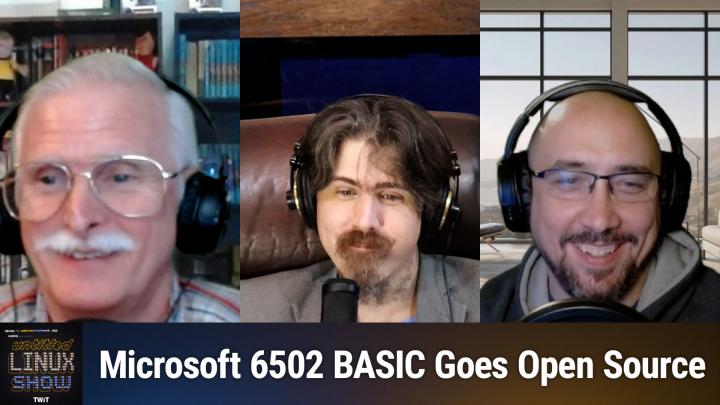
Untitled Linux Show 220 Transcript
Please be advised this transcript is AI-generated and may not be word for word. Time codes refer to the approximate times in the ad-supported version of the show.
Jonathan Bennett [00:00:00]:
This week we celebrate Microsoft open sourcing, one of its oldest code bases. We talk about the future of BCashFS. We cover the blitz at Firefox. There's a pipewire update, there's a CUPS update, there's a FWUPD update, and Apache, in a manner of speaking, is no more and lots more. You don't want to miss it, so stay tuned.
Rob Campbell [00:00:26]:
Podcasts you love from people you trust. This is.
Jonathan Bennett [00:00:35]:
This is the Untitled linux Show, episode 220, recorded Tuesday, September 13th. It hardly ever breaks your computer. Hey, folks, it's Saturday and you know what that means. It's time to get geeky about Linux. It's time for the Untitled Linux Show. I'm your host, Jonathan Bennett, and I've got the wonderful and amazing Chin. I have Chin and I have Rob.
Rob Campbell [00:00:58]:
Which one is the wonderful and which one's amazing?
Jonathan Bennett [00:01:02]:
Actually, Jeff is the one that's wonderful and amazing. And we also have Ken and Rob. Except we don't have Jeff.
Rob Campbell [00:01:07]:
I'm gone.
Jonathan Bennett [00:01:11]:
Just kidding.
Rob Campbell [00:01:11]:
I'm here.
Jonathan Bennett [00:01:13]:
Welcome back. I'll come up with adjectives for you guys. I'll have to workshop it for a while, though, to get something really good.
Ken McDonald [00:01:22]:
Just don't use AI.
Jonathan Bennett [00:01:25]:
That's a perfect use of AI. AI. Tell me good adjectives I can use for Ken and Rob. You know, it's going to come up with something really good.
Rob Campbell [00:01:32]:
I'm going to tell you a perfect use for AI later on in the show, but, oh, well, not. Let's not jump the gun here.
Jonathan Bennett [00:01:41]:
Yeah. Before we talk about AI, we're going to talk about something from ages past, before there was AI, or at least modern AI.
Ken McDonald [00:01:48]:
Something that I've actually used for several years in my computer.
Jonathan Bennett [00:01:54]:
I don't know if I'm quite from the era to have used this. I don't think I am. I think my first machine was like a 386. But I know what this is about. Rob, take it away. Give us the background. Tell us what this thing is and why only old people know about it.
Rob Campbell [00:02:12]:
All right, so in a historic move, that's why Ken knows about, because it's historic. Microsoft continues to open source more of its code. Before we know it, all of Microsoft's code will be open source. Just wait for Windows. So anyway, okay, so. So maybe the move itself isn't that historic, but the code that they're opening up is back in the late 1900s, like 1970s to be more precise.
Jonathan Bennett [00:02:49]:
Wouldn't that be a mid-1900s?
Rob Campbell [00:02:51]:
No, mids. More like 1950. 1960 it's, it's the late already, I don't know, but. So in the late 1970s or in the mid-1970s, Altair Basic helped millions learn coding on emerging microcomputers. And I think Ken was one of them. Microsoft began work on the 6502 microprocessor interpreter Port of Basic in 1976 and Commodore licensed it for its PET VIC 20 and Commodore 64 computers in 1977. So preservationists like Michael Steele spent years rebuilding the original environment to ensure the code could still run today. He documented and rebuilt the original BASIC processor for multiple targets and ported it to modern assembly assemblers like CC65, making it possible to build and run on current systems.
Rob Campbell [00:03:59]:
All of this was packed into 8k of memory and apparently contains an Easter egg hidden in there by Bill Gates himself. Well, time to break out that Commodore 64, Ken, I'm sure you've never put it away because 48 years after its release, Microsoft Basic for the 6502 is back and is now open sourced and available on GitHub for folks like you to continue to hack on and enjoy for years to come. So go ahead and fork it, clone it, improve it, or just sit there and admire a piece of computing history. I haven't really used BASIC myself. Visual Basic, yeah, basics. A little before my technical time.
Jonathan Bennett [00:04:50]:
See, I cut my programming teeth on QBasic. That's what I had when I was a kid. That's what I had available.
Ken McDonald [00:04:56]:
But it's not as good as Atari basic.
Jonathan Bennett [00:04:59]:
I have never messed with Atari basic. Rob, you said you could run this on the Commodore 64. You actually have to go back a generation or two. It's the Commodore PET that this will run on.
Rob Campbell [00:05:09]:
They said in 1976 that the Pet Vic 20 and the 64 computers.
Jonathan Bennett [00:05:16]:
Well, when you go, when you go to the repo to the BASIC repo, it specifically calls out the Commodore PET and not any of the others. But maybe it, maybe that is not a complete list. That would actually be a lot of fun to compile your own version of BASIC for the Commodore 64. It's a fun idea.
Ken McDonald [00:05:37]:
I think what it is is it was originally written for the Commodore PET, but they ported it to the VIC 20 and the 64.
Jonathan Bennett [00:05:46]:
Yeah, that could be, might be exactly what it is. You know, it's fun to see Microsoft doing this sort of thing. I wish that they would just sort of have a. Well, I wish the term on copyright was not 120 years or whatever it is these days because when you're talking about things like video games and computing, that is such a long time that we have multiple important pieces of history that are getting lost to history because that copyright time is so long and people can't legally archive them. But I wish more companies would do this sort of thing and just have a policy. Like once a code base is 20 years old. Right. That seems like a more appropriate time.
Jonathan Bennett [00:06:31]:
Once a code base is 20 years old, we just release it public domain.
Ken McDonald [00:06:35]:
Once we stop making money on it, we release it to the public domain.
Jonathan Bennett [00:06:39]:
Sure, sure. I'm fine with that. I have no problem with the company making money on their source code. I make money on source code. It's kind of nice. It's kind of nice to be able to pay your rent by doing the thing that you enjoy doing. Right. Like, that's a cool thing.
Jonathan Bennett [00:06:50]:
I will not give anybody grief for that. But I just, I hate. I like things that are open source. I think that's the way to do it. But what I really hate is code and parts of history getting lost because of copyright and DMCA and even patents.
Ken McDonald [00:07:09]:
In some cases, and the type of media it's being stored on.
Jonathan Bennett [00:07:12]:
Well, that's. Yes. Right. So, like, that is part of this. So you think about floppy disks. So what was it that, you know the old saying, they did a whole. Bill Gates kind of started this and they did the whole media campaign, don't copy that floppy. I think there was even a jingle that went with it.
Ken McDonald [00:07:30]:
Right.
Jonathan Bennett [00:07:30]:
Well, okay, so if you don't copy the floppy and then the floppy deteriorates where you can no longer read it, then you have lost the data. And if everybody doesn't copy the floppy and everybody's disks deteriorate, then that data does not exist anymore. It's not great. I thought you guys were going to jump in with some more words of wisdom, but I guess I nailed it and you were just speechless.
Ken McDonald [00:07:57]:
Absolutely.
Jonathan Bennett [00:08:00]:
All right, well, let's move on to something that is not closed source, that is not in danger of being lost to history via copyright. Let's talk about pipewire. There's a new release.
Ken McDonald [00:08:13]:
Yes, we do have that. We've got Marius Nestor writing about my favorite open source server for handling audio and video streams as well as hardware and getting another maintenance update. Bringing us to. Are you ready for it, Jonathan? Drum roll please. Pipewire 1.4.8. Now, Jonathan, you will be glad to hear that it brings low latency for FireWire devices using the ALSA drivers by forcing the IRQ mode in pro Audio mode even if there are multiple capture and playback devices. Do you have any occasion of needing that?
Jonathan Bennett [00:08:58]:
I have a FireWire device. I have a Sapphire Pro 40 sitting over in the rack. I still need to do a tour of my office and my desktop setup at some point because it's very different. I don't think very many people have a setup quite like I do. And so I've got the desktop computer rack mounted and then a couple of Pro audio interfaces rack mounted above it. One of one of them is the Sapphire Pro 40, which is a FireWire connected device that I to hardly ever use anymore.
Ken McDonald [00:09:28]:
Now, in addition to that, PipeWire 1.4.8 improves compatibility with Apple HomePod minis by adding FPSAP 25 encryption to the RAOP module and improves the support for the razer Black Shark V3 gaming headset. It also addresses potential wrong pointers and memory mappings, implements RenameCallback support in the Jack Audio connection kit, fixes the Dash Capital C option in PWDump and shows the correct values in the API ALSA period num ALSA property. Now I've just highlighted some of the improvements that Marius wrote about in his article, so I do recommend following the link in our show notes if you want more details.
Jonathan Bennett [00:10:23]:
Yeah, some interesting goodies there. You know that wrong pointers in memory mappings, that worries me a little bit. My security guy spider sets just tingled like that might not be good.
Ken McDonald [00:10:40]:
What happened to my audio says maybe that was what was causing it.
Jonathan Bennett [00:10:44]:
I mean, yeah, possibly. There's always this. There have been multiple very fun stories of playing the wrong audio or making the wrong sound and crashing your computer. The two of them that really come to mind are one, there is a.
Rob Campbell [00:11:03]:
The Windows Load sound.
Jonathan Bennett [00:11:05]:
Well, yeah, you know, you're host when you hear that.
Rob Campbell [00:11:08]:
Yeah, I was going to crash your computer.
Jonathan Bennett [00:11:10]:
No, the Jackson song, not Michael Jackson, his sister Janet. Janet Jackson, yeah, there's a Janet Jackson song that has in it the resonant tone of certain hard drives. And so there is a whole series of laptops that when you play that song at full volume, it will crash the laptop because it disables the hard drive. And then the other one that is very fun is there's the video of the guy standing in front of his server rack and going up to the server rack where all the hard drives are cupping his hands and just yelling as loud as he can. And you can see on the server rack the lights will go from, you know, they're all green. And then the ones he yelled into Go like red and then orange and then back to green and it's like he just disabled hard drives by yelling at them. I don't understand how the world works anymore.
Rob Campbell [00:12:01]:
Resonance sound. That's pretty interesting on a somewhat non technical side. 25 years ago I was standing in front of my, my stereo system at the time, you know, with the glass door on the front that it has a little metal hinge on it, holding on to a little magnet clip, just lightly holding and not doing anything, listening to music. And out of nowhere the whole glass turns white and falls to the ground with not a piece bigger than, I don't know, eight of an inch. I had one person there sitting on a chair watching it just. I'm still just standing there with the metal magnets thing in my hand and like what.
Ken McDonald [00:12:46]:
What song were you listening to?
Rob Campbell [00:12:48]:
I don't know. I should have, I should have made note of that.
Jonathan Bennett [00:12:52]:
It was, it was, it was cursed. It had backmasking in it with the break glass spell. That's what it was.
Rob Campbell [00:12:59]:
Yeah. Also I heard that you said this has better compatibility with the HomePod mini. So you can install this on HomePod minis now.
Jonathan Bennett [00:13:08]:
Well, is HomePod mini.
Ken McDonald [00:13:10]:
The Bluetooth you can connect to HomePod minis now?
Rob Campbell [00:13:15]:
I want to know. I've never used one or had any desire to get one of them.
Ken McDonald [00:13:21]:
You can connect to your Bluetooth headphones now too.
Jonathan Bennett [00:13:25]:
Well, I thought you were going to say you connect directly to your head. Like oh, I didn't know they were making that sort of terrifying.
Ken McDonald [00:13:31]:
In Rob's case that may be so.
Jonathan Bennett [00:13:35]:
Yup. Rob is a head case. We know. Okay, so there is another case of overactiveness in the world that I will talk about and that is that the Apache Software foundation is now the ASF and their logo is no longer the feather, it is now the oak leaf. Yes, this is something we've talked about before, that they were planning to do this. And all I will say is that I suspect that in the next few months you will start hearing from other American Indian groups that are offended by the change away from the Apache name. Sort of like we have with the Washington Commanders, previously the Washington Redskins. I live in Oklahoma.
Jonathan Bennett [00:14:30]:
I have literal card carrying Native American friends and they are all ticked over this sort of thing. They think it's ridiculous. I'm sure that there are some card carrying Native Americans that are calling for it and that is what the Apache Software foundation, the asf, that is what they had to say about it is that they were in contact with, with A Native American group who was asking them to change the name. So it's an interesting thing. So this is legitimately not always an easy decision to make. Right, because you genuinely don't want to be offensive. You genuinely don't want to dishonor the name of the people that you're talking about. But again, I will say that from my perspective, coming from a family that does have some Native American heritage, although I am not a literal card carrying member talking to my friends that are literal card carrying members of Native tribes, I believe that we have jumped the shark.
Jonathan Bennett [00:15:38]:
I would say that this is sort of the Apache Software foundation jumping the shark and trying too hard. That's just my opinion though. I'm curious if my co hosts have opinions on this.
Rob Campbell [00:15:50]:
You want someone to be upset about names? Look at me, I'm named after like the word theft, Rob. Theft. I mean.
Ken McDonald [00:16:03]:
I thought that was just short for Robert.
Jonathan Bennett [00:16:07]:
No, it's actually, it's actually short for Roberto.
Rob Campbell [00:16:10]:
My parents love stealing stuff and so they call me Rob.
Jonathan Bennett [00:16:15]:
That's great.
Rob Campbell [00:16:15]:
It's Robert. But no, I, I see the point here and you know, don't want to offend. But I also.
Ken McDonald [00:16:28]:
I gotta say that having grown, gone through several changes in the way people perceive their communities and seeing how biases have changed over the decades, that in some cases you're forgetting about what history said because you got to remember what started. This was a really patchy piece of software.
Jonathan Bennett [00:17:03]:
It's true. That's where the name actually came from. It was literally Apache Web Server. And someone realized the pun and used it. Yup, yup. But I mean, let's be honest, that doesn't matter anymore. I can show you multiple terms that are considered off limits in different projects and different companies that had no negative connotations until someone created it. For example, blackballing.
Jonathan Bennett [00:17:37]:
That is one of those terms that in multiple places you're not allowed to use because it could have racial overtones. But that was not the history of that term. Right. So I, I have opinions on that one as well, but I won't get myself in any more trouble.
Ken McDonald [00:17:50]:
The way we refer to different portions of our history here in the states have gotten, have ran into problems. Like before we hit the Great Depression. Do you remember what the time period before that, right around the turn of the century, going from the 1890s to the 1900s, 1910s was referred to.
Jonathan Bennett [00:18:18]:
Is that, is that the term, Is that the period referred to as antebellum or is it after that?
Rob Campbell [00:18:23]:
Yeah, I don't remember that. Time. But Ken, tell us what you remember from back then.
Ken McDonald [00:18:27]:
I remember somebody using the phrase the gay 90s.
Jonathan Bennett [00:18:32]:
Ah, well that means something very different now than it did then.
Ken McDonald [00:18:36]:
Yes, it does.
Jonathan Bennett [00:18:39]:
Well, let's talk about the Firefox Blitz. Rob, what is the Firefox Blitz? Is Firefox blitzing someone?
Rob Campbell [00:18:49]:
Well, I'm the one doing the blitz just because they're doing a lot of things. They have a lot of things going on right now. So I'm going to cover them all at a high level at least, because what's going on here is Firefox is apparently getting tired of being left behind. As you know, as recently they've made significant strides just over this past week alone to be on par with the other big guys. So for users of Microsoft, of the Microsoft Edge browser, you are aware and maybe have used it yourself. I have the built in Copilot feature that it has. Well now in a recent Firefox Nightly build, they too have added Copilot. This has been added alongside the other chatbots that that were already available in the sidebar, including open as ChatGPT, Anthropics, Claude Lechat, Mistral and Google's Gemini.
Rob Campbell [00:19:57]:
But for those not interested in using a third party cloud AI platform with Firefox, they're also working on their own offline AI called Page Buddy. Not a lot is known about it yet at this time, but appears to use the same on device AI models that Firefox uses for its link preview summaries. Firefox is also adding in some other googly features to improve Firefox with a new image search with Google Lens features now in the context menu when you right click when right clicking on a supported image file on the web, you can search that image using Google Lens. And finally there's a long awaited feature that Google Chrome users has had for years. And this is why I say they're just adding all these features that everyone.
Jonathan Bennett [00:21:00]:
Else has already had it.
Rob Campbell [00:21:01]:
It's kind of like, well, I don't know, it's kind of like Apple saying they invented something. But I guess they're not saying they invented it, they're just catching up and they probably know that. So anyway, finally the ability to sort playback of Matroska MKV content. This has been a feature request in Bugzilla for the past eight years. And finally this week we received this update. So here's a quote here, a quick update. You can now watch ABC H264 and AAC and MKV on the latest Nightly. The preference is Media NKV Enable currently enabled by default only on nightly.
Rob Campbell [00:21:49]:
Feel free to try it out and report any issues. If you encounter AVC or AAC and NKV failing to play, support for other codecs will be added gradually. So there you go. Got a new copilot if you want to feel a little more Windowsy and Gemini if you want to be a little more googly and you can watch MK videos. So some things coming to Firefox.
Jonathan Bennett [00:22:17]:
Yeah, very cool. I legitimately like Page Buddy the idea of PageBuddy and part of that is just because I like AI stuff running on local machines. I think there's much to be said with Notch shipping your information up to the cloud to get it worked on. It will be very interesting to see what all things you can do with PageBuddy. Is this just give me a summary of what this page says or are we eventually going to be able to have full on conversations where pagebuddy is it gonna become an agentic AI?
Rob Campbell [00:22:53]:
Lots of questions about yeah, you'd have to have a lot of modeling and for if you really want to compete with the cloud stuff. But I imagine they're not going to want to bundle that all in Firefox unless it's bundled in as an option I guess an add on.
Ken McDonald [00:23:11]:
But I'm glad to see that they've got the Matrask support in there because that's what I primarily use when I'm creating media files.
Jonathan Bennett [00:23:23]:
Yeah, MKV is basically one of the most popular codecs. Not Codex containers.
Ken McDonald [00:23:31]:
Wrappers.
Jonathan Bennett [00:23:31]:
Yeah, that's essentially what it is.
Ken McDonald [00:23:33]:
Wrapper container.
Jonathan Bennett [00:23:34]:
Yeah. But it is one of the very.
Ken McDonald [00:23:35]:
Popular ones out there because you can't use it to combine HEVC video with Flac audio.
Jonathan Bennett [00:23:47]:
Yeah, MKV lets you do all kinds of fun stuff. I think it also has some features specifically to keeping audio and video synced up, which is surprisingly a hard problem. That's a very challenging problem.
Ken McDonald [00:24:02]:
You know how they originally used to do it for the when they first came out with sound for the movies.
Jonathan Bennett [00:24:09]:
They encoded it on like the unused strip of film was how they first did it. Well, I guess before then they shipped piano music with the movie and they said play this while the movie is playing.
Ken McDonald [00:24:20]:
Oh. When they started recording the audio, you remember how you always see the scenes where they've got that clapboard. That clapboard to help it. You just shot it.
Jonathan Bennett [00:24:34]:
Yeah, yeah. Makes sense.
Rob Campbell [00:24:35]:
I forgot about that. I knew that, but I forgot about that.
Jonathan Bennett [00:24:39]:
All right. Well speaking of things that we've forgotten about. What what is Cups up to. Seems like Apple dropped cups a couple of years ago. It's still around. Not that kind of cup, Rob.
Rob Campbell [00:24:52]:
Drinking coffee. That's what my cups are up to.
Jonathan Bennett [00:24:55]:
Printing cups.
Ken McDonald [00:24:58]:
Well, actually, I've got two seemingly unrelated stories for Michael Leribo here, with the first one being about a new release of the widely used open source print server that Jonathan was referring to. Cups. In this case version 2.4.3. With this latest release they're addressing some security vulnerability problems. The first is CVE 202558060 and CVE2025 58364. It also addresses several bug fixes and a new feature. It's a new attribute for printer and job objects. It's print as raster, which allows enforcing rasterization of the file for IPP Everywhere.
Ken McDonald [00:25:56]:
AirPrint Printers, which supports PDF and raster document formats. The feature is useful for working around internal PDF issues in the printer firmware. For example, when you're missing diacritics or glyphs that should be added to letters when you're printing a PDF. Now Jonathan, Michael's article didn't mention too much about those CVEs because they haven't even been made public yet. I was wondering if you might have heard anything.
Jonathan Bennett [00:26:28]:
I have not. I will tell you. It is quite common though for a CVE to get fixed and weeks or even months to go by before someone finally releases the details as to what went wrong. You may not ever even find a proof of concept. You know, it might just be that nobody ever does the work to really build something that's that can exploit it. No, it depends upon who found it, right? Like who discovered it. So if it was somebody like Watchtower is one of the groups that will do the reverse engineering of these and then actually write exploits for them. So like if it catches Watchtower's attention, they may task somebody to go in there and reverse engineer it and find it and then we'll get to hear about it.
Ken McDonald [00:27:11]:
Now with the second story is about the release of SAMBA 4.23. It now supports SMB over QUIC or QUIC. The QUIC transporter layer network protocol is now a supported transport for SMB3. Starting with Samba 4.23, the SMB3 Unix extensions are enabled by default, providing first class support for POSIX semantics over SMB3, allowing user Unix and Linux clients to access file services with features such as proper proper POSIX permissions, SIM links, handling hard links and special file types. And of course, if you do want more Details on those. You can always follow the links in the show notes to get more and see if Cups ever comes out with one. Why those, what those security vulnerabilities are.
Jonathan Bennett [00:28:11]:
Yeah, I'm sure at some point we will learn a bit more about them. I didn't know SMB over QUIC was a thing. QUIC stands for the quic udp. Oh, I had it in front of my face just a second ago and now I can't remember it. Quic UDP Internet connections. That's what it stands for. Which interestingly it's almost a vpn. And in the SMB over QUIC documentation Microsoft refers to it as sort of being an SMB over vpn.
Jonathan Bennett [00:28:42]:
QUIC is getting used in several different things, one of which being is sort of HT to replace HTTPs for doing encrypted HTTP traffic. And you know, being udp you have kind of a trade off there versus tcp. Whereas tcp you get guaranteed packet delivery but you have this whole handshake that has to happen before you can start sending bits. Whereas with UDP you can just send bits right out the beginning and so it's a little faster but then whatever is on the other side has to handle and deal with the potential for traffic loss.
Ken McDonald [00:29:22]:
So have you had any experience with setting up Samba servers?
Jonathan Bennett [00:29:27]:
I have, I've done it for several businesses over the years. It's been a while though. Most, most time these days it's like, well, why don't you put it on Google Drive or use, you know, Microsoft's OneDrive or something like that. Like I don't know the people that I deal with. At least the world seems to be moving away from on premise SMB servers.
Ken McDonald [00:29:51]:
So you're going with one of those cloud based services?
Jonathan Bennett [00:29:54]:
A lot of people do. A lot of people do.
Ken McDonald [00:29:58]:
Does that include you suggesting nextcloud in certain situations?
Jonathan Bennett [00:30:02]:
I don't, I don't know that I've ever done a NextCloud install for somebody. I've done it for myself a couple of times. I don't think I've. I don't think I've done it for anybody else though.
Ken McDonald [00:30:12]:
That's on, on premises equipment or in the cloud itself.
Jonathan Bennett [00:30:19]:
I've run it. I've run it on my own server on premise and then I've run it on my own server in a data center. I don't think I've ever done an xCloud install in the cloud. Ironically.
Ken McDonald [00:30:31]:
Though, it could be done, couldn't it?
Jonathan Bennett [00:30:32]:
It could be done absolutely.
Ken McDonald [00:30:35]:
In fact, from the last weekly episode you had where you interviewed one of the people from nextcloud, didn't y' all talk about them offering a commercial cloud services?
Jonathan Bennett [00:30:50]:
I am sure that they, that they would. Let's see, October 2023, 755. That's been a while that we did that. But yeah, we did. We have talked to them. Yeah, I'd have to go back and find the exact. Looks like maybe Frank Carlage back in 2023. Yeah, I don't know if they actually, if they're still offering that or not.
Jonathan Bennett [00:31:16]:
Probably need to go back and touch base with him again, see if we can have him back on the show. But we could talk about video cards here for a second because there's a couple of very interesting things happening in the not necessarily the hardware world, but the software world around GPUs. I have a couple of stories here. One of the first ones is that MESA is finally washing their hands of vdpau and everything is going to be VA API. And half of our audience, I'm sure, has no idea what that means. And that's fine, we're going to explain it. So this is video decode and possibly encode, but mostly video decode acceleration. And so when you, let's just say go to YouTube, you play a video that is H264 encoded.
Jonathan Bennett [00:32:11]:
That's what a lot of them are these days. Or even H265, which is one of the high efficiency codecs. If your CPU has to do the video decoding, well, that takes quite a bit of CPU horsepower. Modern CPUs can do it with no problem. But if you're specifically talking about like a 4k video, say a high frame rate 4k video, your cpu really has to grind on that really has to work on that to get it to happen. On some slower systems you'll actually see frame drops as a result of that. Well, the solutions is to move that decode process off into your GPU and modern GPUs. And they have for quite a while now they have dedicated hardware blocks inside of them that are just doing the.
Jonathan Bennett [00:32:56]:
They're dedicated to doing video decode and encode as well in some cases. There are a couple of ways, a couple of call them APIs that are used to be able to do this video decode. And the more open source one is VA API and the Nvidia solution is vdpau. That's video decode and presentation API for Unix. That is what Nvidia has historically used. Now when you look into This a little bit more. You find out that VDPAU only supports X11 and GL, there is no Wayland or Vulkan interoperability support. And the API has limitations that make it, according to David Ruska, impossible to correctly decode certain streams.
Jonathan Bennett [00:33:50]:
Application support is also very limited and VAAPI is always a better choice over VDPAU. And so the Mesa code base is about 9,000 lines lighter as a result of this. So very interesting to see. May or may not see Nvidia drop it from their official solutions. And I bet it's not. I bet VDPAU is not even in the open source Nvidia drivers I would expect, although I've not gone and looked at that for sure. But some big changes there in MESA land and as a result in all of. All of the Linux gpu, the driver situation.
Jonathan Bennett [00:34:36]:
And then there's another sort of shakeup we've been tracking this the situation at intel with people leaving and getting laid off. There is one other person that is leaving intel that is a Colin Ian King and he is going to Nvidia. He is a kernel engineer, he's worked at Ubuntu, he's worked at intel and now moving over to Nvidia, one of the things that he has worked on is the stressng micro benchmarks for the kernel. It's one of the things that Michael Larabel at Pharonix runs quite a bit. Yeah. So this is. It's very possible that he's going to Nvidia to work on their GPU stuff and the open source GPU driver that's being done at Nvidia. But as always it's very interesting to see, you know, the various changes of the landscape as a result of intel tightening its belt.
Jonathan Bennett [00:35:32]:
Having to let some of these people go, some of them leaving of their own will because you know they've gotten better offers somewhere else or something more interesting to work on. So the gpu, the GPU landscape is changing in Linux land. Yeah.
Rob Campbell [00:35:48]:
So Intel's tightening its belt and Nvidia is letting it out a notch to try to.
Ken McDonald [00:35:56]:
Hopefully this helps embed get some more open source drivers for us to use.
Jonathan Bennett [00:36:03]:
That would be nice. I mean Nvidia is working on it. They're just, they're not quite ready for prime time.
Ken McDonald [00:36:10]:
When's that ever stopped us from using it?
Jonathan Bennett [00:36:12]:
Well that's true stop me from using it.
Rob Campbell [00:36:15]:
That's why I bought an amd.
Jonathan Bennett [00:36:19]:
I mean look, Nvidia has some money to burn right now. Nvidia became Nvidia is the first company to reach a market cap of $4 trillion trillion with a TR. Now, that's their market cap, not necessarily their valuation. I wonder what their valuation is considered.
Ken McDonald [00:36:40]:
I wonder what IBM's valuation when it was at. At its prime was and then convert that to present day.
Jonathan Bennett [00:36:52]:
Indeed, yeah. In this case. Oh, now I have to go back and look. I don't remember. I. I want to say market capitalization is a different term from valuation. They mean two different things. But it may not be.
Jonathan Bennett [00:37:06]:
There may be analysts that suggest that Nvidia is worth $4.3 trillion. That doesn't seem right to me though. I'll have to do a little bit of looking into this.
Rob Campbell [00:37:17]:
Yeah, that's.
Jonathan Bennett [00:37:18]:
I don't know.
Rob Campbell [00:37:19]:
I'm sure they're worth a lot, but.
Ken McDonald [00:37:21]:
It is like a lot doesn't help me any.
Rob Campbell [00:37:27]:
Especially for a company that has like one thing really.
Jonathan Bennett [00:37:32]:
Well, yeah, that's not actually accurate though. They've got multiple things. So they make embedded CPUs, they make embedded GPUs, they make desktop GPUs, they make server side GPUs. Right. And so like there is, there's.
Ken McDonald [00:37:46]:
Don't they do some networking as well?
Jonathan Bennett [00:37:48]:
I would not be surprised if they had the network card in there as well. I don't know for sure, but it wouldn't.
Rob Campbell [00:37:53]:
But still there's gpu, gpu, GPU and then one embedded cpu. All the things you listed.
Jonathan Bennett [00:38:00]:
Well, no, they've got a whole. They've got a whole line of embedded CPUs. It's just, I mean, that's three different markets. They've got one thing that's obviously their core competency and they're pushing it in three different markets.
Rob Campbell [00:38:11]:
So I guess Intel's just kind of the same thing, just heavier on the CPU than the GPU.
Jonathan Bennett [00:38:18]:
Yep, yep, exactly. All right, let's talk about BCASHFs again. Still ongoing. More.
Rob Campbell [00:38:32]:
So we've already told you about the drama between Linus and bcachefs several weeks ago, and then a little more recently, how Linus made the decision to not have bcache in the kernel starting with version 6.17. Or to be more specific, Linus has marked bcachefs as, quote, externally maintained and isn't merging any new bcachefs code for the time being, though for now he is keeping the existing B cache FS code in entry for anyone that has been relying on this experimental file system from prior kernel versions. And now we're starting to see some, some fallback in other places. So OpenSUSE OpenSUSE has also decided to disable BCache FS in kernel 6.17 and Jerry Slabby made the announcement that quote once the bcachefs maintainer behaves and the code is maintained upstream again we will re enable so as IMO it is a useful feature. Well based on Kent over Street's the BCache FS lead developers response, it doesn't look like they plan to be back in the kernel anytime soon or at the very least they are making plans that will allow users to continue to use and test PCachefs even though it'll no longer be in the kernel or updates won't be. This week Kent laid out plans for shipping the file system kernel driver as a DKMS or dynamic kernel module support module moving forward so this is similar to how the proprietary Nvidia or the incompatibly licensed ZFS is typically implemented on Linux. Both, you know, Both these are DKMs, you know and with the DK but with the bcache fs the DKMs version you could still use bcachefs as your root file system, you know, as long as there's not any incompatibilities Troubles with the new kernel version building dkms which is something I've seen in other other DKMS modules and the group hopes distribution will continue or they'll hope, they hope that distributions will continue to update their bcache FS tools package for the user space components ROM bcache fs. But for those of you familiar with dkms, you know how much of a pain they can be.
Rob Campbell [00:41:29]:
I think unless bcache can provide something compelling that no other file system offers or until they can get back into the kernel tree I think this, this might be the beginning of the end for them. But you know, like I said I I didn't know what compelling they had so I asked AI why should I use bcachefs? And it did provide some compelling reasons. So you know, take this with a grain of salt. This is what this is what chat chatgpt told me. It says bcachefs is recommended for users seeking a modern file system with advanced features and reliability. Here are some reasons to consider using bcachefs. The top one Reliability bcachefs is designed to be reliable and robust with features like check summing and multi device functionality that are absent from other file systems like ext4 and xfs. I don't know about reliability yet, maybe that's the design they're hoping for, but I've heard of stories the next one Performance bcachefs outperforms other file systems in terms of speed and reliability, making it a strong choice for high performance applications.
Rob Campbell [00:42:44]:
That seems compelling. Storage management BCache FS supports storage tiering, allowing for efficient management of data across different storage devices based on their performance characteristics and usage patterns. That sounds kind of cool too. So maybe it'll be interesting if this actually does become a big thing. It gets back in the kernel is usable also Data deduplication Okay, I gotta laugh here. This is how I called it out. Said data duplicate de duplication is one of them. And then it goes on to say while BCache FS does not support data duplication and she's very different anyway, it does support compression, which can be beneficial for data storage.
Rob Campbell [00:43:32]:
And finally on its list was backup and recovery. BCACHE FS features such as snapshots and CRC 32 and 64 bit check summing provide robust backup and recovery options, which is also available in ZFS and what's the other butterfs btrfs. So I don't know, I guess we'll see. Maybe if bcash team keeps moving forward, among the setbacks, maybe they could still be successful in the future.
Jonathan Bennett [00:44:07]:
Yeah, I mean, I think it's just a matter of getting, of getting users right and particularly corporate users, let's be honest, if they want to make money, be able to have money to continue working on this, are they going to have corporate users that are going to be able to put money back into the ecosystem? And apparently they have some and I don't know that the people that are using it, I don't know how much they care whether it's in the upstream kernel or not. Like, so long as you can do a, you know, a reasonable dkms, you can stay up to date with changes in the kernel, then it's not the, it's not the hardest thing to maintain something out of the kernel if they.
Rob Campbell [00:44:42]:
Hope to ever get back into the kernel. I mean, I like to think that's their hope someday maybe once they stabilize and can be a little more compliant with Linus's requests, you know, I think they'd be better. But until then, if they're willing to keep developing with even minimal, minimal financial support, they are going to need to have enough users to actually do the testing because I'm sure they don't want to just be the sole testers themselves and keep moving it forward.
Jonathan Bennett [00:45:16]:
Yeah, true that.
Ken McDonald [00:45:17]:
What's interesting is there's a article from OS Technics that actually states that ken had asked OpenSUSE to hold off on dropping it completely or disabling it completely in hopes that he could have it ready for Colonel618.
Jonathan Bennett [00:45:40]:
Interesting.
Rob Campbell [00:45:42]:
So what do you think? Think it's gonna happen with OpenSUSE? I think it's gonna just stay gone.
Jonathan Bennett [00:45:48]:
It's hard to say.
Rob Campbell [00:45:49]:
Let's just throw your guesses out there.
Ken McDonald [00:45:52]:
I think what will probably happen is they'll disable it by default, but that's not going to prevent people from going in and re enabling it individually if they want it.
Rob Campbell [00:46:05]:
Is OpenSUSE going to have it as like an option they enable us or are the people have to do it manually?
Ken McDonald [00:46:12]:
Well, if they want it hard enough, they'll definitely do it manually. But if they see a lot of requests from people to have it in 6.18 then they may re enable it.
Rob Campbell [00:46:24]:
Well, if that's it, I think I'll just stay disabled then.
Jonathan Bennett [00:46:28]:
Well, I mean, so they're disabling the kernel driver because the kernel driver is frozen, the updates are not going to land in the nkernel tree. So if somebody wants to run it, honestly this probably makes it easier for someone that wants to run the most recent version version of it because you're going to go install dkms and it's going to get compiled as a kernel module. Whenever you update your kernel, it gets recompiled as an external module. You probably don't want it enabled in the kernel itself as a built in when you go to do that because then you're going to have these two potentially conflicting kernel modules. So yeah, this in particular is not going to hurt them really at all. As soon as the first bug fix lands in Overstreet's tree, he's not going to want people running the in kernel version. In fact, it would not terribly surprise me if he sends in a request to let's go ahead and pull the. Let's go ahead and pull the bcachefs code out of the kernel.
Jonathan Bennett [00:47:28]:
If we're not going to update it. I think it's probably the right thing to do.
Rob Campbell [00:47:31]:
I'm going to say that OpenSUSE is not going to re enable it and they're not going to have an installer or in the installer for the dkms. If you, if you want to use it, you're going to have to go out and do it yourself. At least for the near future. The next year, over the next year it's not going to be renamed. That's my prediction.
Jonathan Bennett [00:47:54]:
Yeah. I don't know, we might see a DKMS land sooner than that. I don't know The, I don't know, the OpenSUSE policy on getting things and getting packages added. Right. Like, so, like in Fedora. This is a thing that we've seen a couple times in Fedora. Pretty much any maintainer can add a package. And there's been several times where it's like a whole, one maintainer has added a package and a whole group of other maintainers are going, no, we don't want that in there.
Jonathan Bennett [00:48:19]:
And the Fedora steering committee have gone. Our policy is that once you're a maintainer, you get to add packages if you want to, as long as they don't, you know, there's, there's, there's a list of things like it can't violate copyright, it can't violate somebody's patent, but so long as it checks all of those boxes, you can add it.
Ken McDonald [00:48:32]:
You can't add malicious code, Right?
Jonathan Bennett [00:48:34]:
Yeah, like that's the kind of thing you can't do that. But so you know where the guys that maintained KDE said, We're not going to build the X11 version of KDE anymore. And one of the other maintainers said, oh fine, I will add the KDE X11 package. And all the guys that have been working on KDE for years just went, oh, so please don't do this to us.
Rob Campbell [00:48:55]:
You can have that package. I mean, that's. Even if they have that in their repo packaged, if it's not in the installer at something you could select, it's going to be really hard to do. It's going to be at least really hard to do. Root file system level.
Jonathan Bennett [00:49:14]:
Yeah, that's true. That's hard. That is a fair point. But again, if we're talking enterprise, then these are guys that they, they build a file system and have a golden master image and just shoot that onto their servers and so they don't really care about that. It's easy, easy, easy, easy day.
Ken McDonald [00:49:32]:
It's always been easier to keep software up to date compared to hardware.
Jonathan Bennett [00:49:38]:
That's true, that's true. That's one of the big differences between software people and hardware people. Software is easy. All right, let's talk about keeping software up to date. Ken with fupd.
Ken McDonald [00:49:51]:
All right, this week we heard about several improvements to our favorite open source firmware updating solution built around the Linux vendor firmware service, sometimes called lvfs. First, we have Michael Larabel and Marius Nestor writing about the release of FUPD 2.0.15 earlier this week. According to Michael, it adds support for child devices to use the parent name as a prefix. And according to Marius, it adds support for updating the firmware on more hardware, including the Nvidia ConnectX6, ConnectX Dash 7 and connects eight NICs or network interface cards.
Jonathan Bennett [00:50:38]:
Hey, Rob. As well as hey Rob. Nvidia makes network cards too.
Ken McDonald [00:50:47]:
As well as the Foxconn SDX61 modem. It also fixes build issues with the FreeBSD operating system. Then yesterday I'm talking about Friday, Bobby Borisov wrote About frupty version 2.0.16, introducing a major improvement, namely search functionality. It adds a search feature to both FUPD Tool and FUPD Manager. Now users can quickly look up available updates or information directly from the command line. FUPD version 2.0.16 also addresses the last remaining problems that were preventing updates from working correctly on FreeBSD. I have links to the articles in the show notes if you want to get more details instead of hearing me stumble over all those model numbers.
Jonathan Bennett [00:51:45]:
Yeah, fun stuff. You know, this is something that sort of runs in the background. You don't always necessarily realize that it's there doing its thing, but that's, that's a good sign. It's a good sign that it's doing what it's supposed to. And it hardly ever breaks your computer.
Rob Campbell [00:51:57]:
Jonathan. I just don't want anybody to be that diversified.
Jonathan Bennett [00:52:04]:
You know, I remember I built a server for somebody and this was back in the day before CPUs were all SoCs. And you actually had like Northbridge chips and South Bridge chips and that thing had an Nvidia. Was it a northbridge? Whichever chip it was, it had the USB hanging off of it was Nvidia. And I could not get the USB to come up on that Linux server for the longest time. Drove me nuts. It's like, hey, the one thing that works everywhere on Linux, everything supports it. Usb. Nope, not on that machine.
Jonathan Bennett [00:52:40]:
It was, yeah, that was one of the first times that really put a bitter taste in my mouth about running Nvidia hardware.
Ken McDonald [00:52:48]:
Proprietary drivers.
Jonathan Bennett [00:52:49]:
Yep, yep. I don't even know if there were drivers for it. Like, it's just not a whole lot of machines used those Nvidia USB chips. And so, yeah, I don't know if there were Linux drivers at all for it, but.
Ken McDonald [00:53:02]:
Or was it just that they weren't completely following the specifications for usb?
Jonathan Bennett [00:53:09]:
No, it wasn't that. It was that there was a, you know, there, there needed to be a specific driver to be able to bring that particular part of that. Again, I don't remember as a North Bridge or Southbridge, but to bring that chip up to even get USB support and it just, it wasn't in the kernel, it wasn't there. So no USB for you made me very sad because I needed it. I needed it on the machine. Hey, big old external hard drive hanging off a USB and kind of doesn't work when USB doesn't work. So there is something that works now inside Wine. Several things actually.
Jonathan Bennett [00:53:45]:
We just got wine 10.4 15 and it's got some fun things in it like Unicode 17 and 7, zip 64 support, about 16 bug fixes. Some of those are old, old issues like things from things Fixed in the Sims 2 black screen in Sims 2 when using old Nvidia drivers, crashes, regression fixes, all kinds of fun stuff there in the official 10.15 release. But right after that we also got the 10.15 staging release, which of course has about 300 patches. So wine staging is officially from Wine, but it is their sort of experimental branch and it's got a whole bunch of packages on top of the official Wine release. And so we have things like. Well historically there's been like D3D11 and Ms. XML patches, but some of those this time around got upstreamed to the master Wine branch. There is a patch for a 5 year old debug report for direct 3D9 on mudrunner which is pretty interesting.
Jonathan Bennett [00:55:02]:
All kinds of fun stuff like that. 10.15 also pulls in like the latest VK D3 Decode that's running direct 3D over Vulkan and some other things. But one of the other things that we are also seeing is in, I believe it's in 10.15 we're starting to see support for NTSync land and I don't see that in either of these articles, but I know I did find it. We're getting close to NTSync working and when we get to the command line tips here in just a minute, I'm actually going to going to give you some hints about NTSync, why you might want to make it work and how from what I could tell right now you can make it work. That'll be fun. But yeah, Wine, it's coming along. Things getting added and fixed. All right.
Ken McDonald [00:56:01]:
Actually I came across an article by Michael Larabel that covered Wind up including Inteam sync.
Jonathan Bennett [00:56:12]:
Oh, did I just miss it? Did I grab the wrong link?
Ken McDonald [00:56:17]:
I just posted in the Discord. You want me to go ahead and put it in the show notes as well?
Jonathan Bennett [00:56:22]:
You might as well. Yeah, that's the one they talked about the initial bits landing for NTSync. So in wine proper, it's not fully supported yet, but they are working towards it. I remember one of the last times we checked in on this on Wine, there was sort of the opinion that the way the NTSync patch was written was very hacky and not quite up to the standards for inclusion in Wine. But good to see that someone looks.
Ken McDonald [00:56:53]:
Like as Of Linux kernel 6 14, the NT sync kernel driver was starting to get into good shape.
Jonathan Bennett [00:57:03]:
Yes, yes, it is. And that is something I'm going to talk about in my command line tip.
Rob Campbell [00:57:07]:
Actually, NT sync, not to be confused with NSYNC or an empty sync. Empty sink.
Ken McDonald [00:57:15]:
What's an empty sink?
Jonathan Bennett [00:57:16]:
It's one that doesn't have any dishes in it.
Ken McDonald [00:57:20]:
You haven't been in my household then.
Jonathan Bennett [00:57:23]:
I know how that goes. All right, let's move to some command line tips. Gotten through the news. I don't know if Ken has a command line tip for us this week. I don't see one of the notes.
Ken McDonald [00:57:35]:
But I forgot to post it in the show notes, didn't I?
Jonathan Bennett [00:57:39]:
It looks like it. Well, if you want to take it away and talk about your command line tip and then we can make sure it makes it into the show notes at the end.
Ken McDonald [00:57:49]:
You want me to go first?
Rob Campbell [00:57:50]:
Yeah. Surprise.
Jonathan Bennett [00:57:51]:
It's a surprise. Yeah, we usually let Ken go first on the. On the tips. All right, so take it away.
Ken McDonald [00:58:01]:
Okay, now in the for those of y' all listening, I've got two terminals up on the one to the left. I've just run the WPCTL status because I'll need that information. As I demonstrate using the wpctl's Clear default command, it allows you to clear out the objects that I demonstrated that you could set last week. With the set default, you can either clear out just the default for a configured node or all the defaults all at once. Now, the Clear to command D doesn't use the ID of the source or the sync like we've been using in the past. It uses the first number that appears under the Default Configure devices list from the status. So over here in the left terminal you'll see settings default configure devices. 0 is audio sync.
Ken McDonald [00:59:04]:
And here I've got my virtual mysync being used. And then there's also one for Audio source, which is the ALSA input. Now let me go ahead and bring up Switch to the right tab and I'm going to go ahead and hit Enter for WPCTL space clear default space dash H. So we can get some specific helps if there's any. And the only specific is that it clears the default configured node with no ID means that it clears all of them. So basically the command to clear, say for example, my audio syncs would be clear wpctl clear default 0 and let's go back to the left. Let's clear the screen so that we're not having to scroll all the way back up. And now we see that with the default configured devices, it's just showing the ALSA Input, in other words, 1.0 audio source, ALSA_input.
Ken McDonald [01:00:17]:
PCI- Then a whole bunch of zeros, underscores and analog stereo. And if you remember from last week, we were able to use the set default. So we could actually go back in and use set default to set it to the audio sync of 49. Make sure I use. Yep, there we go, 49. So let's go back to the left again and clear and rerun the WPCLC status. And we see that it's got that now. So we've demonstrated clearing a particular node.
Ken McDonald [01:01:06]:
Now let's clear everything. So we go back to the left and WPCL status and now we don't have any default configured devices. That's the basic usage for WPCTL dash R space clear default.
Jonathan Bennett [01:01:30]:
Very nice, very useful.
Ken McDonald [01:01:33]:
Can you think of anywhere you might use that?
Jonathan Bennett [01:01:39]:
I mean, if you don't want an audio sync to play at all on a computer. On a computer, if there's no default, is a new output just not going to play anywhere?
Ken McDonald [01:01:55]:
Correct. It wouldn't have anything to go to initially?
Jonathan Bennett [01:01:58]:
Yeah, I could.
Ken McDonald [01:01:59]:
And the same for if you cleared the default for your sources as well. You wouldn't be able to hear me then. So, Rob, think that'd be a good use case?
Rob Campbell [01:02:13]:
Wonderful.
Jonathan Bennett [01:02:14]:
No, I mean, if you had like a computer set up as a media computer and you wanted to turn on like so in an auditorium of some sort, and you had the one thing that you wanted to play but you didn't want any other sounds to come through, you could do that. And then, you know, no matter what you did, you're not going to get a, you're not going to get a YouTube ad playing over your main speakers in the middle of a church service. Not every what you want.
Ken McDonald [01:02:42]:
And then you could use the set default to set the specific input or output that you want. Yeah, you can even do that with video.
Jonathan Bennett [01:02:51]:
Yeah.
Rob Campbell [01:02:52]:
This week's sermon has been brought to.
Jonathan Bennett [01:02:54]:
You by not what you want.
Rob Campbell [01:02:57]:
The untitled Linux show.
Jonathan Bennett [01:02:58]:
Yeah, not what you want. Not what I'm looking for in a church service.
Ken McDonald [01:03:03]:
In fact, should I live dangerously and demonstrate using my webcam over here?
Jonathan Bennett [01:03:12]:
Up to you.
Ken McDonald [01:03:14]:
Maybe after the show in the posture.
Jonathan Bennett [01:03:17]:
That'd be good. Yeah.
Ken McDonald [01:03:18]:
All right, I practiced it, but let's wait until after the show and I'll actually demonstrate doing that.
Jonathan Bennett [01:03:24]:
All right, we'll do it. Rob, you got a command line tip for us?
Rob Campbell [01:03:27]:
Yeah. So my tip today is. I mean it's way more than just command line. It's a simple command line tip. I'm not going to dig deep, but today it is Ansible. It's something I've been playing with for the last few weeks here. What is Ansible? Ansible is an open source automation tool that simplifies the management of application systems and infrastructures designed to automate tasks such as application deployment, cloud provisioning, intra service orchestration, and so on. So I wanted to.
Rob Campbell [01:04:03]:
I want to play around with this and try to do things like update all my Proxmox servers and automatically take. Take backups of it before I do it and update my servers in the cloud, all with a simple. With one command. So I'm going to show you. First I'm going to start by showing you that command. So for those people who are watching, all I'm going to run here is update vm and it's going to run and I'm not going to let it do its whole thing. I'm just going to cancel that out because I'll tell you what it's going to do is it is going to basically update all my servers that I have configured to. Now, what is update vm? Well, slight trick here, that's actually just an alias I made.
Rob Campbell [01:04:51]:
So what it's actually doing, if I type alias space update vm, it tells me how I configure that alias. So what that's actually running is Ansible Playbook space dash I. So that's going to tell you what your inventory file is Here I have under/root update proxmox vms/invi and then space /root update proxmox vms /updatevms yml and that is my playbook. So I'm going to show you what these files look like here. If I look at. Not that one. If I look at the inventory file here. This is.
Rob Campbell [01:05:39]:
So this is one that I said for testing. It's not my live one actually. This just has my. Well, I have it called PvE Host and it just has my internal IPs for a handful of my hosts on my, on my Proxmox server. And then if you look at the Playbook here, this is where it gets a lot more complicated. So this is my development, what I have for I have my live in a different thing on a different program. I'm going to show you guys next week. But on here you have the Playbook with the name and really it's doing a whole bunch of things that.
Rob Campbell [01:06:29]:
Well, first it's going to back. It's going to use the Proxmox module, back up the server and then it's going to update the servers. So if anything goes wrong, I have a backup right beforehand. Now, you can do a lot more with this than just what I've done here. And you know, you can install stuff with it. Like I said, you can do, do everything. And this is just a small snippet of ideas of what you can do with Ansible. And you know, here it's command line, which it's really not too hard.
Rob Campbell [01:07:09]:
But next week I'm going to show you another tool to even make it easier, maybe more manageable.
Jonathan Bennett [01:07:18]:
Yeah, Ansible is cool. I've not done much with it. I've got some friends that do a lot with Ansible, like Jeff Geerling, for instance. He is a huge Ansible fan and I've worked through a couple of his, one or two of his Playbooks to do things. But yeah, it's super useful for if you have multiple servers that you want to be able to deploy the same thing on them, or if you want to have something like this where you know exactly what you want to run and you want to just boil it down to a single Ansible event, then run that.
Rob Campbell [01:07:46]:
And yeah, so this is also one of the cases where I'm going to say AI is helpful.
Jonathan Bennett [01:07:53]:
Sure.
Rob Campbell [01:07:53]:
I actually used AI quite a bit to refine and build these. I had trouble with the Proxmox part of it and so AI helped me out to figure out what I was missing, which AI chat GPT specifically. I actually did pay for a subscription a few months ago, so I'm actually a paid chat GPT user, so. So I can use the latest 5 and as many queries as I want. But anyway, yeah, it built. I mean, I looked at the Playbook afterwards and I can read what it's doing doing. It's just crafting it myself, as new as I am, I've really only been doing this a couple weeks.
Jonathan Bennett [01:08:32]:
So here's here's my thought on where AI is super useful. Anything that before AI came along, your workflow would be Google for the thing, Find maybe Stack overflow, something that seems promising, and copy and paste that in and try it. That workflow is replaced easily by an AI, because that is essentially what it is doing. It is looking through its list of things it's seen on the Internet, finding the one that seems the most promising and formatting it nicely for you. It's just a little bit quicker way to do it. And that's cool. Yeah.
Rob Campbell [01:09:09]:
And I was getting errors and stuff from the Proxmox side, so I'm like, what is this error? And it took me a little bit to get to the answer for that one, but it got there.
Jonathan Bennett [01:09:20]:
All right. I've got a command line tip that I must admit I've not actually tried it out yet, but I'm going based on what other people tell me, and that is that NTSync, and we talked about this with wine earlier. NTSync is now in the Linux kernel and it's available, but it's probably not on by default. In Fedora they have a change coming up soon in one of their upcoming versions that will turn it on by default. In my case, it was installed by default. And so I can do a mod probe, so sudo mod probe ntsync and the place to look to see whether you've got it installed? Well, there's two ways to do it. One, you can do an LSMOD that lists all of your installed modules and so you can lsmod and then the pipe symbol and then grep and then ntsync or just sync and see if it's there. And then the other way you can figure out whether you've got the module loaded is to look for a dev ntsync and if it's there, then you're good to go.
Jonathan Bennett [01:10:26]:
Now, we just talked about how that Wine is only now getting these patches landing and it's not fully supported. So what's the purpose of it? Well, there are some solutions out there. Some of the rebuilds of Win Wine that actually have support for it, I don't remember. And I went to look and could not find it. I don't know if Proton itself has NTSync support yet, but the Proton GE, that is the Proton glorious egg roll rebuild of wine in 10, 9, it actually does have support for it. Now in 10, 9 you have to. You have to use the Proton use ntsync environment variable. But I believe I've seen that in One of the even more recent Proton GE releases that that is not there anymore.
Jonathan Bennett [01:11:23]:
And let me see if I can find that quickly. 1010 NTSync is now enabled by default will be used if the kernel support. Now I believe for now you have to manually mod probe it to get that to work. And the link I have is off to an article that has some instructions on how to do that. But yeah, that's very interesting. So one of the things that I am going to try to do in the next few days I can ever find some time to play a game again, is to Mod probe the NTSync and get an up to date version of Proton Gear and go see if I can tell a difference in some of the games that I've had less than stellar performance with and see if some of those work better. Yeah, see if I can actually get it to noticeably do something. I'm sure there's a list somewhere of the games that will specifically benefit from ND Sync support.
Jonathan Bennett [01:12:24]:
I think Michael Ephronics has run some benchmarks with that as well. But anyway, it's possible. It's there, it's in the kernel. If you're running a new enough distro, you probably have it on your machine. Right? You have to go turn it on. It's free. It's free frames. Free frames.
Rob Campbell [01:12:40]:
The best kind of frames.
Jonathan Bennett [01:12:42]:
Exactly, exactly. All right. You guys have anything you want to plug? Ken?
Ken McDonald [01:12:48]:
I actually do. I've got a couple of things. Let me go ahead and bring up terminal. There we go. And I'm showing a terminal where I ran fast fetch and the gives you the output showing that it's on a Debian, GNU Linux 13 or Trixie system.
Jonathan Bennett [01:13:23]:
Trixie.
Ken McDonald [01:13:23]:
Can you guess what computer that's on?
Jonathan Bennett [01:13:27]:
Is that your main desktop?
Ken McDonald [01:13:29]:
Actually no. If you look, the host is Cross vm. That should help give you a hint.
Jonathan Bennett [01:13:35]:
Oh, that's on a Chromebook. Yeah, on a Chromebook. Cool.
Ken McDonald [01:13:44]:
So just finished installing that this afternoon and the way I'm showing it is through my open source SUSE VM as a using Video Ninja Y.
Jonathan Bennett [01:13:56]:
Very cool.
Ken McDonald [01:13:58]:
And then we go ahead and switch to another terminal and remember we talked about Gemini? I installed that this week.
Jonathan Bennett [01:14:20]:
Very cool.
Ken McDonald [01:14:22]:
And I've actually used it for one or two things. You're right, it is a great way to search instead of having to google all the commands or dig through the man page to find all the links. Like I'm going to ask it how I can create a virtual camera.
Jonathan Bennett [01:15:00]:
Making it go beep boop. I like it extra bonus points if it says something about reticulating spines.
Ken McDonald [01:15:10]:
Or is it no splines Outlining a step by step guide.
Jonathan Bennett [01:15:15]:
Oh, this reminds me so much of the loading messages from SimCity.
Ken McDonald [01:15:21]:
But it goes over the general guide. Install V4L2 Loopback, load the kernel module, find the new video device. And here it's saying if you use Videonr 10, you should look for Device Video 10 for that. And may even be helpful in figuring out exactly what to use for doing the Mod probe for NTSync.
Jonathan Bennett [01:15:50]:
Cool. I like it. I have to try that out. All right. Oh yes.
Ken McDonald [01:15:57]:
And then it goes on down and says that you can how to set up to string content to the virtual camera or how to use the virtual camera to loop back.
Jonathan Bennett [01:16:10]:
Nice.
Ken McDonald [01:16:11]:
And what applications you can use it in.
Jonathan Bennett [01:16:14]:
Cool. Very cool. All right, now, Rob.
Rob Campbell [01:16:18]:
All right, first everybody, I'm gonna have to apologize. I did not realize we were doing two command line tips this week. That one and I'm not prepared to do a second one like Ken it was so I'm sorry, he's just an overachiever. I'm just going to give you my regular plug if you want more of me because I'm only bringing you one command line tip, you can come connect with me for a second one. And how you do that, you go to Robert P. Campbell.com and there you can find links to my LinkedIn, Twitter, Blue Sky, Mastodon, or a place to donate a coffee to me. And if you're missing Jeff this week, because if you didn't notice, I mean, I barely noticed Jeff is in here. So if you want me to come back, he owes me a couple coffees.
Rob Campbell [01:17:05]:
So just go here and donate a couple coffees for him.
Jonathan Bennett [01:17:10]:
Very cool. All right. Appreciate you guys being here. If you want more of me, there's of course Hackaday. That's where Floss weekly goes live every Tuesday. And then the article gets written on Wednesday. And then we've also got the security security column there on Fridays, every Friday morning if you're interested. There is also Club Twit.
Jonathan Bennett [01:17:31]:
Let's see, there's the QR code. Scan the QR code. That one right there. But nope, that way. That. That one right there. Oh my. That's.
Jonathan Bennett [01:17:43]:
That's hard. But doing this for years and years and that's still hard when you don't have things mirrored. Anyway. Yeah, scan the QR code. Think about joining Club Twit. It's how you get ad free access to the shows, behind the scenes sneaks, and also access to the members only discord. It's not much more than the price of a cup of coffee per month. Definitely worth it.
Jonathan Bennett [01:18:03]:
Would love to see you there. All right, thank you everyone for being here. It's been a lot of fun. Thank you for watching the Untitled Linux show, whether you get it live or on the download audio or video. And hey, we'll be back. We'll see you next week. Week on the Untitled Show