Tech News Weekly 438 Transcript
Mikah Sargent [00:00:00]:
Coming up on Tech News Weekly, Jennifer Pattison Tuohy of the Verge is here. We talk about Amazon's virtual assistant showing up on Amazon.com then I talk about a kerfuffle and a row in the 3D printing community before Julian Chokkattu stops by to give us a bit of an understanding of Google's upcoming Android XR Smart classes as he went hands on with them. Then Apple's accessibility updates coming in the next versions of its various platforms. All of that up next on Tech News Weekly.
Mikah Sargent [00:00:43]:
This is Tech News Weekly. Episode 438 with Jennifer Pattison Tuohy and me, Mikah Sargent. Recorded Thursday, May 21, 2026: Gemini in Your Glasses: A First Look. Hello and welcome to Tech News Weekly, the show where every week we talk to and about the people making and breaking that tech news. I am your host, Mikah Sargent and I am always thrilled to be joined by the wonderful Jennifer Pattison Tuohy. Hello, Jen.
Jennifer Pattison Tuohy [00:01:12]:
Hello Mikah. Always happy to be here.
Mikah Sargent [00:01:14]:
Yes, it's always happy. It's always a pleasure to have you with us. Now let me go ahead and say to everyone out there, if you currently have an Echo device that is listening for a certain keyword, just go in your little app and switch it to Echo or computer for a moment or perhaps maybe even just hit that little mute switch that's on the top or on the side or wherever it happens to be. Just have it plug its ears basically because we're going to be talking about, I think, a very interesting story from Jen and there are going to be lots of mentions of you know who Amazon's virtual assistant. So prepare yourselves and then we don't have to have John going through and finding every single instance of Alexa throughout. All right?
Jennifer Pattison Tuohy [00:02:05]:
Yes. And we don't have to do all the weird linguistics.
Mikah Sargent [00:02:08]:
Exactly.
Jennifer Pattison Tuohy [00:02:08]:
Like you just. Yes, like I was just doing. Yes.
Mikah Sargent [00:02:12]:
So now you're, you are free to move about the country. Tell us about your story.
Jennifer Pattison Tuohy [00:02:18]:
Yeah, so this was, this was kind of interesting. Again, slight, slightly outside of my normal realm, but I found it really fascinating to sort of dive into so Alexa plus, which is Amazon's newish, been out for about A year now, LLM powered generative AI assistant is now moving in to Amazon.com and if you're familiar with Alexa plus it's the re. It's the reincarnation of Amazon's digital voice assistant that exists in your Echo devices. Oh, you know what, I didn't mute mine I'm a bad smart home reviewer. They're now going off. Hang on. Works in progress.
Mikah Sargent [00:03:08]:
That is so funny.
Jennifer Pattison Tuohy [00:03:09]:
And now it's telling me all about it anyway, so yes, so that, so it lives in your Echo devices and also I have so these are my Echo frames and you may use Alexa on your phone in other parts of your home. They were all sorts of devices that had Alexa in and now Alexa plus is the smarter, more basically like a ChatGPT or a Gemini type of interaction voice assistant. Now it's in Amazon.com so when you go and shop on Amazon you, you can type in your regular query like I want, you know, toilet paper. And you'll still get your list of toilet paper but if you want something more specific, if you something you may have gone to say chatgpt for like what's a good skin care routine for a man? Or when did I last order double A batteries? The Intellig of Alexa is now integrated into Amazon.com and you will get a full answer. So you'll get for example, you know, Amazon knows when you last bought batteries but previously if you had put that in, it would have just given you a list of battery that you can buy. Now it will say well you last ordered them, you know, this month and they're on your subscribe and save. Would you like to manage your subscribe and save? Would you like to get. You know, it's basically just trying to make shopping on Amazon more intuitive by using the, the powers, the generative AI powers of Alexa Plus.
Jennifer Pattison Tuohy [00:04:41]:
And also if you remember, you may have used Rufus which was Amazon's original AI shopping assistant. So it's basically taken the capabilities of the Amazon voice assistant and the Rufus AI shopping assistant and put them together in what is they're calling Alexa for Shopping. So it's not actually called Alexa plus in, in the system, it's called Alexa for Shopping and you can now and what's, what's really interesting is Alexa for Shopping will exist across all your Amazon and Echo surfaces. So if you're talking to your Echo show about something you want to buy, you can then go and pick up that conversation on Amazon.com when you go to buy it. So it'll have that context. It will remember what you were looking for and what you wanted to do. The example that Amazon provided when they launched this service was say you're talking to your Alexa device at home, your Echo device about your kids science project. You know, I have to build a volcano for sixth grade.
Jennifer Pattison Tuohy [00:05:48]:
What supplies do I need? And then you can go to Amazon.com and pull up that conversation and then find all the supplies you need on Amazon.com that kind of continuity I think could be relatively useful right now. You may be do a few extra steps to, to bring that together. And then the other thing that's interesting, well, the capabilities of Rufus. If you use Rufus, it could sort of track prices for you and sort of had some agentic features like it could actually go buy things for you when that price hit a certain point. Or you know, you can create with the new Alexa for shopping, you can create sort of scheduled actions like if they're, you know, my favorite cereal. I have this cereal that I really like from England that's really expensive but I never buy it unless it's sale.
Julian Chokkattu [00:06:34]:
What's it called?
Jennifer Pattison Tuohy [00:06:36]:
It's called Alpen a lpn. So I could just set up. I'd be more than happy for a bot to go and buy me Alpen if it costs less than $20, which doesn't happen often. But I don't have time to go and check that myself constantly. So you know, next time alpen drops to $15, just buy it for me. So you know that those types of agentic experiences. This is something we've seen Google go full on with this week with Google IO and its new shopping features. But this is something we're just starting to see a lot of.
Jennifer Pattison Tuohy [00:07:12]:
There's, there's definitely concerns around what it, what whether this is going to be a good thing, how much you know, you really want that kind of in back and forth interaction when you're shopping. But the potential here is really interesting. And from the smart home side, the other new feature that Alexa for shopping brings, and this is really exciting for me is a much better interface to Amazon.com on your show devices. So now and this has always been something that I found I've struggled with show devices, they just aren't great touchscreen interactive experiences. Now you have a full new experience on your Echo show smart display that's sort of a fully integrated so you can use voice and touch to navigate Amazon.com when you're doing your shopping, you're doing your subscribe and save or set, you know, any of anything you would do on Amazon.com on a computer or on a phone. You can now use voice and touch on your show device. And you know, most of my Amazon shopping is revolving around kitchen supplies or something that I'm doing in my home. So having that kind of interface I think is really interesting.
Jennifer Pattison Tuohy [00:08:20]:
So yeah, it's A big change. It does, yeah. I mean, how do you feel about it? Are you a big. Do you use Alexa?
Mikah Sargent [00:08:28]:
I don't use. I do use Amazon Assistant for. Mostly it is just to stay up with what's going on. Right. I want to make sure that I know what's going on. I have. I think the only time that I have used the assistant to buy something was when there were special deals that were available if you used your voice to buy it. So I've told the story before, but I don't know if I've done it here.
Mikah Sargent [00:08:58]:
I remember it was a prime day and this has been many years ago now because I lived in Missouri at the time and I got this or saw that there was a deal on this cute little stuffed animal for like a dog toy. And it was a little duck. And so if you ordered it through the, through the Echo, then you would get. I don't know, it was like 25, 30% off. So obviously I did. And it was so funny because I think it was sort of a bit of a lesson that I needed. When it arrived, it was actually bigger than my dog was. And so I just, I only saw it in passing, didn't have the scale.
Mikah Sargent [00:09:44]:
Like I hadn't gone and looked at what it actually looked like as I normally do when I'm, you know, shopping for products. And so it was kind of like a. Oh, this is one of those
Julian Chokkattu [00:09:53]:
things where you don't want it.
Mikah Sargent [00:09:54]:
Mindlessly doing it in the background doesn't work.
Jennifer Pattison Tuohy [00:09:57]:
And that's the advantage of this new interface with the Echo show devices is that you can actually see, see and get much more like visual feedback. Because the voice first issue with Alexa, shopping was always a problem. And, you know, this has been widely reported that everyone, Amazon thought, oh, Echo devices, we're going to sell tons of these cheap so that people will buy more stuff with their voice in their home. And that never happened, really. People just didn't because of, you know, that, that type of friction and also because you want much more interaction and feedback when you're shopping. Like, you, you know, really want to know what you've got, what you're getting. And so I think this improvement on that side, but also it's definitely a way that Amazon's going to make people use Alexa to buy stuff because they stuck it in Amazon.com so you can't avoid it now.
Mikah Sargent [00:10:43]:
Yeah, so I, I've never. Here's. This was what was interesting and I don't, I don't know if you relate to this, but I've used a long time a site called Camel Camel Camel and if anyone's never, if anyone out there has not heard of it, Camel Camel Camel is a site that lets you basically pop in an Amazon link and then it will show you the history of the price of the and give you the ability to set prices that you want to be emailed about should the product drop to that. And I have always used that tool and I saw that Rufus, the sort of pre predecessor to this was allowing similar functionality. But here's the thing, I thought this is by Amazon though, and would it not behoove the company to sort of make sure that yes, you're getting a sale, but perhaps maybe not the best possible sale because that's more money. I just don't know what is. What would be in the benefit of Amazon first party perhaps to provide those deep, deep discounts and like history that has every single price drop and fluctuation included in it. Whereas you do see that from Camel Camel Camel.
Mikah Sargent [00:12:04]:
So what I'm saying is my skepticism got in the way of me sort of trusting Rufus. And so I never really used that tool. But have you, did you ever use it? Did you, you know, try it out?
Jennifer Pattison Tuohy [00:12:15]:
No. Well, and that's, that is now part of what you can do with Alexa for shopping. And it is. And I think, and I've seen this comment made, it's like, well now then if you go in and say, okay, one of the features is you can go in and say like my alpen, I won't buy this until it's 15. And so now basically you're telling Amazon how much you will pay for something and it maybe it won't show you when it goes to 13 because it knows you'll pay 15.
Mikah Sargent [00:12:44]:
Yeah.
Jennifer Pattison Tuohy [00:12:45]:
And that, I mean there's no way of proving that they're doing that. But yes, that, that does feel like once you've, and also once there's enough data out there of like how much someone will pay for a product if lots of people are saying, you know, like robot vacuums for example, always on sale, people always looking for deals, you know, okay, I know I want a robot vacuum that does this isn't this and I'll pay this amount. Okay, now we're going to serve up to you the products that will fit this and maybe not show you the cheaper ones. I mean, are they doing that? Will they do that? Probably, I don't know. But you know, these tools are useful and if there are tools out there like Camel Camel Camel and there are a few that do that. It makes sense that Amazon's going to try and integrate that kind of functionality into its products directly rather than using third parties. But I would say, yeah, maybe be skeptical and use both to start with and see if you see any differences. If that's something that you've been doing to date.
Jennifer Pattison Tuohy [00:13:42]:
Yes.
Mikah Sargent [00:13:43]:
Now there was another aspect of this which is buy for me elsewhere.
Jennifer Pattison Tuohy [00:13:48]:
Yes.
Mikah Sargent [00:13:49]:
How is Amazon getting away with that and do we know how that's going to work? Are you using your Amazon wallet, so to speak, with your, your credentials? There has, has this been, have there been any examples provided, like demos? Yeah, that part of it was really kind of shocking to me that Amazon would even sort of risk the potential negative outcomes of somebody saying, you know, go here and buy this if it ever comes up. And then they go and they buy it. And because they didn't put a limit in it, only if it's under $1,000, then suddenly Amazon's buying some thousand dollar thing.
Jennifer Pattison Tuohy [00:14:33]:
Yeah. And this is, I think going to be an issue that we're going to see across this new push for agentic shopping. And it's one of the biggest sort of roadblocks for people trusting it. I think you have to be able to set a limit if you, and if it doesn't, if it ignores your limit, then Amazon should be liable for that and refund you your money. I mean, that's one of the big benefits of Amazon, isn't it? Like you can always get a refund. There's very rarely an option a time when you're not going to get a refund. But one of the problems with this Buy for Me feature we've seen, because this actually launched a while ago last year I believe is when it first came out on the Rufus capability. But there are a lot of retailers that don't want to be on Amazon and then having Amazon coming and buying from them for you on Amazon was creating a lot of friction and retailers being upset about this, this process happening.
Jennifer Pattison Tuohy [00:15:28]:
So, but because, and this is something we're going to see throughout this agentic AI push. And my, my esteemed boss, Nilay Patel calls it the doordash problem because you don't want the company. Many companies don't want to be disintermediated by agentic AI. They want that relationship directly. Like the current issue with identity, one of the things that Alexa plus pushes in the home is I can, it can order you food through services or an Uber through services, but you know, how does Uber and doordash feel about that, like they are being disintermediated. So they're making partnerships, and that's. That's how they're getting through it. But not every company is making partnerships, and that's.
Jennifer Pattison Tuohy [00:16:13]:
That's going, you know, it's like it's going to cause significant issues. We're basically going to end up with the Internet just being agents talking to each other and no people or companies actually involved. So it's going to be one to watch for sure.
Mikah Sargent [00:16:27]:
Absolutely. And we will be keeping an eye on where this goes and, you know, maybe I'll have to give it a shot. Just again, try it out, figure it out, and perhaps I'll get some Alpine of my own.
Jennifer Pattison Tuohy [00:16:42]:
It's so good.
Mikah Sargent [00:16:43]:
It looks good. Honestly, I looked it up as you. It looks very good. Looks very tasty. There are like, three different flavors, though, so you'll have to tell me which kind, which variety you end up picking.
Jennifer Pattison Tuohy [00:16:54]:
Regular with the. On the brown packet. Regular, brown.
Mikah Sargent [00:16:57]:
There we go. Brown packet, brown packet. All right, let's take a quick break before we come back with my story of the week. All righty. Let's head back to the show. It is time for my story of the week, joined this week by Jennifer Pattison Tuohy. And this story, look, is a lot of drama. And the elephant is in the room right over my shoulder.
Jennifer Pattison Tuohy [00:17:18]:
Over a. Oh, you have one.
Julian Chokkattu [00:17:19]:
I do.
Mikah Sargent [00:17:20]:
Right there.
Julian Chokkattu [00:17:21]:
Okay.
Mikah Sargent [00:17:22]:
Yes.
Jennifer Pattison Tuohy [00:17:22]:
Exciting about this.
Mikah Sargent [00:17:26]:
Senior editor Sean Hollister has a piece out today titled, beep you, Bamboo. How one private message Could Change the face of 3D printing. And it's exactly the kind of story that sounds like, you know, a bit of a niche hobbyist squabble. And then you realize that really the conversation here is about who controls the hardware you buy. I say, as I again look over the shoulder at my bamboo 3D printer. Bambu lab makes what are widely considered the best, most accessible 3D printers on the market right now. It's why I bought mine. Knowing that it would be accessible, easy to use, the company was sort of on track.
Mikah Sargent [00:18:05]:
I think I've heard people describe it as the Apple of 3D printing. But the company then sent a private Reddit message to one developer who. Who had posted some code. And then Bamboo said, could you take this code down? And then the whole open source community lit up. I mean, we're talking $10,000 pledges, go F yourself videos, and even the father of the AGPL license calling Bamboo a bad actor. So the question is, did Bamboo actually do something egregious here or is it just protecting its ecosystem? That is where things get kind of difficult to figure out. Because look, things kicked off with a single private message. I believe it was April 22nd.
Mikah Sargent [00:18:56]:
So just about a month ago that Bamboo reached out to developer Jarksek and forgive me for mispronunciation therein on Reddit and the tone, you know, it started out polite. The company said, hey look, we wanted to warn you that upcoming changes will break your code, and said, we kindly ask, this is direct quote, we kindly ask you to consider removing the current connection approach as it mimics official Bambu Lab software. The developer responded reasonably, said, you know, I'm ready to pull the entire project from GitHub, thanked them for noticing his work, and then asked to be properly acknowledged because he believed that there was a security gap that he had found, and then also said, oh, and maybe whenever you are acknowledging you could give me some gear like that flagship H2D printer. Well, bamboo wasn't interested in rewarding someone for promoting third party tools that compete with its own products. And that's when, as Sean Hollister over the Verge put it, Bamboo, quote, started talking to Jerkzak like a mobster, saying, we wanted to speak with you first and handle this in a constructive way. That said, we can't allow this approach to continue. It escalated from there. Bamboo told him, or sent him a cease and desist order.
Mikah Sargent [00:20:19]:
Oh no, sorry. Bamboo told him that a cease and desist order was already drafted and then invited him to read up on section 1201 of the DMCA. Here's the thing though. Bamboo never sued, never sent the cease and desist, never even filed the DMCA takedown. Jerk took the code down voluntarily and then left a note implying he'd been treated like a criminal, which is when the Internet pounced. Whoa. Things got wild. So I want to start by talking, because this is an ongoing conversation that you hear about in, in tech, right? It's this idea that despite the fact that I own this piece of hardware, purchased this piece of hardware, the stuff that makes it go zoom, makes it go vroom, I don't own, I am licensing it.
Mikah Sargent [00:21:13]:
And we've seen that also in media. When we rent a film, they're very clear about what a rental actually is. And by that I mean renting online, it's all about giving you the, the sort of temporary access, but you don't own that thing. And you know, it's, it's a mixture. It's interesting, Jen, because it's sort of an all sides situation, right. It's sometimes we talk about owning the hardware and we have right to repair. That comes into play where, yeah, we own the hardware, but do we really? Because we have to get the parts serviced by you instead of us being able to do it. So is that true ownership? But then there's the software side of things, of, you know, if I were to take the software off of this device, then it doesn't work anymore.
Mikah Sargent [00:22:08]:
I can't put my own software on there and make it work. And then you add another wrinkle, which is these devices are. And for people who are listening and not watching, I'm gesturing again at 3D printer behind me. These devices are traditionally for these sort of maker tinkerer communities where ownership and creation and adjustments and all of those things are part of what's the fun of it. And Bamboo in its initial iterations had created a tool that was very open and could be adjusted and you could make lots of changes to it. The difference here is that Bamboo has essentially taken, I mean, and the company itself says so they make a. They make the hardware, right? And then they offer a program that is called Bambu Studio. But here's the thing.
Mikah Sargent [00:23:08]:
Bambu Studio is actually a fork of a Slicer, which is the. The tool that's used to turn 3D objects into commands that a 3D printer can read and understand to go layer by layer. That's why it's called a slicer, because it's slicing it by layers. And it's based, the company calls it based on Prusa Slicer by Prusa Research, which is also, I should note, based on an earlier program called Slicer by Alessandro Ranalucci. But in either of those cases, these tools are not able or Bamboo Studio is not able to exist without them. It's not just based on. It is a fork of meaning it's using the same code. So the only thing that's unique about what, what Bamboo does is its networking authentication mechanism where it connects and communicates with the 3D printer.
Mikah Sargent [00:24:09]:
So bamboo has put forth this idea that because they have architected the network plugin, then they can set rules around how the tool is used while not skating the rules of agple that make it so that you basically can't lock things down. There's a lot of nuance in this, of course. And I also want to quickly mention that the developer making this tool that kind of bypasses the network to allow you to control. He just wanted to keep Bambu software from breaking compatibility with a third party multicolor system. And so he made a version of Bambu Studio that would allow the different multicolor system, which I'll talk about in a second, to be able to work with the printer. A multicolor system. That's actually this thing that I have stacked on top of the printer. I have bamboos because it's the only one that I could use because I was not this developer who figured out a way to do this.
Mikah Sargent [00:25:20]:
Otherwise it lets you have multiple reels of filament and that way the printer can switch between them as needed if you're making a multicolor print. So there's again so much here. But ultimately Jed, I kind of wanted to talk to you about, you know, the smart home area. Do you feel like I do that? That area also kind of started out as a tinkerer sort of maker space and now as it's gone more commercial it has resulted in cloud connectivity that requires, you know, buying those first. What's, what's your take on sort of the workarounds that people have come up with in, in smart home stuff and at the same time the benefits of going with, just lock in and what you get there?
Jennifer Pattison Tuohy [00:26:18]:
Yeah, actually it's definitely been an ongoing issue and in fact I've just popped this in the chat. I just posted an article about this this morning about how the cost of the smart home is going up because everything is becoming focused on subscriptions and cloud based and using companies proprietary systems. Especially with the recent infusion of AI into the smart home, everything is much more focused on like on, you know, we can deliver all these AI features. If you stay in our ecosystem and you pay us $20 a month, you're going to get all of these extra features and you know, there are a lot of benefits and I've written about this in the past to AI in the smart home, which is a slightly different conversation. But the issue is what you point to. The difference between having this sort of curated walled garden ecosystem where everything just works versus having you know, these, the more open source, open standard experience where everything should work together. But you also are going to, you know, run into a lot of these issues that you've, that this exemplifies because you don't have one company kind of managing it all. And it really comes down to what you, your comfort level, I think.
Jennifer Pattison Tuohy [00:27:45]:
And also, you know, I think one of the biggest struggles with the open source side of the smart home is security and reliability, you know, because you, you end up having to do a lot of work yourself but you have the control so which is that payoff? You have to decide what you feel most comfortable about. And I think, think a lot of my readers and probably a lot of listeners to this, to this podcast would prefer to have the control and manage it themselves and not have, you know, the worry that someone's going to come in and just change your features because of a CL of cloud connectivity. And that has happened a lot. I mean, one ex prime example of this in the smart home is the MYQ smart garage door controller, which I know we've put on the show before, but that was a device that had, that was open and had lots of connections in the sort of Tinkerer ecosystem, home assistant and various other protocols could, could access it. And then the company just locked it down and said, nope, this is ours, we want to do it this way. And there and now they really, I mean you don't, I don't think you can use it with anything now. So, so, but people have this hardware in their home that they paid for that had a functionality that they used that they now cannot use. And that type of thing really gives the smart home a bad name.
Jennifer Pattison Tuohy [00:29:12]:
So yeah, it's. And what's happening in this instance though, it feels much more kind of spurious because this company is built on top of the open source community. And I think that is, that's where it's, I mean, it's one thing if you're a proprietary hardware company and you've developed something and people have figured out ways to, to use it and you stop them. Not great, but okay, you can see where they're coming from. But a company that has used the open source community to get to the point that it's on now and then turns around and says, yeah, no, that's not a good look.
Mikah Sargent [00:29:48]:
I so agree. And I mean the other aspect of it, when you say built on the open source community, that is a multi layered truth. Because also the people purchasing these in the first place, the people who helped get this company to where it is now, those are open source community members. Those are, those are the people who thought that it was cool in the first place and hacked on it and made it what it is. I want to quickly note that there does seem to be some disagreement on if a GPL is this sort of slam dunk moment that advocates think it is. Because. Because the thing is, there are two actual open source attorneys who have kind of thrown cold water on the idea that this violates any AGPL rules. Kyle Mitchell says it's quite possible that Bamboo doesn't need to share everything that touches its open source code, especially cloud services, because the AGPL doesn't clearly say that web and cloud services have to be shared too.
Mikah Sargent [00:30:51]:
And then there's another, another attorney who says that a plug in would generally be part of what's called corresponding source. But also that the courts have basically never weighed in on the AGPL text. There are no definitive answers to be found, just positions to take. Wow, this sounds like, I don't know, football or something. Which are just predications about what courts would do or, excuse me, predictions, not predications, predictions about what courts would do. So, so we don't even know A, if this has any legs, but also B, who can actually sue. Generally only the people who wrote the code, not just any angry customer are allowed to sue under this. And so we've got, you know, we don't really know where this is going.
Mikah Sargent [00:31:40]:
And also there is an argument to be made, unfortunately for Bamboo's side of things, which is that the company has always said the reason why it uses a customer network plugin that requires authorization is for security's sake. And we've seen, you know, MQ MQTT and we've actually seen MQTT commands, which is how these printers can be remote controlled. We've seen some ways that unprotected MQTT has been used by hackers and in, in not great ways. So that is something that we would have to be aware of, particularly if it meant that like the whole network of 3D printers suddenly stopped working because of a DDoS attack or something like that. So yeah, yeah, there's, there's, that was,
Jennifer Pattison Tuohy [00:32:29]:
that was my Q's argument against the open source element of what was happening with its, its garage door controllers because they said it was a vector for attackers and there had been too much traffic to their devices. But I think what is interesting here and how it does relate to the smart home is, is as these open source communities become the basis and the foundation for business models and companies that are creating products in people's homes like your, I mean that's a large appliance sitting in your home right there. Yeah, it is that. Actually some kind of framework and rules around this is going to be really valuable and important going forward. So these types of use case, these types of examples where, you know, being highlighted is important so that these problems can be resolved. Because it's great to have open source, but we also need that, we need some guardrails for sure.
Mikah Sargent [00:33:26]:
I agree, I agree. Well, Jen, I want to thank you so much for taking the time to join us today. It's always a pleasure to get to chat with you. If people would like to follow you online and keep up with all the great work you're doing, where are the places they should go to do so?
Jennifer Pattison Tuohy [00:33:39]:
Yeah, so I'm at theverge.com you can read all my articles on my author profile page there. And then, then I frequent the socials on Blue Sky and threads @smarthomemama. And yeah, I'm here once a month.
Mikah Sargent [00:33:55]:
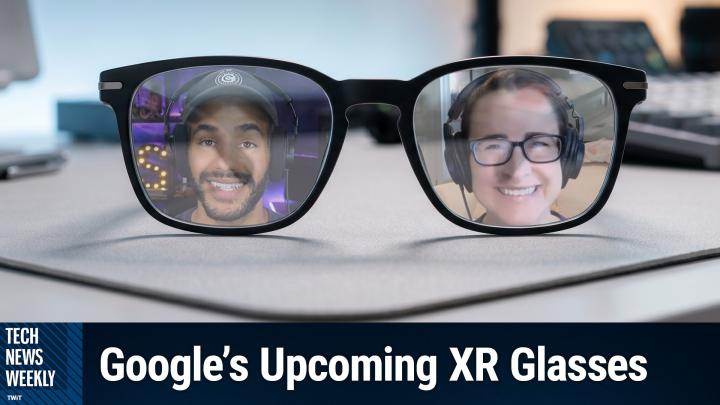
Thank you. All right, we are back from the break and smart glasses have spent years stuck somewhere between science fiction and gimmick. But the technology may finally be catching up to the ambition at Google. I o a fresh wave of Android XR hardware stepped into the spotlight, and our next guest got to wear it before almost anyone else. He's here to tell us what these glasses are actually like to use and where they might be headed. Joining us today to talk about it is Wired Zone Julian Chokkattu. Hello and welcome Julian.
Julian Chokkattu [00:34:29]:
Thanks for having me on the show.
Mikah Sargent [00:34:30]:
Yeah, absolutely. So, first and foremost, when you first put on these reference glasses, which I believe that's the case of considering them reference glasses at the time from Samsung and Google, what kind of stood out to, to you physically? The weight, the fit, the design? All of the above?
Julian Chokkattu [00:34:45]:
Yeah, I mean, I think it's, it was super lightweight. So like, you know, they feel a little heavier than traditional glasses. I can't remember the exact number of the top of my head, but I remember it's something like 49, 53 grams or something like that is what I'm remembering. So they're really lightweight. The arms are still a little thick, but outside of that, you know, if you look closely, you'll obviously see the cameras on the, on the frames, but outside of that, that they kind of look like normal glasses. And I think that's, even with the reference design, they looked pretty polished. And of course it's going to look different in the final version when it's actually like Warby Parker or Gentle Monster making the glasses. But other than that, the other most immediate thing that came to mind was also when I first listened to them some music and I was like, wow, this sounds remarkably nice.
Julian Chokkattu [00:35:36]:
Like the audio just sort of encapsulated my head and sound sounded really like robust and around my head and just really, it sounded really good. Honestly, I was like within 10 seconds of listening it to that way, I was like, you know, I could go without having to wear earbuds if I could Just sort of have this experience. And I also handed it over to the person who was giving me the demo just to see if I could hear what, you know, if there was a lot of music bleed and I could barely hear sounds like a 50% volume, volume. Like, it was just like a little bit here and there. And that was in a quiet room. So realistically, like, if you're walking out and about, no one's going to really hear what you're listening to. So those two things really stood out.
Mikah Sargent [00:36:17]:
That is actually really interesting. I've, you know, used some of these different glasses before and thought a, I am making everyone listen to what I'm listening to. And also it all sounds tinny. So it's really cool to hear that that's a little bit more robust. Could you actually walk us through that demo experience? What was that like? What were you actually able to do with these glass glasses? Did they make you sort of, oh, no, don't go there. And then what features did Google have you try?
Julian Chokkattu [00:36:44]:
Yeah, it wasn't sort of like, try them on, go through the entire interface yourself type of situation. It was just a very controlled, like, Here are like 4 to 5 things to try specifically. So almost all of it was run around triggering Gemini to do something. So first, for example, I pressed and held on the arm of the glasses and I looked at like a little board game next to me, and I just asked Gemini, hey, what's this board game? And it obviously uses the cameras to detect, and it said it was Chinese checkers. And then one of the things that Google was touting is that you can then, you know, it'll ask you, hey, do you want me to teach you how to play? I was like, no, can you actually save that into a Google keep note? And it did that within, like a couple of seconds. It just sort of created a note on how to play Chinese checkers that I could visit at any time. And so the idea is that, say you're cooking, you see a dish somewhere, you're like, hey, can you remind me to find a recipe for this thing and save it in my keynotes? That's sort of the idea behind that. And I think everything that is largely Gemini, the experience here is obviously catering towards what it can see through the cameras.
Julian Chokkattu [00:37:53]:
So the whole point is you basically have a Google lens strapped to your face, where you can just identify things around you in the world and catalog them, categorize them, put them, tuck them away into your notes for future use, memory and all that. And I think that was One of the more common things I think most people will probably enjoy about that type of experience and another one was being able to take a picture. So obviously you can take pictures with the glasses, but one of the big things that they're showing is instead of the process right now where you take a photo and maybe you go into your camera app, gallery app to edit the photo, where you say, you know, a lot of phones now offer the ability to remove trash or, you know, things that you want in your photos. Now with this you can just say, hey, Gemini, take a picture. And can you also remove the trash in the shot or can you add this little fun thing? And so basically instead of having to wait, as soon as you take the picture, if you have something like a Wear OS 1 watch, you will get the preview of the original picture on your wrist immediately. If you have the display version of the glasses, you'll get a preview of that as well. And then 45 seconds later, it'll send it directly to Google's Nano Banana image LLM and basically it will have done the work. And so I asked it to remove a plant in the shot and it did that pretty seamlessly within a couple of seconds.
Julian Chokkattu [00:39:15]:
And I asked it to change the entire room's decor to a medieval hall. And it did that really impressively.
Mikah Sargent [00:39:21]:
Oh, wow.
Julian Chokkattu [00:39:23]:
It was as scary how quickly and easy it was. But you know, that's Google's really into that right now.
Mikah Sargent [00:39:29]:
Absolutely. You spoke briefly about kind of the lenses versus, or rather the displays versus the audio only. And of course there's a distinction there. Audio only, glasses arriving first, displays built into the lenses perhaps coming later. Can you kind of talk about what separates these two tiers and what, what is it that the display version would potentially offer that you don't get with the audio version? And maybe why someone would go with just audio only versus a display style version?
Julian Chokkattu [00:40:03]:
Yeah, I mean, we don't have a lot of details on pricing yet, but I'm going to assume a large part of this is that the audio only glasses are going to be significantly cheaper than the ones with displays. There's two versions with displays. There's a monocular version where it's just one display projected onto the lens, and then there's a binocular where it's two. So you get an even richer experience with better fidelity. But obviously having a screen sort of elevates everything that happens. So for example, taking a picture, you'd actually be able to see that preview of the image after it captures it right on the display for a couple of seconds before it disappears versus audio only. You would have to pull out your phone or you know, use your watch. Things like translation where basically someone can walk up to you and start speaking in different language.
Julian Chokkattu [00:40:46]:
You can turn on the translation mode and instead of just hearing their voice being translated, you can actually see the text as well. And I assume that'll be the same case for real time transcription for when people are talking. Maybe you're hard of hearing or something and you'd be able to see that directly rather than just hearing. And you know, navigation I think is another big one where people are going to use the glasses to walk around. And I think that's been a long term use case that Google has touted since the original Google Glass where you just see turn by turn navigations on a display. One of the cool things is you, if you're navigating with the display, you can actually see the turn by turn. But then if you look down you'll see sort of like a Google Maps style view at the bottom with your blue dot in the center. So you can actually see a screen, sort of a larger map view without having to pull out your phone.
Julian Chokkattu [00:41:35]:
So there's all sorts of these little things and of course notifications plus widgets, they have these generative widgets that you're, you'll be able to create so that you can have exactly what you want to see on your smart glasses interface. So we cycled through some, some, some widgets that they had created like you know, stocks or sports scores or weather related, related things that are specific to what you want to see. All that stuff is customizable. And I think, you know, the idea that you can just put exactly what you want on those glasses and see them right there.
Mikah Sargent [00:42:06]:
Nice. Now it does seem like Gemini doing a lot of the work here how you described a few ways. How is it that the AI is using what the glasses can see and hear to help the wearer in the moment? Obviously changing the room to a medieval look is perhaps not in the moment, an incredibly helpful thing. But you said it happened so quickly. So I can only imagine some of the thoughts a, that Google is having about it and perhaps things that popped up for you on how this could be helpful in the moment.
Julian Chokkattu [00:42:42]:
Yeah. So for example, the idea is that for example, if you go to a museum, you're wearing your glasses, you maybe didn't buy the audio tour, instead you just turn on Gemini and say, hey, what's the history of this thing? And it'll actually completely tell you all of that. You could probably even flip through a book if you're at a bookshop and say, hey, I'm looking at this book, is it any good? And you can get that information right there then and there. The idea is that things that you may have traditionally looked up, when you're out there in the real world, walking around, you see something, you're like, oh, is that any good? Or what is this? Things that you would do that action for. Now you just press and hold your arm. Gemini will see you don't have to add that context of what it is you're actually talking about and you just ask the question and it should simplify the whole process and ideally be a better, more in the moment experience that doesn't disrupt you as much as, you know, pulling a smartphone out of your pocket.
Mikah Sargent [00:43:45]:
Now you experienced the Live translation feature. What was that like? How was it sort of. We've seen many different companies do many different variations of this and perhaps at times audio is enough, but there is this display version as well. Given that this is. Is in some ways still a little bit nebulous, how did it differ between the two? And do you feel like Live translation is getting to a place that it could be useful for, for people versus sort of more traditional methods of someone holding their phone here and then holding the phone out the other way?
Julian Chokkattu [00:44:28]:
Yeah, I mean, at the end of the day it's going to be a little awkward, even with the glasses, because, for example, you. Even if I can understand what they're saying, if I don't speak the language, they're going to have to pull out their phone and still hold it to my face so that they can understand what I'm saying. Right. So to a degree there's still going to be that some type of friction there. But overall being able to hear like the guy just walked in front of me, started talking, it auto detected the language and it started translating it. And so with the audio only, I would hear it directly. There was a small delay with the display. I would see the text sort of generate as the person was speaking.
Julian Chokkattu [00:45:04]:
What is kind of crazy though is that Google is also using AI to try to make the translator's voice sound like the person speaking. So that way there's not much of a disconnect where you're hearing some other type of voice and it actually tries to match the pitch and the excitement. And that part actually worked pretty well, I would say. And it was the. The AI for one of the people was particularly excited and it was Very like a different energy from the other person who was speaking, and it kind of matched their tones. So I think that was pretty impressive. And yeah, you know, whether and how, you know, with translation, it's one of those things that these companies always love to do, and it really works well in these demo situations. But then you take it out into the real world, like Apple's AirPods, you know, taking that out of the real world, and most people found that it actually doesn't really work that well, just the nature of how people interact and talk and the busyness of life and environments around us.
Julian Chokkattu [00:46:02]:
So who's to say exactly how well it will actually work in the real world? But again, in the control demo, it seemed to work pretty well.
Mikah Sargent [00:46:10]:
Wow. All right, now, beyond the Samsung and Google hardware, we've heard brands being mentioned, Warby Parker, Gentle Monster, or xreal, who have played some role in this. Can you tell me, how do the roles differ and where does something like xreal's Project Aura fit in?
Julian Chokkattu [00:46:29]:
Yeah, so Samsung and Google are basically the, let's say, purveyors of the Android XR technology, hardware and the software experience. So they're making the miniaturization of the technology to fit in the glasses. They're doing the software. The glasses brands are basically doing the design. So they're focused on making sure the thing actually looks nice so that you'd want to wear it. So I imagine in the future, maybe there will be other eyeglass brands that adopt the Android XR portfolio. So we'd see some others likely cropping up in different styles. Whether or not Exotica will do it, who knows? Just because they already have an exclusive relationship with Meta and Ray Bans, but, you know, never know.
Julian Chokkattu [00:47:09]:
So that's sort of how that works. Now, the xreal partnership is xreal makes smart glasses already. They've been doing it for the longest time, and they have one of the highest market shares, I think, for xreal glasses or smart glasses in general. They have been working with Google to create Android XR smart glasses, but they're different because these glasses are not quite the type that you sort of put on and go for a walk like all the other ones. These ones are, are. I don't know if you're aware of the Samsung Galaxy XR that came out last year or the Apple Vision Pro. Now, these are big, bulky headsets you put on and you get a full interface that you can move and interact with the world, virtual world, with your fingers and hand gestures. So these have Android apps, these have, you Know you can watch movies, play games, take zoom calls, do whatever you want in this virtual space.
Julian Chokkattu [00:47:57]:
Kind of like a mixed reality headset. This is basically miniaturizing the that technology to fit in glasses. So glasses actually need to be tethered to a battery pack. So the battery pack can go in your pocket, but it basically is still a full computer that you're wearing. So honestly it kind of goes to show that like why would anyone want to buy something like a Galaxy XR headset where you have to wear this hot like ugly bulky thing on your head rather than just a pair of glasses that you can. So much easier to travel with and just wear in in general. So I think it's basically miniaturizing the tech. So you know, the b.
Julian Chokkattu [00:48:32]:
I just put these glasses on, I was able to interact with them with my fingers, you know, select apps and open all of them up. And one of the cool things is you can also plug them into all sorts of other devices. So you can plug them into laptops for example, and project the screen on there, you can plug them into phones, project the screen, you can plug them into a Steam Deck and I played Hollow Knight while streaming it basically to the display without having to look at the Steam Deck screen and crane my neck. And I asked about switch support and they said they don't have anything to share at the moment, but it sounded like this might be coming. So I think the idea is that this is an all in one smart glass device that basically lets you do anything and everything, whether it's work, play again, not so much something that you probably will walk around in like the other smack glasses, but this is more of like a fixed experience experience that is still impressive in its own right because the fact that you can interact with all these high power apps in this virtual space and just do that everywhere without looking completely stupid.
Mikah Sargent [00:49:32]:
We had a good question in the chat when it comes to. We've seen sort of a transition over time with wearables where the Apple Watch for example at one point was the. This incredibly tethered device and Apple has made it more of a device that you don't necessarily need to have a phone paired with it to do so. How tethered are the current reference glasses to a phone and how independently can they work?
Julian Chokkattu [00:50:06]:
Yeah, I think for the most part at the moment, I think a lot of it is reliant on phone technology. So for example, even gps, there's no GPS in the glasses. So when you're navigating it's using your Phone cellular technology. However, Google, for example, said it's augmenting that with VPs. It's a visual positioning system. So for example, if you walk around and your blue dot, you know, typically, you know how it gets confused. You can use your phone's camera to like, take a quick screen grab of like the environment around you and it'll update your encal, calibrate your compass position. It's using that technology alongside your phone's GPS to be able to figure out exactly where you are when you're using Spark glasses.
Julian Chokkattu [00:50:44]:
So I think a lot of the technology of Gemini is obviously also going to be sending it to the cloud rather than working locally. So I think a lot of that is relying on your phone's connection to sort of send it up and down because these glasses don't have cellular connectivity by themselves. So they're definitely very tethered, I think, still, still in that sense to your smartphone and reliant on that. So I don't think at the moment you're going to be able to leave your phone behind to get the full functionality and features. But that's probably not that far off in the future where someone will probably come out with a version that has those capabilities and offers a more richer cellular experience.
Mikah Sargent [00:51:29]:
Lastly, I just wanted to know you, you've reviewed mobile and wearable tech for quite a while and having spent time with these, where do you think that Android's XR glasses stand right now and sort of a prediction going forward stand at their release? What still needs to happen, do you think, in general, before these devices catch on or have they already caught on?
Julian Chokkattu [00:51:53]:
So we have, I mean, these are going to be the first smart glasses powered by Android XR coming later this year. So I think there's a lot of excitement there because obviously Google has been one of the first companies to have ever done this before, famously not in a great way. So it's going to be a real test to see how well they hold up and how much of a change we'll see from the 10 years so since the Google Glass debuted. But whether people, I think we need to hear a little bit more on privacy. Smart glasses and cameras on, on them are really a touch point for a lot of people. A lot of people are concerned and I think, you know, it being a company like Google, people are inevitably going to wonder, well, is this going to, is this going to face tracking, is it going to be identifying people, is it going to secretly record, is there an LED to be able to tell when someone's recording? Is there a hardware switch switch to like cut the cameras off? Is there, you know, those types of things? I think there's another big angle there where people are going to be very concerned and I think Google hasn't really talked about that a ton. Inevitably, I think people are just going to have to decide whether that's something that they want or want to bring to other people when they wear these glasses. And maybe people just have to figure out a way to do it in a more societally appropriate manner.
Mikah Sargent [00:53:17]:
Well, Julian Chokkattu, I want to thank you so much for taking the time to join us us today. It's been a pleasure getting to talk to you and hear about your time with these smart glasses. Of course folks can head over to Wired if they want to check out the work that you're doing. Is there anywhere else they should go to keep up with what you've got?
Julian Chokkattu [00:53:33]:
No, just wired.com is perfect.
Mikah Sargent [00:53:35]:
Awesome. Thank you so much.
Julian Chokkattu [00:53:37]:
Thanks. I appreciate it.
Mikah Sargent [00:53:38]:
All right folks, we are going to take a quick break and then we'll be back with the little story of the week I have for you. All right, back from the break and I wanted to mention mention Apple has put out its annual Accessibility Preview this week, typically does so ahead of wwdc, dropping the news ahead of Global Accessibility Awareness Day this year. The through line, well you can imagine, is Apple Intelligence. According to Apple's own press release out of Cupertino on May 19, the company is threading its on device AI into the accessibility tools people already lean on every day. Voiceover, magnifier, voice control and the Accessibility reader. We're talking about richer image descriptions for blind and low vision users, the ability to navigate your iPhone by just describing what you see on screen and automatically generated subtitles for any uncaptioned video. Across the Apple ecosystem. There's also a genuinely striking one controlling a power wheelchair with your eyes using Apple Vision Pro.
Mikah Sargent [00:54:43]:
Apple says all of this is coming later this year with privacy handled on device. So let's kind of take a look at what's going on as we break into global accessibility awareness and of course wwdc. Firstly, I want to mention that it is often the case that features and tools that the brilliant accessibility teams at Apple create later make their way into the products that we use outside of accessibility. One of those features that we first saw in accessibility that later came to sort of everyone as a, as a standard was the ability to navigate your Apple watch using wrist wrist gestures because of the way that these sensors on the back of the phone paired with the, on the back of them, on the back of the watch paired with the gyroscope and other little sensors inside are able to detect what your wrist and your fingers are doing. That was originally an accessibility feature and then we saw that come to the entirety of the Apple Watch lineup. When it comes to this wheelchair situation, I want to be clear that Apple is not designing its own wheelchair. No Apple Vision Pro's eye tracking system system. So that is one of the features of the Apple Vision Pro that makes it possible for you to see everything around you and see everything around you quickly.
Mikah Sargent [00:56:13]:
Because of what's called foveated rendering, the eye tracking system is being turned into a drive controller for power wheelchairs. It's aimed at people for whom a joystick isn't an option. You know, it doesn't require frequent recalibration, which is nice. Apple's own eye track tracking technology. And it works in a variety of lighting conditions because of course you are wearing this headset that essentially blocks out outside light. So it is just the light coming from within and gives you more control therein. When according to my understanding here, when it comes to other types of tracking technology used as input for power wheelchair, oftentimes there's regular calibration that needs to take place, or I should say frequent calibration that needs to take place that can make things a little more difficult. This is going to support both Bluetooth and wired connections for these drive systems and it does require, if you do go with the wired system, buying the Apple Vision Pro developer strap.
Mikah Sargent [00:57:25]:
It's intended for use in controlled environments, Apple says, and not an unrestricted go anywhere sort of, sort of feature. Now that's not all really cool, but not all. Voiceover and magnifier also get Apple Intelligence powered descriptions. So when you're using the Image Explorer and Voiceover, which lets you explore images and understand what you are, what is being displayed, it now uses Apple Intelligence to give more detailed descriptions of images system wide. So photographs, scanned bills, personal records, it has more information about those and can say, you know, this is, this is a receipt that has this information on. It's just a little bit better at recognizing what you're looking at, what you're trying to view rather and what it actually what the context is in the situation. There's also live recognition that's gotten an update. So voiceover users can press the iPhone action button to ask a question about whatever's in the camera's viewfinder and then get a detailed response.
Mikah Sargent [00:58:31]:
Plus, I think More importantly, ask follow up questions in order to dive into what's being shown. Magnifier has this describe my surroundings capability. It's of course the high contrast interface that's built for low vision users. And this does move the tools from reading what's on screen to interpreting and answering questions about what's going on as a view through that camera. Voice Control drops the memorization has memorization now. So voice Control uses natural language. Users can describe on screen buttons instead of memorizing exact labels or numbers. That's important because as it stands, you do need to memorize how Voice Control refers to different objects.
Mikah Sargent [00:59:22]:
So instead of trying to use a glossary to figure out what the terminology is, you just say what you see. Tap the guide about best restaurants. Tap the purple folder. So it can also help users overcome barriers when elements aren't properly labeled for accessibility. So that means that if you've got third party developers out there who are not making their apps accessible, first of all, I'm sorry, but shame on you. You should be. But if they're not, and that is too often the case, then this is a great way for people to be able to use those apps when they otherwise might not be able to. It's English only in the us, Canada, the UK and Australia for, you know, at launch when it launches, but we'll see if it comes to more places.
Mikah Sargent [01:00:12]:
You also can look forward to generated subtitles for any video. So on device speech recognition will automatically generate subtitles for uncaptioned video. That means personal clips, it means video from friends and family, it means streamed content. And that's going to work. I love this across iPhone, iPad, Mac, Apple TV and Apple Vision Pro, I will have this enabled at all times probably. I love captions. If I could have captions in my eyes I would. I barely know what anyone's ever saying ever, so it would be nice to know.
Mikah Sargent [01:00:46]:
I should say in real life these headphones help, but in real life I'm like what did you say? So having captions would be really nice. And that accessibility reader takes on harder material. It now handles complex source materials of scientific articles with multiple columns and images and tables and makes them better to read, easier to read. For users with dyslexia or people with low vision, you get on demand summaries which will let readers get an overview before diving in, and built in translation which lets users read of course in their own native language while keeping that custom formatting the font and colors. It's a little akin to Google Lens when you hold it up to translate a sign and it it does a good job of sort of matching the color of the background and displaying the text over the top to try to keep the the sign looking the same. Think of it like that, but in in article format when it comes to hardware. Yes, that also got a mention. The Hikawa Gripenstand for iPhone ended up being incredibly popular and and it is available today in three new colors and available globally.
Mikah Sargent [01:01:57]:
So that is something that you are able to purchase as well. I had no idea that this thing was going to be so popular. I don't think Apple did either. So it sold out for a while but it is back and Sony Access Controller can now connect as a game controller on iOS, iPados and macOS. The Sony Access controller has configurable thumbstick stick, it has nine built in buttons up to four external buttons and you can pair two controllers together so there's just a little bit more functionality therein and a few quick hits. Vehicle Motion Cues Woo. I love this feature. Come to Vision OS to reduce motion sickness for Vision Pro passengers and moving vehicles.
Mikah Sargent [01:02:37]:
If you don't know what vehicle motion cues are, if you've ever gotten sick while riding in a car, then that's that's this is a feature for that. It will. The theory is that because we do know or we're pretty certain that the reason why we feel ill in a car is because the sensations that our body is experiencing is different from what our brain expects or I should say what our brain is perceiving does not match the experience that our body is having and that makes the brain go, you have probably eaten something that is causing you to hallucinate and is therefore poisonous and so I'm going to make you sick so that you throw up and get that terrible terrible thing out of you. If we can get the brain to feel like what you are seeing and feeling are matching up then then the theory is it will not have your brain trying to get you to throw up so that you are not having whatever poisonous thing it thinks you've had. Vehicle motion cues will display little dots on the screen that move at different speeds and in different directions depending on how the phone senses the car is moving. So I have this turned on if I'm a passenger and it car if I'm looking at my phone, those dots I see them and it just helps the brain feel more comfy. That is coming to the Vision Pro name recognition also coming it alerts deaf or hard of hearing users when someone says their name and works across 50 languages. There's a new API that lets sign language interpretation developers add a human interpreter into a live FaceTime call and and made for iPhone.
Mikah Sargent [01:04:30]:
Hearing aids will pair and hand off between Apple devices more reliably. You also get larger text on tvOS and touch accommodations become a little bit easier to use. So lots of fun new features for accessibility in the upcoming versions of Apple's platforms and we'll learn of course more about that at WWDC. Folks, that is going to bring us to the end of this episode of Tech News Weekly. I want to thank you so much for tuning in today. Our show publishes every Thursday, twit.tv/tnw. If you want to follow me online, I'm @mikhasargent on many a social media network where you can head to chihuahua.coffee. That's C H I H U A H U A.coffee. You can also check out the shows that I publish here on the network, including iOS today, Hands-On Apple and of course, Hands-On Tech. Join us this Sunday as we record some more episodes there.
Mikah Sargent [01:05:25]:
Thank you so much for being here with us today. We'll catch you again next week for another episode of Tech News Weekly. Bye everybody.