iOS Today 764 Transcript
Please be advised this transcript is AI-generated and may not be word for word. Time codes refer to the approximate times in the ad-supported version of the show.
0:00:00 - Mikah Sargent
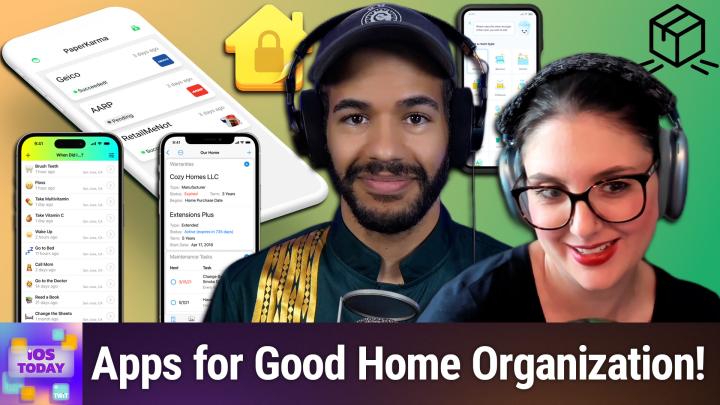
Coming up on iOS Today, rosemary Orchard and I, micah Sargent, talk about some apps you can use to take care of your home. Stay tuned Podcasts you love From people you trust. This is Twit. This is iOS Today, episode 764, with Rosemary Orchard and me, Micah Sargent, recorded Tuesday August 5th 2025 for Thursday August 7th 2025. Take care of your home. Hello and welcome to iOS Today, the show where we talk all things iOS, ipados, watchos, homepodos and all the OSs that Apple has to offer us, and the devices that run those different platforms and operating systems. I mean, it's the same thing. This is the show where we try to do our best to help you do your best with the devices you have in your hand. I am one of your hosts. I've mentioned my name a few times it's Micah Sargent.
0:01:06 - Rosemary Orchard
And I am Rose of your hosts. I've mentioned my name a few times. It's Micah Sargent and I am Rose Ortrud. My name has been mentioned a few times on a couple of episodes of iOS Today, I think Not 100% certain, but it's okay. I'm sure that we've got some kind of like inventory system or something to help us keep track of stuff, and I don't know, maybe that could help us, Micah.
0:01:23 - Mikah Sargent
Very clever, yes, indeed. So I thought on this episode, we could take a little opportunity to talk about some of the ways that you can sort of physically, spiritually, mentally, take care of your home. What are some methods by which we can sort of track things that are going on in our home, interact with things that are going on in our home? And, you know, your home can be an apartment, it can be a house, it can be whatever, but the place where you stay, some apps to help you take care of that. And here in the US, one of the things that comes up a lot and this, actually it was this app that inspired this episode One of the things that comes up a lot is the annoyance of receiving lots of junk mail.
Now, there are many ways to go about getting rid of junk mail, and one of the best ways is to use a there's sort of a national in the US list that you can go and say, hey, don't send me anything, and for the most part, that has cleared up a lot of the junk mail and mailers that have come to me. But you may still get them from time to time and that is where a little app called Paper Karma may be what you want. So Paper Karma is an app that uses the kind of built-in systems that many a company will have to make sure that you don't get any more annoying junk mail, and the way that it works is you simply take a photo of a mailer and you register your name, your address and then the person or the company that's mailing it to you, and the return address or the company that's mailing it to you and the return address, and Paper Karma will send off a letter saying don't send me any more mail, essentially opting out, and it does this. You get four requests for free and then from there you need to do it yourself. Now the important thing to understand is that when it comes to junk mail in the US, there's the standard junk mail that you get that is coming to you directly with your name on it and has your information. That is a little bit different from the mail that comes to you from the United States Postal Service itself, because part of the way that the USPS makes its money is by slipping those little mailer things into your mailbox that are ads for local businesses and local grocery stores and that's a kind of a separate thing.
But, as the delightful jammer B in the chat is saying, you may get a lot of mail for other people who've used to live at your address. And here's the important thing it is illegal to dispose of mail that is not yours. Most people are going to do it anyway, but it's technically a felony to interact with and open up other people's mail, and so really what you should be doing if you're getting other people's mail is finding some way to let the and it's annoying that you have to do this but finding some way to let the whoever's sending the mail know return to sender no longer at this address. And the problem is with that system you have to stamp it in the right place to cover up the auto mail sort of barcode system, in order for the mail service to not resort it and send it back to you. So it's this nightmare thing where a lot of times it doesn't work, and I've had the situation before where it's annoyed my post worker because I had a bunch of mail that I needed to have sent back to wherever it goes, and that's kind of bothersome too. So again, as Jim Rabee was talking about, if you get mail from other people, this is a great way to take care of that, because it's essentially doing the same thing. It's saying don't send mail here anymore.
In this case, this person doesn't live there, and I agree, jim RB, it should be a felony to send mail to the wrong address. If it's a felony to open someone else's mail, then why not the other way around? Then why not the other way around Now? Anyway, that is the issue that you might have with the options that are available. So the trial plan is for requests. You can send those requests in. They do have monthly, six-month, yearly and lifetime options 60 bucks for the lifetime, $24.99 a year. You get unlimited opt-out requests and you also get phone call support.
So if you're having issues and what I love is that, and let me show you here there is a directory. So if you come across I don't know mail from let's see Target, for example you can put in your address and say mail from Target, I don't want any, and then that will take care of that. I'm kind of curious. Let me see what is it called. Oh, I just remembered.
Yeah, so I get mailers from Crutchfield, which, don't worry, I actually really like the little mailers from crutchfield, so I'm not going to do this, but it was interesting to see that this was indeed in the um in the options, and so I could put in my address and send off that request and crutchfield would stop sending me mailers, and so that's a great way to kind of clear up some of the junk mail Jimmerbee. If you give this a go, I'd love to hear more about your experience with it as well. I'm going to use it on a couple of things that have come to our address and we'll see how it goes from there, but it's got good ratings and it was a featured app and it is what inspired this episode, so I wanted to mention Paper Karma. All right, rosemary, what's first on your list?
0:08:13 - Rosemary Orchard
Well, I did just want to take a moment to say we actually have a section of our post office over here whose entire job it is to try and decipher addresses and figure out the correct address to send things to. Um, so if you uh like cross out the address on something and you say return to sender not known at this address, even if it's a handwritten letter, they'll still manage to figure out, like, who sent it and return it back to them. Um, because obviously they've got permission to open things and so on. Uh, but yeah, I just find it absolutely fascinating that we have an entire section of our post office where if you just write like nine banana street, which I don't think is- a real address um, and like you write somebody's name, like their job is to figure out which banana street in which city um that might be, and and send it to them, um, and that's just utterly amazing.
But speaking of not misplacing things or having things go awry, one of the things that I do for my home to make my life significantly easier is I get all of my manuals as PDFs and I save them as PDFs and I write as many words as I possibly can as a comment on that PDF so that when it inevitably comes up that I need to find the section of my washing machine manual that tells me how to run the drum cleaning cycle and what it is I need to do, I don't have to go find a piece of paper. I open up one of my favorite apps, devonthink, and I have an entire section inside of Devonthink called manuals, section inside of Dev and Think called manuals. And one of the things I love about Dev and Think everything in it and that can be groups which are akin to folders, tags etc. Everything has a link. So, for example, if I look for my bread maker manual, I've got that here. I have my washing machine manual here and say, for example, I want to remember how to delay the start of the program.
Then I can see that section right here. I can search within this, and so if I search for clean, then I can see that there is a maintenance page. There we go and it's on cleaning the drum and that's on page 18. And then I can just sort of swipe through, um, and that makes it a lot easier. Obviously, 18 does not translate to actual 18 because you know this is how pdf manuals work, but that's okay, um, so you know, I found that page that I'm looking for and what I can do is I can tap on the three dots in the bottom left-hand corner of any PDF and I can say, hey, copy the item link. And this is so good because then you can open up reminders and add a reminder that says, hey, clean the washing machine.
And then you can paste a link to your manual in there in the URL of a reminder, and then when it pops up, you just tap on the URL, boom straight into Dev Think and you can even create reminders for specific pages in there. So I can, you know, uh, do that later if I wanted to um, and yeah, this is just really great. I, I absolutely love this. I can annotate this as well. I can add in extra pages if I want to um. Under the info section I can even pop URLs. I can specify that I don't want this to show up in search and so on and so forth, and I can add more data. If I want to give my washing machine manual five stars, I could give it five stars. You know what I think? I'm not going to bother to give it eight stars, I'll just stick it at three. It's an average washing machine manual. Like it's fine, it's good. It could be better um, could be worse um, but there you can add custom data, you can add comments and also it's. I should note I am using the beta of devon think to go um, which is the next version. Uh, but devon think to go three is available in the app store. Um, and then devon think for mac is also available. That's devon think four. Um, but I just really love this. You know, it doesn't matter that I don't remember that my washing machine is the L914 blah, blah, blah, blah, blah. I can just search for the word washing machine. It's in the title and I don't have to search within the PDF for that. But look, I've got the instructions or the information for my cast iron pan, for my cast iron casserole dish, so I can remember how I need to clean it and what it's intended uses and all that stuff, because a PDF takes up hardly any space, and so I don't mind keeping all those PDFs around for the things that I may or may not need. And something else you can do with Devonthink is you can scan to Devonthink and so if, for example, you purchase I don't know an ice cream maker and the manual is only available on paper, you can't find it anywhere as a PDF that somebody else has made all the time. Somebody's uploaded a PDF of these things somewhere else for you. You can scan it yourself, and you can either scan using the camera built into your phone or you can use a scanner, an actual, real paper scanner, for this, and then you can save that straight into Dev and Think, and it has optical character recognition and PDFs. So even if it's scanned as an image, you will still get those characters showing up and being able to be found, which, honestly, is a game changer for me. Um, because even if you download a pdf, sometimes the accessibility of a pdf is not in the forefront of the creator's mind. So being able to like, search text, um, and things like that is not something they've thought about. So they just kind of export everything as pretty images because that's good for you. Uh, don't worry, devon thing can handle that and can run optical character recognition on those pdfs for you. Um, it can.
Also, if you take pictures, you can put pictures in here. So if there's like, uh, if you need to do a particular series of steps for maintaining your garden hose in winter I'm just making something up here. I don't have a garden, I don't have a garden hose I'm assuming that maybe you need to empty the water out garden hose in winter. I'm just making something up here. I don't have a garden, I don't have a garden hose I'm assuming that maybe you need to empty the water out of it in winter and then you coil it up in a particular way and put it away. You can take photos of that and put them into Devon Think. There you go. You can make your own PDFs. It's very easy to use and I really love it and it's uh free to uh download. And then there's an in-app purchase to uh unlock everything, uh, which is $19.99 a year, um, but uh that kind of includes everything. Or it's $2.99 a month, but the the free version is also pretty good to uh give it a play.
0:14:41 - Mikah Sargent
All right. Next for me is a great little app that is just. I love whenever an app called when Did I, when Did I? Is an app that is meant to be used in your home for all sorts of tasks. So, for example, let me actually delete this and we'll create an entirely new task and let's go with we're going to go with fire alarm, um, and we will, of course, do. Let's do the fire heart emoji. And the first thing that we do is we say, uh, because of what I'm talking about is well, actually I'm going to change the title a little bit, um, so that it is when did I replace the fire alarm? So let's go fire alarm batteries, and then we'll delete, and we'll delete, and we go back. Now, when you do the thing, you simply tap on it to say that you've done it.
There are many things that you might do, like let's go with not refrigerator, but fridge water filter. So when was the last time that you replaced the water filter in the fridge? I can tap to say, okay, I've done that. Just now, now, many days from now, I can hop in here and I can see, oh, that was three weeks ago, that was six months ago, that was five years ago and it's time to replace them now. So with this, you can add new events that you want to as well. You can change the title as you want, and you can also set this up in Siri shortcuts so that you want to as well. You can change the title as you want, and you can also set this up in Siri shortcuts so that you are able to tap whenever it happens. Or, if you're like me, what you'll do is on your water filter, you will put a little NFC sticker on the side of it and then, when you go to replace the filters, you'll tap and it will register in the app that you have indeed gone through and done that properly. So this is a great way to just keep track of different maintenance tasks in your home, to make sure that you have completed them, and if you haven't completed them, then you know okay, it's time to do it Now.
The one thing about this app to bear in mind is it's not a reminders app, so it's not going to say in three months, I need you to do blank. But here's the thing about that. For me, that can sometimes be in the moment, a difficult thing for me to remember to do is to, for example I keep going back to water filters, but this is a really common thing the sediment filters have to be replaced once a year. The reverse osmosis filter has to be replaced every three years, and there's another filter that's replaced every six months.
And doing it in the moment and then remembering to calculate out okay, six months from now is this or whatever, or you know, remind me in six months to it, is a little bit more complicated to me in my brain than just simply tapping a little button that says, okay, I've done this, and then just going back and checking every once in a while. You can even set yourself a reminder to check when did I? And then just going back and checking every once in a while. You can even set yourself a reminder to check when did I, if you'd like, but for me, that's the method that works much better is just having a little note that says this is whenever you did this last time. So I think it's a really delightful, simple app for just keeping track of when you have done things and that's it. That's all it is, and I think it's pretty good at it it's available for $4.99 in the App Store.
0:18:47 - Rosemary Orchard
Yeah, I really love this because, for example, the water filter I have a water filter joke in my case if my water filter needs changing, but I'm about to go away on a week long trip I kind of don't want to be bugged about it right now because there's no point changing it, because then I'm only gonna get three weeks out, the next one rather than four. So I'll leave it a few days, take it out before I go, and then I'll say, hey, I did it when I come back and I put a new filter in, and that works much better for me, uh, than trying to go the other way around and be like, hey, remind me to do this, remind me to do this. But there are some tasks that I do want to have a thing that goes like hey, there's, there's stuff that you need to do. You wanted to keep on top of cleaning your bedroom or whatever, and that is where sweepy comes into play. So sweepy, uh, is a cute little app, um, and you can set it up with an account so you could use your apple id, for example, with it, um, and you can even share your home with Sweepy, which is great for having a family who needs to keep on top of chores. So it's not just mum by default, bearing all the mental load and trying to stay on top of things, it's the whole family. And so here in Sweepy I'm just going to add a new room, so I've already got a bedroom, so I'm going to go down and I'm going to select kitchen as another room and then it gives me a list of default tasks. So, yes, I would like to add clean the fridge, clean the freezer, and I can say, hey, my fridge currently really needs cleaning. Where's my freezer? I just cleaned that out the other day.
Cleaning the oven it suggests every month and you can change all of these as well. So I can say, can say, hey, I just need to clean my oven once a year. I think I'm gonna set that to like every three months instead, because it probably needs cleaning at some point in the not too distant future. Outside of the oven cleaning the top of the stove, the microwave I don't have a coffee machine, I know sacrilege to some of you but cleaning the kettle I have very hard water where I live here in the uk so I need to do lime scale remover, uh treatments on my kettle about every month or so, cleaning the sink. It recommends every three days cleaning the cooker hood or the kitchen hood, once a month the dishwasher, taking out the trash and all these things. Um, and so I'm not going to go through and add all of these now because that would be a lot of work, but I select the ones that I want.
It says, hey, do you want to add a custom task? That was not in the list and this particular place. I am going to add another one and it's going to be called clean oh, I can't spell the word clean the air fryer. And it's not going to be every day. I'm going to say once a week. That that seems reasonable.
You can also set your effort. Is it easy, is it medium or is it hard? Cleaning my air purifier is pretty easy. Actually, it's dishwasher safe, not the actual electronic part of the machine, but the drawer and everything is dishwasher safe. That makes it a lot easier. Now I can see overall, my kitchen is pretty clean.
Yeah, I, I do need to clean my fridge. Uh, so it suggests that I get down to work on that. But it's quite nice if you're there going. Okay, I have like half an hour and like I, I do just need to like clean up the house or something. I can be like okay, which of these tasks? Okay, well, the fridge, that really needs doing. Um, and then I can say, hey, hey, it's done. Or I can change when I last did it and say that I've done it, or I can go into the settings and I can make it a harder task or medium.
I can make it a seasonal task, so it only applies in certain months. So, for example, sweeping up the leaves in the yard probably not something that you need to be doing currently, as we record at the beginning of August, maybe a little bit. Probably not something that you need to be doing currently, as we record at the beginning of august, maybe a little bit, probably not so much. However, if you had a swimming pool, cleaning the swimming pool probably something you need to be doing in august. Everybody in australia is currently probably going rose, everything's backwards. I get that. I'm I'm saying northern hemisphere, but that's why seasonal tasks can be customized to apply to the appropriate seasons for you.
0:22:46 - Mikah Sargent
There you go. And then the last thing that I want to mention, for my side of things, is a really powerful app and I'd say kind of a complicated app, but still very cool app called Under my Roof, and this is your home inventory app. With Under my Roof, you are able to keep track of items in your home, and this is great, especially for insurance claims, things like that. But first you go about setting up a home and then you type in, you create all the different locations and let me just show you so, here, in the dining room, for example, uh, I can say these are the, the items that are in the dining room. Now you can easily scan barcodes to bring in items automatically, uh, to kind of speed up that process and make it easier to to, to, you know, to find the item that you're looking for. But let me hit the plus icon and let's say, in my dining room I have, you know, a, a dining table, um, so we'll call it dining room table, whoops, dining room table, and you can take photos of it. Uh, if it has a serial number, you can do that. Make room table and you can take photos of it. If it has a serial number. You can do that, make model price. Let's say that your dining room table was I don't know $650. The value at this point if you've had it valued how many of them you have when you bought it, where you bought it, the current condition, let's say it's very good. We've already got the location the category can go into. So in this case it would probably be furniture.
The collection if you have a special collection you've set up, you can also set up. You can give it a description Mid-century, Oops, century, modern dining table. Okay, yeah, we'll just go with that. And then again you add photos. You add your receipts, tap done, and now that item is listed in the dining room with that price. Let me take a little photo here just so you can see what that looks like. Whoops I have there. We go Add photo attachment from camera, so we'll just take a random photo to add to it.
And then this is the table photo. And so pretend that that's the photo of the table, but you can see. Now I can add notes, I can add warranty information and I can add maintenance tasks. So this will give me a notification for this item. This is great for things like your uh, your water heater or when you need to replace your air filters in your house, whatever that happens to be. That is part of it, um, that that's built right into this app Now, along with that well, actually, actually let me go back into this option because, um, you can add more photos to this item, you can add receipts to this item, if there's ever been a repair, you can keep track of the price, uh, like what you've spent on this item over time, and then it also gives you information about how things have changed.
So it's very much an inventory app, as you would expect, and I think it's really fantastic the way that this app is set up to help you keep track of items in your home, but not just the items everything you need to know about those items, and if you have ever had to do an insurance claim, then you know that you need to document, document, document, document, and this app is really good at doing that. It is available for free to download. To add more items, you will need to subscribe to the in-app purchase, but I think it's really cool to give it a shot, see what you think and then afterward decide if you want to use it with the subscription, to be able to remove whenever you decide to move. You can print out barcodes that go on the side of the moving box and scanning it with the app will show you the items that are inside. Very, very nice as well. So that is Under my Roof Home Inventory, under my roof home inventory. All righty With that.
It is time to move on to our news. Our news is up. Next, the first bit of news that I wanted to mention. According to 9to5Mac, who cites some sources familiar with the matter no, in this case it's actually carrier documents in Germany seem to suggest that Apple will launch the iPhone on Tuesday September 9th, and so we, if, if Apple announces the iPhone on the week of September 8th, as is expected, then Tuesday September 9th is probably going to be when that happens. That's been the prediction, and in this case, german mobile phone providers seem to have documents that would suggest that we will get that keynote on Tuesday September 9th. Doing the math calculations out from there, that would mean that pre-orders will open on Friday, the 12th of September, and that the phones would be available to ship on the 19th of September. So we may have an iPhone event just around the corner. That is not a surprise in and of itself, but knowing the date in theory is a bit of a surprise.
Now, I wanted to mention as well that between the last time we recorded and now, apple did introduce a new insurance plan for your Apple devices called AppleCare One. Applecare One is available for $19.99 a month, and what it allows you to do is protect up to three devices in that one $19.99 per month plan, and then you can add more devices onto that for $5.99 a month per device. And then you can add more devices onto that for $5.99 a month per device. So if you have an Apple TV, an iPad and an iPhone, all three of those would be covered under the $19.99 option. If you then decided to add an iPad mini to that list, then of course, that would be $5599 on top of the $19.99 you're already covering. Now. The other cool thing about this is you can swap out items, so if you have an iPad and you get a new iPad, you can take the old iPad off of the plan and put the new one on instead.
Applecare One essentially includes all the benefits you get with apple care plus, so unlimited repairs for accidents with, of course, a fee for those repairs, 24 7 priority support and then apple certified service and battery coverage. But with with AppleCare 1, theft and loss protection comes not just to the iPhone but also to iPad and Apple Watch. So if you lose or have your iPad or Apple Watch stolen, those will be covered under the AppleCare 1 plan. It doesn't matter what devices you are covering. Applecare 1 pricing is the same regardless of the product assuming that it is a supported product, of course. And what also I think is great is that with AppleCare 1, customers can add products they already own. They're up to four years old if they're in good condition condition. So 60 day the the uh, right now, apple only gives you a 60 day window to purchase apple care. Plus after you purchase the device, that increases to four years. Um, yeah, so I think this is great. Uh, it's, of course, uh what you can check out. I think think it was Tech News Weekly, perhaps, where I talked with Dan Morin about it. It's obviously a play for Apple to add more to its services revenue, but it is also a great thing to have for people who need to keep their devices safe, and I certainly have made use of AppleCare in the past. I haven't had to a lot knock on wood, but when I have had to, it's been great. Yeah, we have a little bit of feedback up.
Next it's time for some feedback from one of our listeners. Andrew R has written in. Andrew writes Hi, rosemary and Micah. I'm a Smithsonian newsletter subscriber and their emails have links to articles on their website. Their website was unreadable with so many floating ads and dialogue boxes that caused constant page redraws. Then Wiper 2 to the rescue. Many thanks, so cheers, andrew R. Thank you, andrew, for writing in.
Yes, rosemary and I both talked about Wiper 2, which is a content blocking application for Safari, and what it does is it works in the background to tell Safari not to load certain things, and apparently the Smithsonian website was full of things that were loading. So by having Wiper 2 installed and running, it helped to remove those. Now I used to. I mentioned this last time. I used to use an app called OneBlocker, and I stopped using OneBlocker for Wiper 2 because Wiper 2 is just simpler and easier to use. But I came to find out that OneBlocker is also an app, that is, that is has been created in a country that isn't on the best of terms with us. It's, it's made in Russia, and that alone is not. It's a complicated thing, but, to put it simply, I would prefer to not use an app that has different um, that made in a country that has different uh suggestions for what is important when it comes to privacy and security, and so when I found that out, that doubled my reason to be using Wiper 2 over one blocker personally. So thank you, andrew, for writing in. We appreciate it.
All right, it is time for us to head into our App Caps. This is the part of the show where we share the apps that we think are awesome, apps or apps that we think are awesome, apps or gadgets that we think are awesome that we want to share with all of you because you might find them awesome as well. My app this week is a simple little app that you can get for your Mac, for Linux, for Windows and for your iPhone or Android device. It's an app called Landrop, l-a-n-drop. This app's sole purpose is to work as a simple file exchange option between your various devices. It's like airdrop, but cross-platform. So with land drop, you open it up on.
In this case, if you're trying to share from your iphone to your mac or from your iphone to your windows machine, which would be a more common use for this, since airdrop is available between the iphone and the mac. You open it up on your uh, your windows machine, and then you can do a transfer to that device and you can transfer files, photos, text folders, all of it. It all is going. It is very easy to use and is great as an open source app as well. So be sure to check out. Thank you, burke, for the compliment on the diplomatic answer there. Check out Landrop to be able to do that and again I want to mention it's quite literally called Landrop. It's between you and the device locally, as opposed to being being outside of that. So that is how it works. Land drop available in the app store. All right, rosemary Orchard, do you have an app cap for us?
0:36:45 - Rosemary Orchard
I do. I've gone big Micah, as in this particular case, 15.6 inches, and this is my Asus zen screen. Uh, it's so light, I can hold it with one hand, which is great when you accidentally drop it and you're demoing it on ios today, um. So for a long time I have needed a portable monitor when I'm traveling. I need either as an external to use my laptop, external to use with an ipad. Sometimes I just need a screen that I can plug my phone into, and the asus zen screen is, uh, my favorite. Now, this comes in a variety of different sizes. You can get touchscreen ones, you can get non-touchscreen ones. This one is not a touchscreen one, it's just a 15.6 inch one. But there's a number of things I like about this, uh. So one of them is the case. Uh, it comes with a case, uh, which is great, and it's padded, but it has a couple of little flaps on one end so that you can actually turn your case into a monitor stand and hook it up the way that you want to for the right angle for your monitor, because both ends of this open up. It's Velcro. So I'm not going to do that because I'll be really loud on the screen, um, but yeah, mine came with um, uh, mini, uh or micro, sorry, hdmi and usbc, so I can just plug the entire thing in via one usbc cable and that's it. But on the back on the back there is a port. It's not a port. However, however, this is a tripod mount, so you can just mount this on like a tripod set just a standard three quarter inch screw head. And this is great because you can get teeny, tiny little tripods that you keep in your bag Not dissimilar to this one which I happen to have my name on, because getting stickers with your name on life hack, by the way, because that way nobody's going to walk off with something thinking it's yours. So I have this, uh, and then I have legs, uh for that, so I can just uh screw the legs in. This happens to be a tripod from smatree, sma tre, so you're getting a two for one bonus today, um, and then this is just the perfect height for my uh monitor, so I can just screw that and the entire thing takes up very little space, but it gives me a portable monitor at a good height for me to use when I'm traveling, and this can be great for all sorts of things. You can even get an adapter and plug in a Chromecast, if you wanted to, or an Apple TV, so that you've got a portable travel entertainment system.
I really love the Zen screen. I'll give it 10 out of 10 because it just works super well for me. And they have a variety of price points as well. They start at just over $100 and go all the way up to really huge monitors crazy prices. I found the 15.6-inch for me works really well with a 14 inch macbook because the screen size is quite similar. Obviously you get what you pay for when it comes to the quality of the screen. So if you buy a really cheap one, it may not have the super high resolution that you're used to with a mac. But you know there's a variety of options out there and I just really like these, and they have an entire section on their website of you know, do you want website? Of you know, do you want it to work with the phone? Do you want it to work with the console? Do you want it to work with a laptop? And it's portable, it's flexible and it can work with any and all of the above.
0:40:04 - Mikah Sargent
Lovely. That's a really cool, really cool monitor. I wanted to mention I was just looking at the because I was trying to at the GitHub repository for Landrop and it looks like they decided to close source Landrop, so that's a bit of a bummer, and therefore I take things with a grain of salt when it comes to using it as an open source application, which you can still get. The open source version. That's the one that I would recommend using. I can't speak to the closed source version. That's just kind of troubling for me, frankly. So yeah, landrop and open source, love Landrop and closed source, I don't know. Thank you all, though, for tuning in to this week's episode of iOS Today. We appreciate you joining us. Rosemary and I will be back next week.
I do want to remind you all that we, of course, would love it if you joined our club Twittv slash Club. Twit is where you go to sign up. When you join our club, we've got $10 a month plans or $120 yearly plans, and in joining you gain access to some awesome benefits. You gain access to our ad-free versions of every single one of our shows. You also gain access to the TwitPlus feeds that include behind the scenes before the show.
After the show we also have a feed for our news events and we have a feed for our Club Twitch shows and access to the members-only Discord server, a fun place to go to chat with your fellow Club Twit members and those of us here at Twit. We'd love to see you in the club, love to have you join us with a 14-day free trial to get started. Hey, head in there, see if it's for you, I think you'll find you enjoy it. So I look forward to welcoming you to our club soon, ros, enjoy it. So I look forward to welcoming you to our club soon. Rosemary Orchard, if people would like to follow you online, where should they go to do so?
0:42:25 - Rosemary Orchard
Well, the best place to go will be rosemaryorchardcom, which has got links to apps, books, podcasts, with the exception of Club Twit, because you know, that's a pretty nerdy Discord where people like to hang out during the live show or send us feedback after the show, which is always greatly appreciated. Where can folks find you, micah?
0:42:44 - Mikah Sargent
If you are looking to follow me online, I'm at Micah Sargent on many a social media network where you can head to chihuahuacoffee. That's C-H-I-H-U-A huacoffee, where I've got links to the places I'm most active online. Be sure to check out my other shows on the network as well Tech News, weekly Hands on Tech, hands on Apple all here on the network. Thanks so much and we will see you again next week. Bye-bye.