iOS Today 763 Transcript
Please be advised this transcript is AI-generated and may not be word for word. Time codes refer to the approximate times in the ad-supported version of the show.
00:00 - Mikah Sargent (Host)
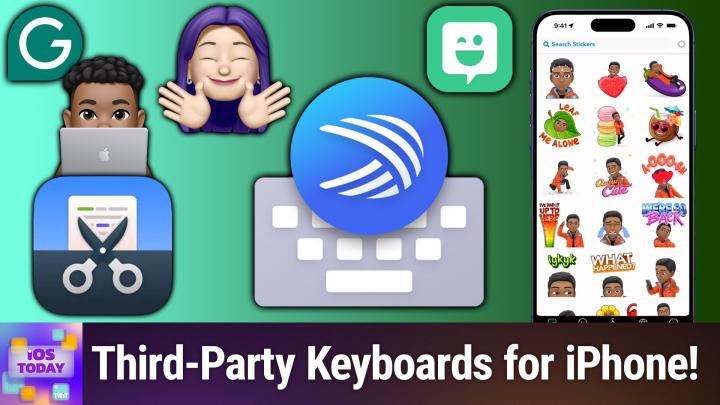
Coming up on iOS Today. Rosemary Orchard and I, micah Sargent, have our thumbs at the ready for custom keyboards. Stay tuned Podcasts you love From people you trust. This is Twit. This is iOS Today, episode 763, with Rosemary Orchard and me, micah Sargent, recorded Tuesday July 22nd 2025, for Thursday July 31st 2025. Custom keyboards Hello and welcome to iOS Today, the show where we talk all things iOS, ipados, tvos and many OSs Apple has. We love to talk about the operating systems, the settings, the gadgets, the gizmos, the goodies, all of that stuff, everything to help you make the most of your devices. That is our aim here on the show. I am one of your hosts. My name is Micah Sargent.
01:06 - Rosemary Orchard (Host)
And my name is Rosemary Richard and I'm tapping away at the bit here, Micah, I can't wait to get started on today's episode.
01:14 - Mikah Sargent (Host)
Yes. So this is an interesting category to me because it seems like, over time, fewer and fewer apps exist in this category. This is the category that I can remember Apple adding custom keyboard they call it third party keyboard functionality where you basically could use the built in keyboard that came with your device or you could use a different one in its place, and I remember there was a time where everybody kind of chose their keyboard and it was part of you know who you were, what keyboard are you using, and it seems like over time that has slowed. On iOS. Now it's still very common on Android third-party keyboard use, and I think that, depending on you know what your aim is with your device. You may use a third-party keyboard or you just use the one that Apple has, because over time, it has added a lot of the functionality that many of the third-party keyboards once offered. Despite that, there still are a few options. I do want to, though, before we talk about the options that are available, one that is important to me that is no longer available is the TextExpander third-party keyboard. So I still have it on my device because I have not deleted it, but it is no longer available in the App Store.
02:41
They discontinued it, but we talked before on the show about Text Expander.
02:45
It's an app that lets you create little snippets of texts that are kind of expanded from a shorter little bit of a phrase. So if I have a thing that I regularly say, which, for example, when I invite people to join me on my Tech News Weekly show, a lot of what I need to send them is the same, and so when I am telling them about how we do our process of checking if their audio is good to go for the show, I type in semicolon tech check and text expander pops up this long stream of text that explains hey, someone's going to hop on a call with you, you'll talk to them, et cetera, et cetera, and I, if I'm responding from my phone, will open up the TextExpander keyboard because I can easily hit semicolon tech check, and it will expand all of that text. Text Expander no longer makes that available in the App Store, and so it is not something that you are able to use anymore. That said, there are still plenty of options available, and the first one, rosemary, do you want to tell us about?
04:06 - Rosemary Orchard (Host)
uh, that could be a replacement yeah, so it could be a replacement. So, one of my favorite little apps, uh, on my iphone, and I also have it on the ipad and on the mac as well. The mac is a separate purchase, it's worth noting, um, but it is snippety, so snippety is snippets, uh, on your device, uh, as, as the name somewhat implies. So I have selected the snippety keyboard here, um, and it has a couple of things. So, to start with, it defaults to the collections, which are the folders, um, of the snippets that you have. There is a little search option where you can search for snippets, and there's some settings as well, so you can say hey, after a snippet is inserted, would you like to dismiss the keyboard? Change the keyboard? Do you want to sort things by last use date or by name? Show tags in the snippets list yes or no. Show keywords. Copy rich text format rtf snippets to the clipboard um and then um. Use clipboard content instead of selection, because sometimes selection can be a little finicky.
05:16
But then, um, I have a whole bunch of uh things here. So, for example, I have a vintage section. So vintage is kind of like a depop or similar, where you take photos of things and sell them, predominantly clothing and like beauty accessories, but they've expanded household items as well, and so I have some snippets for things that I often put into descriptions. So, for example, if I say it's never worn, that's a thing that I can just insert, and then I can also pop in hey, only worn a few times, things like that. Now, where Snippety can get really powerful is you could have a code word, and so I have this and I've just selected this word, and then I can say, hey, I would like to inline code this selection, and, as you can tell, it's having a little bit of difficulty detecting the exact text on my clipboard right now, but that's because I'm running iOS 26. So I'm just going to select the word code and copy it, and instead I'm going to use my snippety option option to uh, paste inline code and ta-da, it's added two little backticks what start, what the end, because that is what a an inline code block looks like in markdown, and so it has all sorts of options, and if I go into the app then you will see that it has formatting options so I can select for things. For example, I have an exists query for Mongo database.
06:52
Now, this is really nerdy you don't need to know about the details, but this is a JavaScript snippet and I can see in the snipper preview it is set up as JavaScript and in this case I've actually got selectable. So it's going to pop up and ask me hey, true or false? And things like that. So when I go to create snippets, there are placeholders so I can have an AI assistant, I can have auto-incrementing numbers, I can have calculated dates and times, I can have the clipboard content or clipboard history, but that only works on macOS, unfortunately. I can pop in a hyperlink link to a website with a predefined title. There is a multi-select where you can have it. Choose from a menu and you can select like three options or just one if you want all sorts of things. Um, and I really love this, this is so good. Um, so yeah, snippety. It is $19.99 to unlock everything. Sorry, $29.99. But that comes with everything and now includes the Mac version as well.
07:57 - Mikah Sargent (Host)
Very, very nice. The keyboard that I want to mention is one that is not a keyboard at all, but is one that I continue to find a delightful option. It's called Bitmoji and the Bitmoji keyboard is a little bit different from your standard keyboard and a little bit different from your emoji keyboard in that it provides the ability to use to kind of show your Bitmoji in the app and it runs a little bit different from the standard functionality of having a keyboard, or rather having an iMessage app that has Bitmoji in it. But if you're not familiar Bitmoji and I will show these as well Bitmoji are the little kind of cartoon versions of you, so a little bit like what we've seen with Memoji, but they come with these base ideas of common things that you would say.
09:12
In response. I haven't used Bitmoji in a while and so I've forgotten that. They have redesigned the Bitmoji and now they're kind of unsettling. Where before it was just this nice little cartoon, now it's got this weird 3D effect. That's what happens as time goes on, but anyway, like couch potato or congratulations or happy birthday or leave me alone or for some reason leaning up against some macarons, because I mean, who doesn't need to do that?
09:43
Funny moments, sometimes very silly moments and can be delightful a functionality that gives you that.
09:51
Now you need to launch the app and go to your Bitmoji keyboard to set that up, and you can even connect your contacts to be able to have your friends be part of it and then they will appear as well. That's one of the fun things. Think about the bitmoji keyboard is, if your friend has bitmoji, then the two of you can appear in a bitmoji message. But here is what it looks like um, in our chat, and I can type in something like and I can type in something like purple, for example, and that will show the three have that as part of it. So then I could do this elephant that is saying to rosemary purple is cool. So it's not the most you know task-minded app or anything like that, but I really do find it a delightful little app as well to use, to play around with. So that is the Bitmoji keyboard, which is available for free in the App Store and lets you send funny little cartoons back and forth with your friends and family, or maybe to your enemies?
11:31 - Rosemary Orchard (Host)
I don't know.
11:32 - Mikah Sargent (Host)
It's your choice, all right. Getting back into the serious area, I know one that is important to a lot of people, and it comes from Microsoft.
11:42 - Rosemary Orchard (Host)
Yeah, I feel like this is one that kind of flies under the radar a bit for some people. But Microsoft has their SwiftKey. They've, of course, added the AI word to this SwiftKey AI keyboard. Now there is a whole AI thing built in there where you can use Copilot and so on. Because of how Microsoft stuff is set up on my phone with work, I cannot demonstrate that feature. However, it is a useful thing to have if that is something that you would like. But one of the things that I think is really good about the SwiftKey keyboard is, first of all, when the keyboard briefly broke for me at the start of the developer beta for iOS 26, the SwiftKey keyboard was not broken and I was still able to send and receive messages in all apps, which I wasn't able to do in certain apps with the regular keyboard. Secondly, it has a different emoji button at the top, which is a lot easier for some people to spot. My grandmother in particular really likes that. It has a handy dandy paste button there. So if I were to type something and I happen to use the regular keyboard for that, I I'll just go back to SwiftKey and then I can copy this. Then I can actually go ahead and I can see that it is there and it has all those options. Now I have set it up to be able to automatically copy and paste, but, yeah, there's a number of things. So there is a Gif or jeff, depending on your pronunciation. Search, uh. So I could search for a dolphin, um, which I can't spell, but that's okay, autocorrect works just as well here, uh, and now I can see a little dolphin. Now, uh, if I tap on this one, it's copied and then I can paste it. But this is a plain text application on purpose, um, so, uh, yeah, that that particular one isn't showing up, um, there is a translator, um, so I could write, for example, uh, pineapple, um, and I could translate that into and I'm gonna go with French, which should be right around here, um, and there we go, I can send that off and it is Ananas, because that is that, and then I can just paste that in and ta-da, yeah, I have Ananas in my message. So it is just a different keyboard. It does have a swipe feature, and I wasn't aiming for a particular word there, but I tried to type Micah. And I wasn't aiming for a particular word there, but I tried to type Micah, and it came up with Muller, so I guess that's like dollar. So I was trying to say that you're going to win the lottery, micah. I don't know, I'm extrapolating here. But yeah, it is just a different keyboard.
14:27
It's nice to have an alternative keyboard. I particularly like the fact that it does have that built-in translate function. Um, it's also got create and camera options and some other things as well. But it's it's just a good keyboard to have, um as a spare. And I particularly like the fact that it does have those copy paste things, because that actually means that I can do things in edge on my phone when I'm trying to do something for work, and it doesn't copy and then paste into the same application of. This application does not support copy and paste due to your administrator's settings, because that really frustrates the heck out of me. It's like I understand if I'm copying it to another app, but I literally just needed to take this and put it in this field. So, yeah, it's nice to be able to utilize this. And, yes, if you have like a company co-pilot setup and so on, then you can use all of that. Or if you are not on an MDM program, that's, a mobile device management program. Then you can just use Microsoft co-pilot to your heart's content.
15:27 - Mikah Sargent (Host)
And, last but not least, for our category of custom keyboards, because, again, as we've mentioned, they have kind of gone away over time and in fact, before we get there, now that I think about it, let me quickly give a little tutorial for how you edit your custom keyboards, change them, etc. So from this settings app head to the settings app, head to general, head to keyboard, and here up at the top you will see keyboards. You tap on keyboards and you can see these are the four keyboards that I currently have activated. At the bottom is an add new keyboard button. When I choose that, it will show you the suggested keyboards to add. It will show you the built-in keyboards under other iPhone keyboards and in the middle is the third-party keyboards option. So this is the section where you will have third-party keyboards that you don't currently have enabled to select and add to the kind of menu there that you have.
16:40
So Fantastical has a keyboard and TextExpander again has a keyboard. Now on the main page here I can hit the edit button and what that does is it lets you decide where each of these keyboards should be. In the list of keyboards. You can remove one that you don't use by hitting the red circle and choosing delete, and then, in each of these, choosing delete, and then in each of these, going in and saying allow full access or not, uh will give you the ability to use them fully as you need to. So, uh, for example, with text expander, I do have that selected, which gives me the functionality to be able to use the Text Expander snippets in my messages.
17:32 - Rosemary Orchard (Host)
So that is how you go about enabling new keyboards, and the last one on the list for us today, before you say that, micah, I just wanted to mention as well if there is something about pasting in the keyboard or access to the clipboard, you should also open settings apps and then scroll to that app. So in this case that's microsoft swift key, that's under s for swift key, and then change paste from other apps to allow instead of deny or ask, because if it is set to ask, you will slowly go insane from the number of pop-ups that you get every time you try to paste or do something involving pasting. So definitely don't forget to do that one.
18:15 - Mikah Sargent (Host)
That is very, very good advice. And then, last but not least, is Grammarly. Many people are familiar with this app and service. It is a service that aims to help you improve upon your writing by looking at your writing and finding mistakes in not spelling but well, that included but also looking at your grammar usage and mechanics and providing suggestions on how to improve those. So one place where you might want to have that Grammarly service running is in the messages that you're sending to other people, and that is what the AI writing keyboard aims to provide with the functionality again of kind of telling you a little bit about your tone, looking at different options for vocabulary.
19:09
So if you say I want to make you a little bit about your tone, looking at different options for vocabulary, so if you say I want to make this a little bit more engaging, or if you are saying a lot like the example I give, I expect it to cause an adverse effect on sales, but people, they said okay, if you're trying to be concise, why don't we just cut out cause and adverse effect on and say hurt instead I expect it to hurt sales.
19:39
Yes, much easier. And looking at also being confident, instead of saying looking at being confident. I mean, instead of saying I think I should be able to do that, say I can do that, plus the ability to kind of rewrite things. The way that they show it is really like with work stuff. So they're showing Slack, they're showing Teams and yeah, I mean, if you've come to rely on Grammarly, then you probably want to be able to have access to it wherever you are. That's what the Grammarly keyboard aims to do is provide you that access wherever you are. Anything else you want to say about Grammarly before we move on, rosemary?
20:22 - Rosemary Orchard (Host)
No, just that. Yeah, it's a nice option to have in your back pocket. It is an app that I tend to keep installed. I do not use this as my daily keyboard, same as I don't use most non-stock keyboards as my daily driver. It is just a thing that is there so that I can go like there's something like my brain is not connecting all the dots here.
20:43
There's a problem. I'm just going to whip out Grammarly, same as writing tools that are built into iOS with iOS 18 and later for those devices with Apple intelligence their tool, and it's always nice to have a tool available when you need it, especially when it's an app that doesn't really take up any physical space. I wouldn't necessarily recommend everybody has a backhoe in their shed ready to use in case they need to dig a hole, but it's kind of similar to having a shovel or a trowel handy so that you could dig something if you needed to, and then you can always get bigger tools if you want them. So it's nice having a couple of custom keyboards for those times when it comes in handy.
21:25 - Mikah Sargent (Host)
All right, that means it's time to move on to our feedback. We've got one message that comes in from Greg this week. Greg writes in Hi, in your spring summer cleaning episode you mentioned an AirPod cleaning kit with distilled water and some other kind of water that breaks down the waxes. Can you tell me the name of the cleaning kit that you purchased, greg? Yes, greg, we can tell you the name of the cleaning kit that we purchased, because it is available on Apple's website and we'll include another link in the show notes to it.
22:00
But it is a product from Belkin, and Belkin created this cleaning kit called the Belkin AirPods cleaning kit, and this product has two types of water One, I believe, is distilled and the other is a oh and now I can't think of the term it is micellar, micellar water, and so what it does is it helps to break down the oils, to help to kind of remove the earwax that's stuck in there. So micellar means that it's got micelles that are formed and I'm reading a little bit about this to be more clear formed when molecules that are soluble in both water and fat come together and they arrange themselves so that the hydrophilic parts face outward and the lipophilic parts cluster together in the center, and so what it does is it helps to grab onto little bits of oil and dirt and other things and move them away from wherever they are, because the fats and oils want to kind of collect in the middle. So that is why Micellar Water is able to do what it does, and that's what it does in the case of the AirPods cleaning kit. So, again, we will include a link in the show notes to the Belkin AirPods cleaning kit, which is available for just $13 on Apple's website, and that should help you out there, greg. All right, so thank you, greg, for writing in.
24:03
I want to remind everybody, if you have shortcuts requests, if you've been working on a shortcuts project and you're having trouble figuring out how to solve it, you don't know exactly where you should be putting things, how it needs to go to get this to work, just right. Well, I think one of the foremost shortcuts experts exists right here on this show, rosemary Orchard, and you can email us iostodayatwittv. Sorry, now I'm laughing because Dustin has said his seller, not my seller. Yes, that is his seller. Anyway, you can email us iostodayatwittv to get in touch. All right, let's talk about our app caps and Rosemary, I'd love if you went first.
24:51 - Rosemary Orchard (Host)
All right. So this is somewhat follow-up from a couple of episodes ago where I mentioned the MagSafe PopSocket as my pick of the week, and it was at the point, shortly before preparing for the show, or while preparing for the show, that I discovered that there was a new MagSafe PopSocket out, and that is this one. And this is a MagSafe PopSocket, and those of you who are eagle-eyed are there going. Wait, there's a silver bit at the bottom. What so? It's a MagSafe pop socket that then it folds down and it becomes a stand for your iPhone, uh, and I'm attempting to balance this, uh on a another magnetic stand that I use on my Kobo, uh, to show folks, um. So, yeah, I really love this, and this was $40 for the PopSocket MagSafe stand. And then I did pay a little extra to get this pop top, and this one is called Petal Frenzy.
25:45
Now, unfortunately, I can't see Petal Frenzy on the US website. It's a lovely rose gold with like a dark blue background and then like pale blue, orange and yellow enamel flowers, and I really like the enamel grips here. By default, these uh pop socket stands come with a metal pop grip in them, or pop top, um, and uh, yeah, but I really like the enamel ones. It just makes it a little bit more tactile, chunky, uh, easy to grab and hold and I can feel. The one thing I have found, however, is I have a gorgeous rainbow one and I found that I cannot use it because I spend about 98% of my day fiddling to try and get it straight on the back. So I have to go with anonymous patterns like this one or my previous MagSafe PopSocket, which has this lovely like stellar one.
26:40
So, yeah, these are great. I have my little phone-sized e-book reader here, which the PopSocket stand usually lives on the back of, but it works great on all these devices and it's also worth mentioning that it is really easy nowadays because, because, of course, this doesn't stick, it mag saves on so I can pop that off to charge, um, but you can also just uh, press and swivel and then you can swap the top onto the back so you can make any custom combination. And this is the dusk color, which is a lovely sort of purpley lilac, and yeah, really love this as a nice little combination and it works really well on the back of my phone or ebook reader.
27:22 - Mikah Sargent (Host)
Love it, my pick this week. This was on sale and I ended up getting it. So I have two small dogs and they have separate water bowls, of course, but throughout the day they're drinking their water and you regularly pick up the water bottle or water glass and you dump it out, you clean it, da-da-da-da, and I realized it might be nice because we've had it's what are they called fungus gnat season, or we're actually just getting out of fungus gnat season and a couple of fungus gnats have, you know, made their way into the water bowls and I've had to, you know, dump it out and start over, and that gets kind of annoying pretty quick. So I thought I'm going to try the thing that a lot of people have cats use, which is a pet fountain, and there was one on sale from a company called Pet Libro, and so I picked it up. And what's great about it is this water fountain does something, because I've tried to use them in the past. And one, they're always way too loud, so my dogs are afraid of them, because they're little dogs and they're afraid of everything, particularly one of them. And two, the wire into the water bowl was kind of like it would be unwieldy to try to figure out every time. To figure out every time what Pet Libro does is they do like an inductive pump, and so you set it on this base and that passes the power through to the pump that then can run the pump. So that's one thing that's really cool. Two, it's extra quiet. Three, the base is also a scale and so it measures how much water has been consumed. Uh, consumed has been. Yeah, I guess consumed works. Um, it also has a foreign object detector so that if something like big gets in there, then you can go oh, something is there and it'll stop, uh, using, it'll stop running, which is great.
29:33
But the final thing and the thing that sold me on it is, whereas most water fountains that you get, you plug it in and it runs and it's spraying water, this instead has an alternating thing, an alternating option. So every 15 minutes it cycles the water and then it stops, and that is what makes my dogs okay with it, and I have not seen a water fountain that does this before. There's also an, so I didn't need all of this extra functionality. But it is Wi-Fi connected and so, on top of just being able to do all of that, you can keep track of how much water they're drinking from the app. You can also change if you want to go back to the constant, because that kind of is my goal in the end, that as the more they use it, the more they're around it, the more they're okay with it. Then we just have it constantly filtering the water and cycling the water, which I think will be fine, if not also fine, but it's so far proven to be quite good. It has reminders to the app, has reminders for telling you hey, you know, it's time to replace the filter or clean it out or do whatever you need to do. So I'm not really going to like. The app itself is not all that interesting. It was more about the device.
30:56
But Pet Libro makes other devices as well, including wet food feeders, dry food feeders and, as Dr Drew says in the chat, good company like their feeder with web webcam. But this seems higher tech. And he said, here we go with another Amazon product screenshot to send to my wife, lol. Yes, indeed, I've been really impressed with the stuff that they make and I am considering getting a couple of their food things as well. Again, they have wet food and dry food options so that the wet food can stay stable within, so it's like refrigerated. So it's a little bit more of an investment if you do that, um, but Pet Libro, uh, very cool company making some cool stuff and, as I said, it was on sale during prime day that's when I picked it up. Um, so be on the lookout for deals from them and don't forget camel, camel, camel. You can pop in the link to one of these products and look at its lowest price and then be alerted whenever it gets there. You get a good deal on it.
32:06 - Rosemary Orchard (Host)
So and don't forget as well to check on the product page on amazon, because sometimes there's vouchers on there that you can just check a box, if you're a prime number, and then you get discounts that don't show up elsewhere. So like you can add it to your basket on amazon and it'll tell you about price drops, but it won't necessarily tell you about those vouchers yes, uh, there you go.
32:23 - Mikah Sargent (Host)
That's some other good advice. Uh, and that's funny, dustin posted about um fungus gnats in the uh in in the discord. I want to a little tip as we come to the end of this episode. There are these things called mosquito bits and essentially it's a little bacteria that will kill mosquito larva, and so they're typically used in like standing water. They look like little corncob husks, little bits of corn cob that's kind of been ground up and on it are these bacterium, I guess, and those you you don't grab with your hand, but you spread into standing water.
33:04
Well, you can also use them to kill fungus gnats. So you take a little bit of that and you make what's called fungus gnat tea. So you put in the mosquito bits, you put in some warm water, you let it sit and steep and then you water your plants with it for I think it's three weeks, once a week for three weeks, because that's the life cycle of a fungus gnat, like gestation through whatever, and it kills the larva. And then you use sticky traps next to your plants to get the adults, sticky traps next to your plants to get the adults, and between the two of those we wiped out what was bound to be an infestation of fungus gnats, because someone very kindly brought us a house plant that they had gotten and it was unfortunately outdoors and it came with a bunch of fungus gnats and so they started to take over our other gifts that kept on giving gifts that kept on giving and giving a given.
34:02
So, yeah, between mosquito bits and sticky traps, that's how you get rid of fungus gnats. There's some advice for you there at the end. All right, let me tell you about club to it. That's some other advice I have for you.
34:12
Tv slash, club to it. I'm talking about the discord. That's how you get to it. Monthly and yearly plans available when you join the discord or no. When you join club to it, rather, you gain access to every single one of our shows ad free, just the content. You gain access to our twit plus feeds that include our news events, that include our um, our shows that are are that are Club Twitter exclusive, and our bits and clips as well. On top of all of that, the Discord, which I keep mentioning yes, it also is included. You can join the Discord and have a bunch of fun there, hanging out with us, chatting with us and, yeah, having a good old time. So if that sounds good to you, I'm sure it does.
34:57
Head to twittv slash club twit. I would love to see you in the discord and welcome you to the fun. Let's see our latest person to join, badu. Welcome to club twit and thank you for being here with us. Also, user user Lindsay Sudowich. Thank you for joining as well. So those are a couple of folks. Maybe I'll start doing that A little shout out to the new people to join. Thank you for joining the club and we look forward to hanging out with you in the Discord. All right, rosemary Orchard, if people like to follow you online and check out all the great work you're doing, where should they go to do so? The?
35:34 - Rosemary Orchard (Host)
if people like to follow you online and check out all the great work you're doing. Where should they go to do so? The best place to go is RosemaryRoshercom, which has got links to apps, books, podcasts and all the social media sites where you can find me. Plus, you can find me in the Club Twitter Discord, where you will get a shout out if you happen to be the newest person to join the Discord at the end of the show and also you can chat with us during recordings and all of those good things, so people can give us feedback on things like getting rid of fungus nets, which I'd never heard of before today.
35:58
That was not a thing I needed to know existed, so thank you for that, micah. In the meantime, where can folks find you?
36:05 - Mikah Sargent (Host)
You can find me online at Micah Sargent or you can at chihuahuacoffee. That's C-H-I-H-U-A-H-U-Acoffee, where I've got links to the places I'm most active online. Thanks so much for being here. We'll catch you again next week. Bye-bye.