Hands-On Windows 216 transcript
Please be advised that this transcript is AI-generated and may not be word-for-word. Time codes refer to the approximate times in the ad-free version of the show.
Paul Thurrott [00:00:00]:
Coming up next on Hands On Windows, we're gonna take a look at local AI on RTX Spark. What does that giant GPU buy you?
TWIT.tv [00:00:12]:
Podcasts you love.
TWIT.tv [00:00:13]:
From people you trust. This is TWiT.
Paul Thurrott [00:00:18]:
Hello everybody, I'm Paul Thrott, and welcome back to Hands On Windows. Last week I gave a cursory overview of the new NVIDIA RTX Spark. which I described as the 3rd generation of AI PCs after the original AI PCs and Copilot+ PC. Supposedly a superset of Copilot+ PC, but I'm not seeing that on any of the computers I have so far. This is the ARM CPU, the NVIDIA GPU with the 6— up to 6,144 graphics cores, which is insane. And then unified memory that runs across both processors from 24 to 120 gigs of RAM. Um, this is the highest-end system you can get. It's in, uh, the 128-gig configuration with the 6,144-core GPU.
Paul Thurrott [00:01:13]:
Um, it happens to be an ASUS, uh, ProArt P16, but, um, all the major PC makers are making these in various configurations. And so if you want to, you know, the HP, which is fantastic too, or the Lenovo is great. Um, and then the other one— there's other ones as well, Dell I think, and probably A couple, well, at least a couple of the companies, Microsoft, et cetera, have different configurations as well. You know, $3,000 to $7,000. It's not a small investment. And right now, like I said, you don't get any of the features from Copilot Plus PC yet, which I think is very strange. I think I mentioned this last week, but there are 2 basic tiers. We have a range of RAM, but really what we're looking at is 32 gigs of RAM and 128.
Paul Thurrott [00:01:55]:
Those are the kind of the rough areas. 32 gig is the kind of creative tier. This is going to be photo editors, video editors, game makers perhaps. And then the high-end tier, you know, I, I've trouble defining this, but high-end AI enthusiasts or developers, scientists, data scientists especially, I guess engineers, you know, that kind of thing. I am vastly underqualified or, yeah, underqualified to be using the system. But so because it doesn't come with anything out of the box, it's like, well, Like, what do you do? The only hint you get is this app here called Get Started. So this app doesn't actually run the first time you run Windows. You'll see it eventually if you install updates and reboot, it'll come up.
Paul Thurrott [00:02:40]:
And they've added a single screen in here where you can choose your AI agent, which is kind of a helpful sign that this is gonna be pretty easy, right? What this looks, this is like a stupid user interface, right? I've already installed these 3 things so that, you know, they're not there for me to install, but Hermes agent, OpenCLAW and Perplexity are now examples of what I— we need better terms for these things, but local AI apps, which are essentially local versions of AI assistants, things like Claude by Anthropic or OpenAI ChatGPT, et cetera, but with agentic capabilities, right? So there's a chatbot kind of functionality in each case, but The reason these 3 things exist and the reason they're a little different from some of the other solutions is that they are based around this notion of agents, which are background processes that will run on your behalf even if you're not interacting with them in real time. It's not a prompt-answer situation, although they support that. It's more of a prompt and then they run off and do it. And when they're done or need your intervention or whatever it might be, they will prompt you in some way with a notification of whatever kind. And of course, This begs the question, this is a laptop. So if I close the lid on the laptop, the agent goes to sleep. All the software is not working. So, you know, it's kind of a weird form factor for this because really when you're running agents, you need this thing to be on all the time.
Paul Thurrott [00:04:03]:
So I guess the situation here is that you might just be someone who travels a lot for whatever reason or on the go, work in different places. So you want to have this capability. But a more traditional use case, I think, would be one of those smaller form factor desktop type machines, which there are. A couple of examples of. I just don't have one here. So you need one of these apps, but that's not the end of it, right? So you also need what I think I call this an AI runtime. There are different terms for these things. Essentially, the app and the runtime and the agent are often referred to as a harness.
Paul Thurrott [00:04:34]:
I hate the terminology around AI, but these things all come with some version of an AI runtime, and typically you just stick with the one they have. And I, I just haven't had any issues doing that, so I'm not going to I'm not gonna worry too much about the runtime part, although you could spend time on that as well. The big problem is finding the models because depending on what you're trying to do, and there are all kinds of use cases here from the standard question-answer chatbot experience we all know, what's the capital of Maine or could you give me a recipe, yada, yada, yada. There are use cases for software coding, for vibecoding apps and so forth. Creative things like for video and audio editing or image editing, et cetera. You know, here's an image, could you remove something from the background, that type of thing. Those often require specialty models. There are productivity use cases where you're going to integrate the local AI with some app on your computer or some set of apps, right? Things like Microsoft Word or whatever editor you're using and you want to help it, you know, help with writing or whatever.
Paul Thurrott [00:05:35]:
So you can do that. And then there are the kind of pure agentic use cases where this could be all kinds of different things. I'm trying to think of some rationale. Like, I want you to alert me when the price comes down on something, or you want it to generate something complex, but you want it to go off and do that thing, and then you want to keep using the system otherwise, and then it will get back to you when it's done. You know, the kind of background processing type use case. Okay. Down the road, I don't think we've talked about this too much on this podcast per se, but Microsoft is now talking about something called Hybrid Intelligence, which is their brand for hybrid AI. And that's where you have local AI and cloud AI and some orchestrator.
Paul Thurrott [00:06:17]:
They're probably gonna use a different term, by the way. I've heard different terms used, but basically a router of, a software router of some kind that will determine which AI to use on the fly, right? And you might have a rules-based approach to that where you say, look, I want local AI as much as possible 'cause it's free, but under certain circumstances, you can go use whatever the AI is you pay for. You give it your usage limits, you make sure it doesn't go out of bounds, it doesn't cost you extra money, etc. You can do that kind of stuff. I do know that the Copilot app in Windows 11 will support that. I also know it does not support it right now, so we will not look at that. But at some point we will, and as that support appears. Okay.
Paul Thurrott [00:06:54]:
So I looked at Get Started already. What I'm going to do is I'm going to look at at least a couple of different options, right? Because there are all these different AI front ends which have that runtime. There are thousands probably of local models. Finding the right model, and really models, because you're going to want different models for different use cases, it's very difficult. But I did find something recently that I think helps a lot with that. So I just discovered this website. I'm very excited about this because one of the issues I've run into with Local AI on this platform in particular. Because we looked at this months ago, remember, on Snapdragon, and that really limits things.
Paul Thurrott [00:07:36]:
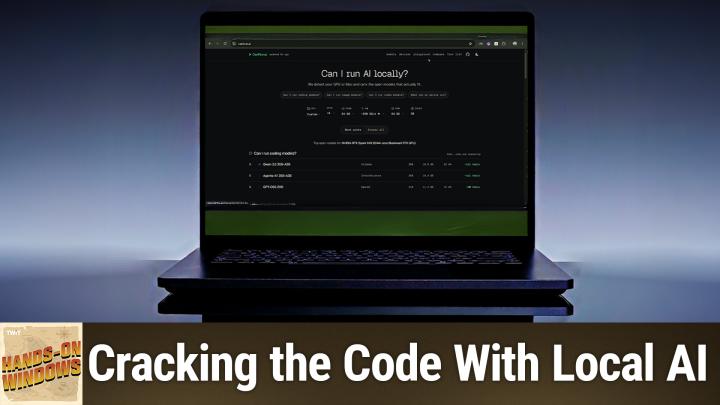
It actually kind of makes it easy in a way. But once you move up to a really powerful GPU, your options almost exponentially multiply. And figuring out the right model, and they have different settings for the same models and different weights and so forth and sizes and context window sizes, is a very complicated thing. It's very difficult, but the site is wonderful. So canirun.ai, which is can I run AI locally, will detect your system capabilities. And if it doesn't get it quite right, you can adjust it on the fly. So for example, I don't know why it seems to think I have 90, whatever it is, 96 gigs of RAM, whatever that said, but this bandwidth feature is correct. This is the memory bandwidth on the RTX Spark machines.
Paul Thurrott [00:08:19]:
The Apple machines, usually around 300 or higher depending on the silicon. The highest-end one is 1,200 or 1,100 to 1,200. It's very, very fast. The RAM and VRAM is— again, this is a 128 system, but the way it's configured right now is this is the way it should be. It should be listed like this. So it's 64 on both sides. I don't know where 36 comes from. 36 is not the number of cores of anything, but I'm not gonna worry about that part too, too much.
Paul Thurrott [00:08:49]:
But that's fine. So it gives me some idea what I can do on this system. Now, if you run this on a different laptop, like a normal laptop, Copilot Plus PC, a Mac or whatever, you're going to see different options in all these areas. So for example, on the— well, I should say first, they give you options right from for coding, image, video, and tiny. And then there's all kinds of filtering and stuff. We'll look at that in a second. On a Snapdragon X2 computer, There are no local models for image or video that fit on that computer. It just doesn't.
Paul Thurrott [00:09:20]:
The GPU is just not powerful enough. The amount of RAM you can give to the thing is just not enough, etc. It's just not going to work. But on this one, there's just a wide range of options, right? And some of these are pretty big. I mean, I roughly, you know, just looking at this roughly, this is probably the smallest one, 11. So there's probably 11 to 35 gigs in size. If I wanted to devote more RAM, to the GPU, which I could do here, or hopefully it would pick it up automatically as well, these choices would probably change. But this is the configuration I've been using.
Paul Thurrott [00:09:52]:
I've gone back a little bit, back and forth a little bit on that, but it seems like this works pretty good. You can dive into each. So if you want to just go into coding, for example, this is like the screen we just saw, but just for coding, and it gives you a much wider range of choices, including all choices at the bottom, right? So here, what we can see is that the way this thing is configured now, at least anything 128 gigs or higher, it's not going to run on this computer. So if I had a high-end Mac with 512 gigs of RAM, I could probably run one of these models, no problem. This, it says it will run, but it's going to be a little slow. But I could also change the RAM allocation, right? And probably run either of those models pretty well. I've tried some number of these, this one, this one, this one. Yeah, so at least 3 of these so far.
Paul Thurrott [00:10:43]:
We'll see if they're on here. We'll take a look at that in a moment. But this is really useful because the first step is just look, what is it that I'm trying to do here and what's the best model for it? The tiny model listing here is kind of interesting because these are just what we used to call small language models. These are relatively small, right? These should run on just about any computer. They'll probably run against— most of these will run, I think, against different types of processors, et cetera. I believe these all run pretty well on the Snapdragon, for example. But normally on this computer, I haven't been using the smaller models, obviously, because they can work anywhere. But because they're so slow and they take so long to load and do anything, when I do a demo of this, I'm gonna use a small model just to— Give you so you can see it, but not deal with the time.
Paul Thurrott [00:11:33]:
It's a time element because it's brutal. Okay, so there are all kinds of different ways to interact with local AI. Once you know the model you want, or models, which you can do from that site, you can run one of those apps. And so I'm going to start with the most popular. I believe it's the most common out in the world, which is LM Studio. For some reason, the app is called Bionic now, and I believe that's something to do with the fact that they've added agentic capabilities, right? So I've used this a little bit on this computer for a couple of different things, mostly coding, but then lately I've been just trying some standard prompts I have here. And if you're familiar with, you know, ChatGPT or whatever else, I mean, this looks and works very similarly, except that the models that I'm picking here are all things I downloaded previously. I'm not going to make you go through that.
Paul Thurrott [00:12:25]:
And are now available here in the model picker. So these 2 here are really big models. They're for coding. They're both reasoning models, which I find infuriating, just dealing with the— they just talk to you the whole time as they're doing stuff. This is just a smaller model that would probably work on many, many different kinds of computers. But if you go into settings and let's see, where do we explore? You can see there, their version, their LM Studio's version of, we've looked at your computer, maybe, but we at least recommend these things. And they are basically, okay, it seems like they sort of understand this. This is a curious one I've never seen before other than this app, but the Nimotron models are new and growing very fast.
Paul Thurrott [00:13:11]:
These are from NVIDIA, which makes the twin, the chipset in the computer. And then the QuenMuse, you know, Gemma, Gemma, whatever, how we say that, different models, et cetera. But as you select these things, you can see how big it is to download. You can see the different weights that are available. There are different options, et cetera, et cetera. So, you know, it's just tough to know where to start, like I said, but I've already done that. I'm not gonna sit here and download a model. That's ridiculous.
Paul Thurrott [00:13:39]:
But this is on the smaller of the models. So I've already done some of these type of things, but You know, this is just standard chatbot stuff. So, um, one of the— uh, I'll just do it. I'll just do a simple thing. This is just text-based, so I'm not doing images here, I'm not doing video, I'm not doing any kind of multimedia of any kind or programming. It's just, um, you know, um, who are— I don't even know if I can answer this question, to be honest, uh, but the last 10 World Series winners, right? So maybe the standard thing you might ask. Now I want you to pay attention when I hit enter. So I, I I just loaded this thing, right? This thing under the covers has some runtime in which it will load the model.
Paul Thurrott [00:14:20]:
When I clicked on that and selected it, I don't think that is what loaded it. I think the first time I try to query it is when it's going to load. So you might see a lengthy pause here, but let's see how it goes. Yeah, okay, so you can see it loading the model. Now that happened pretty quick, right? So on, that's funny. Yeah, it's like it's a coding model or something. That's amazing. So that's not what I wanted at all.
Paul Thurrott [00:14:44]:
So I will just go to some of these things I did before. So I don't know why I did that. That's funny. So one of the standard prompts I do, and I would have done this probably in a previous episode, 5-day Mexico City itinerary, right? I've been doing this since early 2023. I throw this against every AI imaginable. This was the one I did against this model. smaller model, if I'm reading that correctly. And, you know, pretty basic.
Paul Thurrott [00:15:09]:
It's fine. You know, just kind of a rote list. I also loaded up one of the big thinking models, and that took a long time. And it doesn't show you at the top how long it took to load the model, but it tells you how long it took to load the answer, right? And let's see if it says— this one doesn't say it, but it took a minute and a half. But it came out with more of a descriptive thing. You know, Slightly, I don't know, slightly better, I guess. I like that it adds this kind of thing at the bottom. I think one of the demos we had done earlier did something like this, like this kind of thing.
Paul Thurrott [00:15:38]:
And then it asks you the follow-up question, right? And so in this sense, to me, this thing is working a lot like, you know, Copilot or ChatGPT or Cloud or whatever. Like it works very similarly, I think. And then I do my standard, you know, hey, I'm looking for some advice about reading the Tolkien books. This one, I think was the, I guess this was the bigger one. I actually can't tell, I'm sorry. Oh, it's a bigger one. It took a long time for some reason. It generated an error first and then I just hit retry.
Paul Thurrott [00:16:08]:
It was probably like a little refresh button and it just worked. I don't know, you know, it's just Local AI, whatever. Not much of an answer, frankly. It's like just, you know, very short, very brief, but, you know, to the point and that's fine. One of the struggles I've had with Local AI, because when you get past the basic stuff like this stuff, is, well, you know, what's next? So for me, the next step is gonna be coding. I've been working on that a lot. I wanna get onto the creative activities, productivity agents, et cetera, although agents are involved here. Not had a lot of luck.
Paul Thurrott [00:16:41]:
The one thing I've had luck with from a coding perspective is this thing here. And this takes a while to load, and I just want to make sure that Bionic is unloaded, because otherwise we might have that thing taking up all the RAM, right? But let's see. Oh, that's fun. What should I call you? Oh, it's like we've never run it before. That's weird. Okay, well, I've already gone through this many times, but I guess we will go through it again. And then it loads this thing into memory. And so this is what I was talking about before.
Paul Thurrott [00:17:14]:
So this is that one of those ginormous models. Honestly, this is going faster than I would have thought. So it's going— that's going pretty good, actually. I'll see if it actually finishes, but this could be like uber time. Now it's going to process the prompt, you know, because it was a complicated prompt. What's my name? So you can see the problem here. But this thing fundamentally is very much like that last app, right? There are different panes. that actually that one does not in any way conform to anything, but oh, here we go.
Paul Thurrott [00:17:43]:
Here's the user interface. So I'm gonna close this guy down 'cause I don't really, oop, that's the wrong one. Where is this? Close this. And then it will eventually think and get to me here. So I've been also using this app for some kind of app integrations. You know, we'll look at that in the future, I think. I don't know why it keeps asking me this. This is confusing.
Paul Thurrott [00:18:02]:
And I could go in here to that code folder if, you know, that's what I was doing, but I'm not, so I'm not going to worry about that. And it really just— it's just doing its thing. I don't know what it's doing. It's just talking. It really wants to integrate with things. I'm not going to do that. But I did get this thing to generate a Windows 11 app, which you can't preview, so I'm not really sure what that's doing there. But how do I close that guy? There we go.
Paul Thurrott [00:18:27]:
But it took a really long time, and the app it created was very basic, etc., etc. But it did do it. You know, we have a terminal session down here so we can switch folders and run shell commands, etc., etc. But this is, to me, is kind of more of a high-end, kind of complex situation. Yep, doesn't want to quit because it's in the middle of something. That would have gone for many minutes if I let it. Just want to make sure it's actually killed because it's super important not to run 2 of these things side by side. They suck up so much RAM.
Paul Thurrott [00:18:56]:
Just want to make sure it's not It's not looking bad. Yeah, it looks fine. Okay. The one thing I've had some interesting success with though is using the command line, right? And so there are command line versions of these apps and you can download models and so forth. I just wanna make sure I'm in the code directory. Oh, sorry. There we go. Okay.
Paul Thurrott [00:19:21]:
So I went through this process. I'm not gonna step through this with you. It's not really worth it. But basically you can run something like Ollama, which is kind of a de facto standard for that kind of AI. You know, it's a text-based CLI frontend and also runtime. You can use that thing to download models. I think in here in my history, you can see now I've not run Ollama yet, so it has to spin this thing up first, but it will show you the 3 models. This corresponds roughly to what we saw in LM Studio, Not exactly, it's fine.
Paul Thurrott [00:19:56]:
You can also integrate this thing with Cloud Code. So at some point I installed Cloud through the command line and then you could run these things side by side. So kind of an interesting error in here. Let me, I'm gonna run this one. So you can see the sizes here are enormous to, you know, reasonable. I downloaded this very small model just so this would go quickly. So I'm gonna run that one. Normally this is not what I use for coding or whatever, but I will do that here and you can get an idea of how kind of fast that is, right? And so this thing runs, you know, that's it.
Paul Thurrott [00:20:26]:
It's there. That means it works. So I'm just going to get out of there. And then you can run this against Cloud Code. So in my case, because I want to learn or use this for coding, Cloud Code is basically an AI agent tuned for coding. It's kind of the easy way to say it. It typically runs against cloud models, right? Opus 555. Is like the big one right now or whatever models that Anthropic has.
Paul Thurrott [00:20:49]:
But we can run it through Ollama from the command line this way, right? By specifying the model names. And here again, I'm using the smallest model because otherwise we'd be sitting here for a long time. So this thing runs and it runs with this error message, right? Which is the thing I ran into yesterday. And this initially threw me because there are 3 possibilities here. Something's wrong with the model, like it doesn't— the model screwed up, the model doesn't work with this, which it should, but maybe something's wrong. Context assumed to be 200K. So it's possible the context window is configured incorrectly. And then update Claude code.
Paul Thurrott [00:21:21]:
It's possible I just don't have the latest version of Claude code. So I could exit this. I Googled it. There are ways to do this permanently, but for now what I've done is figured out how to change the context window size on the fly. So 256K, I looked, if you look up the model, on that website I showed you earlier, it will tell you what the window should be. And I can make it that. And then when I run this exactly the same as before, it comes up without an error message, right? So let's clear that out and do that again. But this is what you're looking for.
Paul Thurrott [00:21:56]:
And so, not this, sorry. This. So from here, it doesn't look like much, but this is the same interface that we saw in LM Studio, in, um, uh, Hermes, uh, Agent, and in most of these other things. It's just kind of stripped down in text space, and you can ask questions, you can do all the things we were doing before. But last night, uh, in anticipation of the show, I asked it to do that thing I've been trying to do, which was, can you create a, um, a duplicate or a copy or whatever of the Notepad app that is in Windows 11? And the last time I was successful doing this, this was through Hermes Agent, and I don't remember the model. I guess it doesn't matter, but this thing churned for 2 hours and came up with a pretty basic app. When I did it this way just last night using this environment, the text-based environment, it created this app here and the source code, right? So I could pump this into Visual Studio and I could load it up and edit it by hand if I wanted. My goal is not to have to do that, but I created this thing, so prepare yourselves.
Paul Thurrott [00:23:03]:
So this is a very basic text editor. I have been on my own creating many, many different versions of Notepad using different technologies, different languages, different frameworks. This is not great. It works, by the way, so I can bring up like, you know, my show notes here from different podcast, it comes up nice. There are some choices in here. I can insert the time and date and that works fine. Okay, that's great. If I go to a new document, it didn't ask me to save that document.
Paul Thurrott [00:23:37]:
Okay, so there's missing things. Keyboard shortcuts don't work. This word wrap thing, I don't know what it's doing in the menu bar but it doesn't do anything when I click it. Font doesn't do anything. These have options but they don't do anything. There's no, you know, this is just a bunch of stuff missing. So this is not there. So the next steps for me are going to be now that I actually got it to create something, it being AI, you know, local AI, whatever AI, who cares? I'm going to go back and iterate on this thing.
Paul Thurrott [00:24:06]:
And then I'm also going to try to apply what I learned getting this working to use in LM Studio or Hermes Agent, you know, these other things. Right? Because there's Clairvoyance down here, there's Llama Windows. There's a lot of different ways to do this. And when you download models for one environment, they're only for that thing. You can't put them in, you know, you can't access them from other apps. It's very strange, but a lot to learn. And then if once I get by that, you know, in 2028 or whatever year that is, you know, I want to move on to those creative tasks, right? So we want to do things like image editing and video editing and all kinds of stuff. So hopefully, hopefully soon, sooner rather than later, we'll have some more information about Local AI, especially on RTX Spark, because it's kind of the next, you know, the next big leap.
Paul Thurrott [00:24:55]:
Although you wouldn't know it looking at this app, would you? One thing, I think it's in this version— no, it's not actually, is it? Oh, never mind. Oh, there it is. Yeah, so you can't see it. It doesn't support the light and dark modes correctly. But this, it's hard to see, I'm so sorry, but this is a, like, a find and replace box. That is not how Notepad does it. And if you, in Notepad, it brings up this kind of pane, which is really interesting, or sorry, floating window, like a dialog essentially, right? Like a modern dialog. When I was writing my most recent version of this kind of an app by hand, I came up with this interface.
Paul Thurrott [00:25:35]:
And I'm not saying other people haven't thought of it either, but I didn't see it anywhere. I made it myself. And it's interesting to me that it is using my user interface here, although I handled dark mode correctly. I have to think it's because my code is on GitHub, which is public to the world because I shared it with everybody. And that's, you know, AI found it. And now I am polluting the horrible world of AI output. So you're welcome. Welcome or sorry, I guess.
Paul Thurrott [00:25:59]:
I'm not really sure. Anyway, we will be back next week with another episode. We'll see if— there will definitely be more RTX/local AI episodes in the future. I'm not sure if next week is the next one, but next few episodes, absolutely. Thank you so much for watching. Thank you everybody, but thank you especially to our Club Twit members. We love you guys. If you're not a member, twit.tv/clubtwit, please take a look.
Paul Thurrott [00:26:23]:
And I will see you soon. Bye. We have new episodes every Thursday. You can find out more about this podcast at twit.tv/how. Thank you. I'll see you next week.