Hands-On Windows 210 transcript
Please be advised that this transcript is AI-generated and may not be word-for-word. Time codes refer to the approximate times in the ad-free version of the show.
Paul Thurrott [00:00:00]:
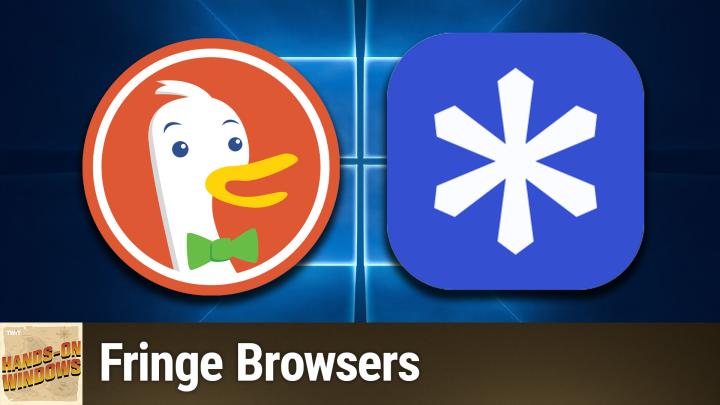
Coming up next on Hands on Windows, we're going to take a look at some web browser edge cases. And no, I don't mean Microsoft Edge. Podcasts you love from people you trust. This is TWiT. Hello everybody, and welcome back to Hands on Windows. I'm Paul Thurrott. And this week I thought I would look again at some web browser alternatives, right? Obviously Chrome is the biggest browser in the world. If you're on Windows Edge is there, but, you know, it has some usage from that.
Paul Thurrott [00:00:36]:
Um, you know, same thing Safari on, on Mac and on their devices and so forth. Um, but it's pretty much a Chrome world, right? And so we do have all these alternatives. We have things like Firefox and then a bunch of Chromium-based browsers, uh, Brave, Opera, Vivaldi, et cetera. And they all have something to recommend them. Um, but this past couple of months, um, I have been using 2 real kind of fringe browsers a lot. I, um, uh, and I've, I've actually settled on one for my daily use, uh, browser. Like, this is the one I use the most, and I have been using Brave for a long, long time, so it's kind of a big deal. Um, but let's, let's step through this.
Paul Thurrott [00:01:15]:
So, um, the first of the 2 is DuckDuckGo. This is the more well-known of the 2. You've definitely heard of it. You might even use their search engine, and I think that's one of the interesting things About this browser, I really like the company. The search engine's fine. They have this thing called Duck AI, which is their kind of privacy-first AI assistant as well. These things integrate into their browser, which is fine. You can disable them if you don't want that kind of thing, but they're there if you do, right? And that's fine.
Paul Thurrott [00:01:50]:
I've wanted to use this browser badly for a long, long time. I trust this company. I like their products. I I really like the browser. Honestly, it has this kind of modern. UI. And, you know, there's a lot to like, a lot to like here, but it's, it's always just kind of fallen short for me. So about a month ago, I decided I was going to give this thing a shot.
Paul Thurrott [00:02:13]:
I subscribed to their podcast, I was listening to, I think it was the founder of the company talking about, you know, all the work they put into this and everything. And I was like, okay, I have to give this thing another shot. So like I said, it has a nice UI. Very clean. If you're not doing this, make sure you do with whatever browser you're using. Go to Cover Your Tracks, just Google it, but it's coveryourtracks.eff.org, and make sure that it's set up to block trackers, right? And this is just the default DuckDuckGo install, so it is blocking tracking ads, it is blocking invisible trackers, but it is not helping as much with fingerprinting. And this is the new way that these companies get around this stuff, uh, to build profiles for us. You know, we call this fingerprinting, right? And so it's a lot of less direct information that it, you know, coalesces to make— help figure out who you are.
Paul Thurrott [00:03:05]:
And this is interesting because it kind of highlights, um, the problem I have with this browser, but I'm going to get to that in one moment. So there's a couple of things that have happened since the last time I used this, and then a couple of things that are just kind of there, right? And so If you are concerned about privacy, one of the fun features they have here is this one-click, just delete all your data, you know, which is right up front and center, which is really kind of cool. Also, if instead of an incognito window, they have what's called a new Fire window. And so this is their version of incognito. So you go to some dangerous website like apple.com or something, or whatever it is you're doing that's, uh, you know, private or illicit or whatever it might be. And you can see how it's got the little Fire logo up here on the close button. And when you click that, you get a fun Fire animation and off we go. So that's cool.
Paul Thurrott [00:03:56]:
That's been around for a while. Um, it does have integrated password management. That's something it actually did not have, uh, for, for a while and also autofill. So that works well. And you can, um, I'm not going to do that, but, uh, you can, um, you know, import from other, uh, password managers. I mean, that stuff's fine. Um, but, and like I said, you know, the integrated search and, uh, AI assistant stuff, it's, it's good. Um, one of the neat features they've added, um, since the last time I tried this, and this is fairly recent, is they actually block ads on YouTube.
Paul Thurrott [00:04:30]:
So if I, let's see, what could I search for here that would be, um, not ridiculous, um, without signing into Google or to YouTube rather. Um, yeah, just find some. Yeah, I think I know that guy. Um, let's see if there's anything in here yet. Oh, okay. So Microsoft is probably not going to have an ad anyway, but what they do is block the ads, right? So pretty cool. So without paying for YouTube Premium, um, you can do that kind of thing. Um, they also have a pop-up player and so forth, but, um, nice.
Paul Thurrott [00:05:05]:
So that's cool. That's a good one. Um, they also have, um, sync and, uh, account, like sync and backup, I should say, without account, right? So you don't have to get a DuckDuckGo account or whatever and have that problem. We can actually do sync and backup in a way that is peer-to-peer, which is very much like how Brave does it, if you're familiar with that browser. I'm not sure if I want to get into this too much, but if we go into sync and backup, so basically what we're getting here is a— it's going to go through. So the idea here is that you know, QR code to a different device, and it's just a peer connection. And so once you have something that's set up the way you want it, you can go to a different device and sync with that one directly, and then it will remain in sync. And it just— there's no cloud, uh, connect— or direct, uh, I guess it would be indirect cloud connectivity, um, that gets in the way.
Paul Thurrott [00:06:01]:
So that's actually pretty good. But again, this thing— so the problem here is when I see something like this, I would want to install an extension, right? Something like Privacy Badger, which by the way is made by the EFF, the same company that makes this, or organization that makes this site. Um, but I also use, um, other extensions every single day. So I use something like Dark Reader for dark mode on different web pages, Instapaper for the read later type functionality. Um, I use LanguageTool, which is an AI-based spelling grammar checker kind of thing like Grammarly, if you're familiar with that. And I use ProtonPass for passwords and passkey management, but you can't get any of these in this browser because they are trying to figure out a way to do extensions that is secure and private. This is their shtick. And though other companies like this, like Firefox, which is Mozilla, or Brave and other browsers have figured this out, they have not.
Paul Thurrott [00:07:00]:
And they just feel like they're basically just not going to do it. And So I used this for weeks at a time. I really liked it, but man, that kept dogging me. I had to keep going back to another browser to, you know, load a page there and then save it to Instapaper maybe, or find a password in my password manager or whatever it was. And it's just, yeah. So if that's not a concern for you, I would say, yep, you know, this is, it's these people, their hearts are in the right place. Like they're doing, they're doing the right thing, but it's just that thing. It's just not quite there.
Paul Thurrott [00:07:32]:
So. For me personally, I can't, I can't do it. All right. So the second web browser is probably the one you've never heard of. I would imagine most people have not heard of this. I have this new tab extension in here. So let me get rid of that first, just so you can get a look at just what this thing would look like normally. But this is called Helium.
Paul Thurrott [00:07:59]:
And so if you're familiar with the Brave web browser, this is very similar. So privacy and security focused, made by a small team. In this case, the source code is all open source. You can see it on GitHub. It's Chromium-based, like Brave, like other, you know, Vivaldi and Opera and most other web browsers, right? It works with extensions. So you can see the extension, you know, I've got all my, all the extensions I just mentioned and some others are in here, right? uBlock Origin is integrated into the browser. And in fact, it's the original uBlock Origin, not the terrible one that is not working very well or as well as it used to, right? After Google moved to Manifest V3. And I mentioned that cover your tracks thing.
Paul Thurrott [00:08:46]:
So we'll, I'll do that in the background while it's doing this, but really minimalist. And you know, like I said, privacy security by default, which I really kind of like. Um, let's let this happen. Sorry, this is doing its thing. I should have just had this loaded. Sorry about that. Um, but the big thing here, like I said, um, extensions, right? So this is the big difference between this browser and, um, and DuckDuckGo. And you can see this one actually has a unique fingerprint, which is not what I want.
Paul Thurrott [00:09:14]:
Um, so I have not configured this one correctly on this computer, but usually what I see here is the It doesn't say yes, it just says your browser has a— I don't remember the wording, but not a unique fingerprint, which is what you're looking for. Okay. Um, but the major downside to this browser is that it does not support any form of sync or backup. Right. And so you have this configuration. In my case, I have, you know, whatever extensions installed. Um, when I, when you first launch the browser, it actually gives you a page that lists a bunch of popular password managers, which it then installs. Um, from the, probably from the Chrome Web Store, I would imagine.
Paul Thurrott [00:09:52]:
Um, so I was able to install my password manager, which is this thing here, ProtonPass, which I love. Nice. Um, but now I've got it exactly the way I want it and I can't save it anywhere. I can't, I can't sync this somewhere else. I can't duplicate this configuration on a different computer. If I wipe this thing out or I get a new computer, I have to just go through all that. Again, it's not the biggest problem in the world, but it is a problem. And I do have a workaround.
Paul Thurrott [00:10:23]:
One of the things you can do, in fact, they prompt you when you bring up the browser, like most browsers, is it says something to the tune of, hey, do you want to import your settings from another browser? So if you have a web browser on your computer, like you probably would have Microsoft Edge, if that thing is configured with the extensions you use and it has your passwords and all that stuff, You can actually bring that stuff over into this browser. And what I found is that it's pretty good. So if I have, you know, if you look at the list of extensions, so maybe it's 8 or call it 10 extensions, um, it probably gets 6 or 7 of them. So I have to go and install, uh, the other ones manually. And when I say manual, I mean manually, because if you go and look at extensions in here, that one of the things that's missing is any link to getting extensions anywhere. There's no help or whatever here. And so what you have to kind of know to do is go find the Chrome Web Store. Um, and once you do get here, so if I just look at this thing, um, you can add— all these extensions work normally, like that actually works.
Paul Thurrott [00:11:23]:
Um, so why, so why have I stuck to this? So I would say this is the rough equivalent of Brave, like I said, but minus the Brave things that are You know, Brave, you know, understandably trying to make money. So the little things that they add to the UI that you can sit there and manually uninstall— Brave has a paid version called Origin, which does that for you automatically. You could pay for it if you want to support Brave. That's great. But this is basically Brave Origin without that and without the settings sync, right? Which is definitely a problem. But it has a few other things that I actually really like. And these are, these are minor things, but If you, this is one way to get to this, but if you right-click the top of the app window here where the title bar would be, I guess, you can see it has different web browser layouts, right? So I put it back on Classic because this is the standard web browser used, but it has these other views. And this, if you use Safari on a Mac, this will probably look familiar 'cause that to me is what that looks like.
Paul Thurrott [00:12:21]:
The vertical tab thing, which is pretty common across different browsers. But also, let's see if I can find a space to click in here. The one I use though is this dynamic one, right? And so what this does is, and actually this will make more sense when I have a tab. So the address bar is above the tab, the tab bar, so to speak. There is obviously with the single tab, there is no tab, right? But when you're in, I gotta find this. I just, I usually just leave it where it is. But if you're in the standard classic layout, even with a single tab, it's taking up that space, right? So I just, there's something about this that I just find to be really clean. And I really, really enjoy this.
Paul Thurrott [00:13:01]:
Um, there are other customizing, there are other customization features that are going to be familiar to you if you use Chrome, right? So this thing you've seen in Chrome, this is probably taken directly from Chrome. So you get that kind of thing. So if you want to apply different, um, you know, colors and so forth, that's cool. I have this in dark mode for the video recording, but in light mode, these colors come out a little bit better. You can, Do all that kind of stuff. That's, that's pretty common. But, um, and I also, because it supports extensions, you know, I do do that thing where, um, I replace the new tab page. So the, the new tab page on this thing is, you know, pretty basic, right? Um, and I use my own, um, new tab.
Paul Thurrott [00:13:40]:
And so now when I do a new tab, you'll see what that is. It's just called Bonjour. But, um, this is just the, you know, the experience I like. So when I think about these 2 kind of unique browsers, right? They both have one thing the other one doesn't. And I would say actually Helium technically has 2 things that DuckDuckGo doesn't. And the second one being this kind of really minimal and super customizable UI, but where DuckDuckGo has sync, Helium does not. Where sync— Or Helium has extensions. DuckDuckGo does not.
Paul Thurrott [00:14:18]:
So I think it's a toss-up between Helium and DuckDuckGo or Brave/Brave Origin. But I just— this is something, and you know, this is the way these things are. There's something about this that really, uh, lands with me. So I, I've been using this one the most of all. But like I said, Brave, Brave Origin would get you there. If you don't want a Chromium-based browser for whatever reason, you're pretty much looking at Firefox or one of the Firefox alternatives, one of those things that's built on Firefox. Um, and there's several of those and they're pretty good, but Um, a Chromium browser stripped of all the Google stuff and with the trackers all turned off is really the fastest option. So unfortunately I'd love to use the Mozilla stuff, but, um, but I can't because I just, you know, I just need it to work better.
Paul Thurrott [00:15:02]:
So, um, this is where I've landed, but I think these are 2 interesting choices. Either one of these, uh, would be better than Chrome or Edge from a security slash privacy perspective. And actually from a performance perspective as well. And then, like I said, anything based on Chromium that is not Chrome is going to be a better experience if you care about yourself at all. So that's something to consider too. So hopefully you found this useful. We will have a new episode of Hands-On Windows every Thursday. You can find out more about the podcast at twit.tv/how.
Paul Thurrott [00:15:38]:
Thank you so much for watching. Thank you especially to our Club Twit members. We do love you. Thanks for watching.