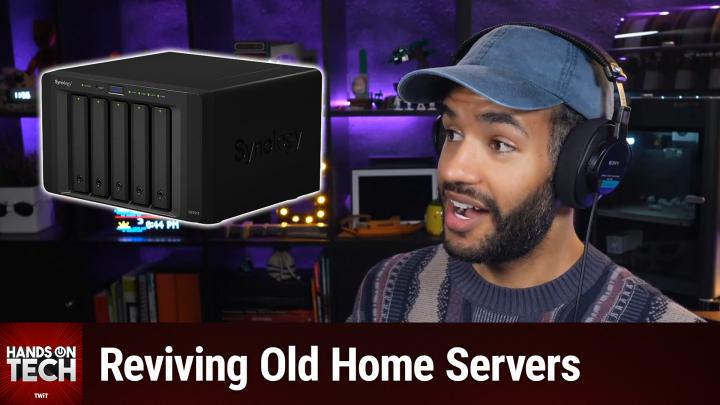
Hands-On Tech 269 Transcript
Please be advised that this transcript is AI-generated and may not be word-for-word. Time codes refer to the approximate times in the ad-free version of the show.
Mikah Sargent [00:00:00]:
Coming up on Hands-On Tech. What do we do if we've got some old Windows hardware and it's time to modernize? Well, stay tuned for that answer. Up next. Hello and welcome to Hands-On Tech. I am Micah Sargent and today we're. We are once again taking your wonderful questions and doing our best to answer them. We've got a question in from David who writes, Greetings. I have an old Windows Home Server that was taken out of service when my Internet was poor.
Mikah Sargent [00:00:42]:
Now that I have a great fiber Internet, is there a good use for the Windows Home Server as a backup or something? If so, where is the best place to find information on how to set it up? Thanks, David from Alabama. Well, David from Alabama, thank you for writing in. First and foremost, I want to say, yeah, your hardware absolutely worth bringing back into service, but it kind of depends on, on, on, on something that I think you gotta be aware of here, which is that the box, the Windows Home Server box, that part is still useful. The operating system on it. No, no, no, no, no. Windows Home Server should not go back online. Like the thought of running Windows Home Server as is especially exposed to this beautiful new fiber connection that runs so quick. No, no, no, no, no.
Mikah Sargent [00:01:32]:
Well, let's talk about why. Regardless of what version of Windows Home Server you have, it's been out of support for years. Windows Home Server 2011 has been unsupported since April 12. The original 2007 release, which is built on Windows Server 2003, that's even older. With the release of Windows Server 2012, the Windows Home Server product line was then folded into Windows Server, like the Windows Server family essentially. And so WHS as a concept kind of came to a close at that point. Microsoft's own guidance was at the time to migrate to a device running Windows Server Standard or Windows Server Essentials. And even, even that recommendation is now itself a decade old.
Mikah Sargent [00:02:24]:
So yeah, no whs when I say unsupported, what does that mean though? Well, it means no more security updates for the home server components. So any vault, this is, this is important here. Lean in, lock in any vulnerability that has been found since 2016. Mind you, we're now living in the generative AI era where people are discovering all sorts of new flaws all the time with the help of generative AI. Any vulnerability found since 2016 is then thereby permanent. A fast and always on Internet connection is exactly what then makes that unpatched server a beautiful, delicious, yummy, attractive target. Microsoft's WHS 2011 is you can learn more about that at some of the links that we have in the show notes. So now we've gotten that out of the way, we're not using the software, we're kicking that.
Mikah Sargent [00:03:25]:
What can we do with the hardware? Well, the WHS box almost certainly like a small, low power machine. I'm sure it's got multiple drive bays and so it's already looking like a modern home server. It's a fun little server there. The move is to wipe it and then install a current, actively maintained operating system. So where should we go? Well, I love this. I've been doing this research myself for what I'm looking to build and there before it was easy to kind of fold this in. So welcome, welcome. Thank you for joining me in this space.
Mikah Sargent [00:04:02]:
Let's start with truenas. This is the most popular free and open source NAS operating system, or NAS depending on how you pronounce it. It handles backups, file shares, snapshots and app hosting. And then with the ZFS file system, it will give you the data integrity protection that you're looking for as well. So you can find that@trunas.com and again, it's really popular, it's got a lot of support and I think that's an important aspect of it. There's also Open Media Vault, otherwise known as omv. This is Debian based. It's lighter weight, it's forgiving of older hardware, it's forgiving of modest hardware.
Mikah Sargent [00:04:44]:
So if your Windows Home Server box has super limited ram, then this is going to be a much more friendly option for you than going with truenas or the other option that I'm going to suggest. Because the third and final option is a tool called Unraid, available@unraid.net it is a paid operating system. It's one time though, which is nice, but it is so well loved. And it's honestly, it's the one that in my own research for my own home server, I kept coming across and then going, can I find something else instead so I don't have to pay? And I keep coming back to it because it's really well liked for letting you kind of take mismatched drives of different sizes and use them and then also run apps and virtual machines super easily. I was kind of shocked at all of the functionality that's available at unraid. Net. There is one hardware caution that I have for you because WHS 2011 had no problem running on machines with as little as 2 gigs of RAM. And Truenas in particular prefers 8 gigs of RAM or more.
Mikah Sargent [00:06:03]:
So you do need to check what's installed and whether the board can actually take more before you select one of these operating systems. If you pop in and see that, that or you recall that your your Windows Home Server was really light on RAM and it's also not upgradable, then Open Media Vault is the way to go. But if you'd like to sort of modernize the hardware a little bit and you're able to do that and go for something like Truenas or Unraid. Now you mentioned wanting to use this as a backup. Is that a possibility for you? Absolutely. In fact, it's one of the best jobs for this machine more than anything else because you have some options here. You can create it as a local backup target. So if you have Macs, if you have PCs in the house, you point those at this network attached storage as a backup option.
Mikah Sargent [00:07:00]:
With Truenas or with omv, it can serve as a time machine destination. It can serve as an SMB share for file history on Windows. That time machine destination of course is for Macs. And then there you've got that fast on site copy. But remember, this is where it's always important to remember the three two, one rule. Three copies of your data on two types of media with one off site. So this repurposed home server, this is the great second copy at home. But it is not.
Mikah Sargent [00:07:36]:
And this is the. I do see people do this. They get network attached storage, they get some sort of home server situation going and they go I'm backing up to there. And then they don't have an offsite cloud backup because it feels like you're doing the backup that you need to do. No, a fire, any sort of event could result in the loss of this on site backup. You need an off site backup somewhere. So don't stop at this just because you've added it. Make sure that you pair it with a cloud backup service.
Mikah Sargent [00:08:08]:
If you want it to do more than just backups, well then all three oss that we talked about, that's unraid Open Media Vault and Truenas do support media serving. And so you can use Plex or you could use Jellyfin, which is the free and open source tool. And those are just add ons. So you would be able to make it more than just a backup server. It could also serve as a media server. If you're looking for that again, we will hit all of it in the show Notes links to Truenas's official documents. The install installation guides Open Media Vaults documentation and then Unraid's getting started guys guides as well. One place that I do suggest going, well I guess it's technically 2r slashomelab r home server because that is where I have found a lot of information and that's great for especially hardware specific questions.
Mikah Sargent [00:09:06]:
The important thing of course is to tell them the exact make and model of your, your WHS box. Okay. Because if you can give that information, many of these folks are familiar with sort of like the little quirks of these machines and you know, OEM specific errors that, that you may not otherwise come across. So be sure to, to to be as detailed as you possibly can in order to get the best support that you possibly can. I think that you will be happy about that. I want to mention it's very easy as sort of the, the summary of, of everything here. Keep the hardware but lose the software, wipe it, then put Truenas Open Media Vault on it maybe unraid and you've turned this retired Windows Home Server into a modern backup target and possibly a media server that's safe to run on that nice new fiber line. And congratulations on joining the world of fiber.
Mikah Sargent [00:10:13]:
We love it here, right? It's so, so nice and roomy. I think that's great. I want to mention before we say goodbye today, well a couple of things. First I want to remind you all about Club Twit and then we'll do a little bit of follow up. All right. Some follow up. So Jeff had written in asking about Android Auto and having some issues with being able to get it to work. It said here's here was the original question.
Mikah Sargent [00:10:51]:
I drive cars for a local auto dealership. Multiple different types of cars and this happens in them all the time. I use Android Auto and recently something has changed. I'll get a text message, the banner that would typically show at the top of the screen stopped appearing and so on and so forth. Just having trouble with things working. So Jeff wrote in to say this. I was able to fix it. I do need to say that prior to the airing of Hands-On Tech I was able to fix the problem with the microphone not working.
Mikah Sargent [00:11:18]:
I fixed it by uninstalling the last Google update because updating Google was one of your first suggestions. I did do the update and again the microphone stopped working. So I removed the update again and it's fine again. Hopefully the next update will not have the same issue. The banner problem was fixed when I removed the Android Auto cache and data. Unfortunately I did them at the same time so I don't know if doing just the cache would have fixed the the problem. Thank you very much. And again, I really enjoy watching, watching and listening to all of the shows.
Mikah Sargent [00:11:50]:
So Jeff, I am glad that that ended up working for you and I'm glad that so much of it was as simple as getting rid of the cache or getting rid of some of the extra data therein. It is unfortunate to hear that the update caused an issue for you, and it makes me curious if that update did something to permissions or if it is truly just a bug that has shown up for you in either case. In all of those cases. So glad to hear that things are working better for you now and I always love to hear responses from folks on how their questions were answered and if they came up with a solution. So be sure to write in hot@twit.tv. That is going to bring us to the end of this episode of Hands-On Tech. It is always my pleasure to bring you this show. I'll be back again next week, next month with another episode. But until then I will say goodbye to all of you and I hope you have a great rest of your day or evening, depending on what time it is where you are.
Mikah Sargent [00:12:53]:
All right, I'll see you next time. Bye Bye.