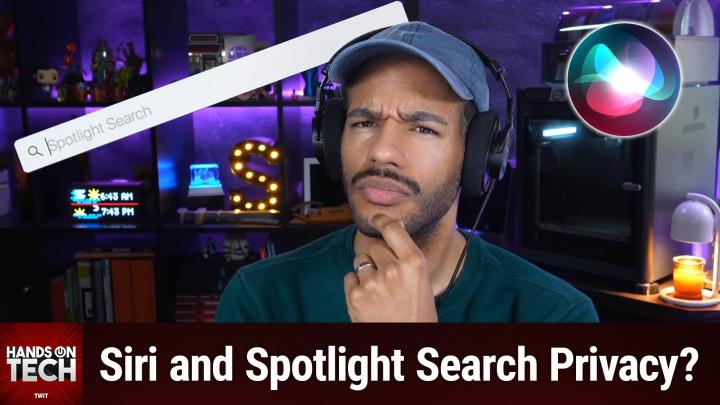
Hands-On Tech 263 Transcript
Please be advised that this transcript is AI-generated and may not be word-for-word. Time codes refer to the approximate times in the ad-free version of the show.
Mikah Sargent [00:00:00]:
Coming up on Hands-On Tech, let's ponder what it means when Siri goes to work on your phone. Hello and welcome to Hands-On Tech. I am Mikah Sargent and today we're getting nerdy. I love this. We got a great question in that really kind of had me wondering myself why haven't I thought more about this? It comes in from an unknown listener and it is, I think, a fascinating question. So buckle in because it does take a little bit to get through, but I promise it's worth it.
Mikah Sargent [00:00:45]:
So Unknown writes I have a question that I haven't been able to find an answer to, though not sure if the audience can help Regarding the quote Siri and search permissions in in iOS versions, what do apps see when Apple searches inside them with the show content in search setting? As a programmer, I'm not sure if the app is able to see hey, my files were searched for X with X being what I typed into my phone's search bar and gather that as telemetry. I'd imagine Apple would do the search in a way that the app can't, like searching an index, but I'm not sure. This has me a bit concerned about what apps can see if Apple Intelligence peers into them as an easier addendum that I want to signal boost because I think the answer is no. Is there a way to automatically turn off the suggestion options in the same settings Siri and search pane for every app I have and ever will install? I currently do it manually because my disdain for those suggestions is mostly unrivaled, but would prefer a way to have them off automatically. The same with Apple suggesting I share my map ETA with someone when I say drive to so and so's House, I can turn the ability to manually send ETA off along with the suggestions, but not just the suggestions. Reminds me of how many emails and iOS versions it took to get Apple to allow me to turn off automatic balloons on the Happy Birthday messages without turning on Reduce Motion. All while Reduce Motion had a toggle to leave those animations on and they didn't see the irony. Leave them on with reduced motion but not turn them off without reduced motion.
Mikah Sargent [00:02:18]:
Apologies for the long and one more thing, email. So first of all, love this question and so don't apologize Unknown. I think this is great. This is relatively under the hood and you have to have access to the developer documentation to get a better understanding of how this works. So let's take a look at what do apps actually see when the Spotlight search turns and looks inside of them. So again, this is the first part of this, right? If I use Spotlight search on my phone, which is accessible by swiping down from the home screen, or when I'm just doing a search with Siri or what have you. So what is it actually saying? Well, in this case, the unknown listener's instinct as a programmer is correct. Apps generally cannot see what you searched for.
Mikah Sargent [00:03:20]:
So why? Well, here's how it works. Under the hood, there are two kind of main mechanisms that are involved in what app content will show up whenever you do a Spotlight or a search request. One is Core Spotlight. So that's the sort of framework for this. And the other is NS User Activity. Now, these names, not super important. Just understand that they're names that developers are well aware of because they are tools in their toolkit for different things that they want to do with their apps, different functions that they want to make possible with their apps. In both cases, Core Spotlight and NS User Activity, Searchable content that your app donates is stored in a private, entirely local index that never leaves the device.
Mikah Sargent [00:04:07]:
Users can search for your content in Spotlight. You, in this case being the developer, can search for your content in Spotlight, but no other apps will be able to see that data. So there's a special word that I said when I mentioned, when I answered the question, you'll notice that I said that in both cases, searchable content that your app donates is stored in this local index. Donates is that special word. The app proactively pushes content into the on device Spotlight index ahead of time. So even before you search the app based on what the developer feels their users might want, it pushes that information into this sort of library, if you will, that when you search, you can find it in that library. So in the Spotlight index ahead of time, titles, descriptions, keywords, metadata, all get pushed into this index. Core Spotlight APIs then help you provide this description of an item and add it to the on device index.
Mikah Sargent [00:05:17]:
So it's a little bit like a filing cabinet. You know, it's got all these different folders in it that are labeled. And the operating system is able to say, you know, hey, I've got all of this information. It's all labeled. You take this now and you hold onto these, and then if you need to look through them, you can, when you search, iOS then goes through that filing cabinet. And so the app doesn't have any access to that. That stuff's been pushed to the Spotlight index out of the app. And so it doesn't know the search query that you're doing, the app, only to be clear, gets notified about one thing.
Mikah Sargent [00:06:02]:
When a user selects a search result from one of the items that your app has added to the index, then the app does receive a deep link containing the indexed information, so that the navigation happens from the tap directly to whatever it is that you searched for. Does that make sense? So in the folder that we, you know, this folder analogy, this filing cabinet analogy, there's a little label right on the folder. You do a search and then the system looks in its filing cabinet. Oh, found it. And then inside of that, you, you can almost imagine that there's like a map that directs you directly into wherever it needs to go inside of that app. So that way you go right to it. The app knows, hey, the user tapped on this specific result, but it doesn't know what you typed into the search functionality. It doesn't know what else you searched for.
Mikah Sargent [00:07:01]:
It doesn't know what other apps have added to the index. It doesn't know what was displayed, what was ignored, none of that. The only thing it knows is, oh, this is what they're looking for. I gotta pop this up. It's almost a little bit. If the filing cabinet analogy doesn't quite work, you could almost think of it like a library. So the app is donating its books to the library, and then iOS itself is the librarian. You walk up to the librarian and say, hey, can I find this? Can you find this? And the librarian finds that specific book.
Mikah Sargent [00:07:36]:
So it's not than the app's responsibility from that point on. But that's Spotlight. Spotlight is only one part of this equation because now we have Apple Intelligence and Siri being part of Apple Intelligence, right? So this is where things get a little bit more nuanced. And, you know, it's important to be aware of how that might change things because Apple Intelligence uses information on your device like upcoming calendar events, frequently used apps, and then combines all of that for this customized experience. Apple Intelligence has this thing called the semantic index that it builds on top of Core Spotlight and then also a framework called App Intents to kind of better understand your data. It's semantic index is a little bit like providing more of an understanding of how, how you actually use your device. That said, the privacy architecture underneath remains the same. Apple Intelligence identifies the data necessary to provide this information to assist you, but it doesn't really need to access that data.
Mikah Sargent [00:08:55]:
It doesn't need to access the specific data Apple Intelligence does on device processing. It has that information on your local device, but it doesn't send it off to Apple then for collection. When you're doing these these sorts of Apple Intelligence features, there are some that do require sending off to the server. Apple of course has a lot of privacy features that are tied to that. Now with the newer again, I told you we were going to get nerdy here with the newer app intents and app entities system. This is what is required for Apple Intelligence to understand what's going on with apps. App intents is essentially what is my app capable of doing. I need to tell the system what my app is capable of doing.
Mikah Sargent [00:09:45]:
So that way the system can suggest using a specific app in a specific instance and in gives Apple Intelligence the ability to peer into those apps and then apps can index in Spotlight a better understanding of what is within the app. Still the app is donating that information ahead of time and then the system searches that data locally. So it's not the underlying framework is still the same with one caveat. If you do tap a result and it opens the app, the app receives a deep link that tells it which item you selected. So there is perhaps a way that that an app would be able to know that when you type a certain search functionality and you tap that app opens. Right. That's something that's always been available as an option is understanding that this tap led to the deep link into the specific part of the app. But it doesn't know that.
Mikah Sargent [00:10:56]:
Maybe you searched five or six times before that and found other apps that would help. So it's not getting any understanding of your behavior other than the one simple thing that you searched that led to the deep link within for requests that go beyond on device capability. Of course, Apple Intelligence uses private cloud compute sends that data that goes to Apple's servers. That data is sent to and returned by private cloud compute. Again, it's not accessible to Apple. So really no apps can't see that thing that you said Unknown where you said hey, my files were searched for X. No, your search queries stay between you and the operating system. So a little complicated, a little bit more involved when it comes to Apple Intelligence because of the off device stuff and the added capabilities by way of app intents and app entities.
Mikah Sargent [00:11:54]:
But the fact is that underlying framework is the same as often as possible. Apple seems to try to prevent an app from having any more information than it needs, the bare minimum information that it needs to do its job. You also asked can you automatically turn off Siri suggestion options for all apps? Unfortunately, the answer is no. Essentially because Siri suggestions are on by default for your apps and you can turn them off or change these settings at any time, but it's still only on a per app basis. What you want is a specific like for new apps from this point on, please keep this off, right? That's not the same thing here. In this case, what you're needing to do is go in from that point and turn off the new apps. You can turn off the global series suggestions categories like suggestions in Search suggestions in Lookup suggestions on lock screen and that will stop system level suggestions. But the individual per app toggles show content in Search suggest apps.
Mikah Sargent [00:13:10]:
Those are still defaulted to on for every new app you install and currently there's no way to change that behavior. That said, there is one exception and it is technically something that you could do if you wanted to. Unknown if the device is managed via MDM Mobile Device Management Deploying a configuration profile can actually hide the entire Siri and search option in settings. But again that's a nuclear option and is really meant for enterprise environments. But if you wanted to, you could. You could go and use Apple configurator, set up mobile device management on your device and have this thing completely wiped. It should be a toggle, but it doesn't exist right now. Perhaps there's something that you could do in the future.
Mikah Sargent [00:14:03]:
It sounds like you are very good at sending messages to Apple to get them to change things, so maybe this is another place for you to focus that energy. The Maps ETA suggestion Unfortunately, same story here. The ability to share UTA is a feature that can be toggled in Maps settings, but the proactive suggestions to share your ETA are baked into Siri Suggestions behavior. You can split the difference between Let me manually share my ETA when I choose to and of course stop suggesting I share it. But it's an all or nothing design, so you gotta make one choice or the other there. It doesn't give you the ability to do both. Love your sort of story, your anecdote about the happy birthday balloons and thank you for being partially responsible for giving us the ability to say I don't really want that to happen by default. That was good.
Mikah Sargent [00:14:59]:
So I appreciate that you're. Excuse me. I appreciate that you're looking out for us. Ultimately though, your privacy concern about Spotlight and Apple Intelligence. It's well founded. It's a great question. I'm really glad you asked it because it gave me the chance to dig into developer documentation. But Apple's architecture remains reassuring.
Mikah Sargent [00:15:22]:
IOS maintains a clear boundary. Apps can donate data to that index, but the system handles the searching and the apps don't get to see into that index to see what other apps are donating there as well. Thank you Unknown. If you care to write back and let me know your first name, it's always nice to know, but I understand. If not, thank you for writing in with that question. I thought it was a truly good one. As I said, gave me the opportunity to have a little fun reading up on developer documentation after being away from it for so long. Folks, that is going to bring us to the end of this episode of Hands-On Tech.
Mikah Sargent [00:16:04]:
If you have questions, you can email me. Hot at Twit TV is how you get in touch and I look forward to answering your question. I'll see you next time for another episode of Hands-On Tech. Bye bye.