Hands-On Tech 240 Transcript
Please be advised this transcript is AI-generated and may not be word for word. Time codes refer to the approximate times in the ad-supported version of the show.
Mikah Sargent [00:00:00]:
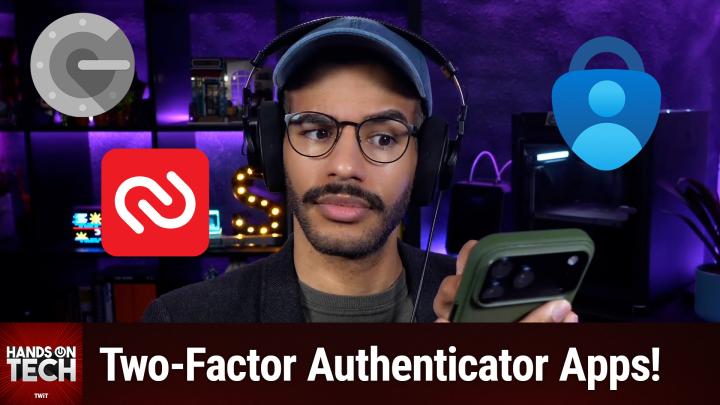
Coming up on Hands-On Tech, let's take a look at two factor and multi factor authentication apps. Stay tuned. Hello and welcome to Hands-On Tech. I am Mikah Sargent and today we are answering a tech question regarding two factor authentication or multi factor authentication and kind of what people can use, how they can use it, where they can use it, and a little bit more about what's perhaps safe and what's not. The question comes in from Stuart who writes, will you please do a deep dive into the best two factor multi factor authentication apps and how best to use them. Also, some banking institutions don't Allow use of third party authentication apps like Google Authenticator or 2Fast. Using a text code or phone call to your mobile phone can leave one exposed to SIM swap security issues.
Mikah Sargent [00:00:59]:
Is it safe to rely on the bank's own two factor app like Bank of America's Flagscape Authenticator? So great questions. Absolutely. And something that does come up often. So let's start by talking about what I saw from the apps that are most often used, the apps that are well reviewed, and the apps that may be of interest to you. It starts with some very well known names. Google Authenticator and Microsoft Authenticator are two apps that people will have heard of. Microsoft Authenticator kind of went through a period of time where it was kind of a will they, won't they situation of is it going to stay around? Will people be able to continue to use it? What's going on here? And of course when it comes to Google, you always have that concern as well, that well, is this going to be a Google Reader of the future? That it may not be something that sticks around in the long term. So those are things that people kind of bear in mind when they're using these applications.
Mikah Sargent [00:02:00]:
But the fact is they're both very easy to use to set up two factor authentication codes. And both of them have technologies built in that make certain versions of two factor and multi factor authentication even easier. And by that I mean for Google and for Microsoft respectively, if you're using it for two factor for those specific applications, for you know, a Google account or Microsoft account, then you've got kind of a better system for being able to log into your accounts that way. Now when it comes to these apps, again, you do have this issue of what happens if the company decides that they no longer want to support this app and that, you know, you need to look elsewhere. So that's something that you do need to keep in mind. But they have been around for a long time they are created by two very well known companies with a lot of resources. So you can kind of understand that that typically means that the security implications therein are something that you can kind of be comfortable about, right? Knowing that it's made by Google, it's made by Microsoft that those companies are taking care to make sure that these apps are secure. Now, Google Authenticator is an app that will let you sync to different devices with your Google account.
Mikah Sargent [00:03:21]:
So if you have multiple devices where you're wanting to pull up these two factor codes, you're able to do so using your Google account and then Microsoft being able to, you know, view this on a Windows device or elsewhere. Now, Google Authenticator, it does. You are going to need to check the settings to make sure that you have encryption turned on fully and completely if you decide to use this application. Otherwise it doesn't by default encrypt both ends of the exchange when you were trying to sort of sync between devices. So just keep that in mind as well. Now, if you do choose to do that encryption, make sure that you're hanging on to any backup codes, any other means of authentication. If you lose those and then you suddenly don't have access to your codes, that's a big deal. You're suddenly having a lot of trouble getting into an account and you're trying to contact support and hope that they have some other way of being able to authenticate you.
Mikah Sargent [00:04:18]:
There's another application that gets a lot of attention and has been around for a long time, and that's Authy. A U T H Y here's why I don't like Authy. Authy is sort of proprietary and by that I mean Authy has integrations with different apps and services that provide a unique experience for doing two factor authentication. So if a company has decided to work with Authy specifically, then it can do things like send you notifications for a code or even just a prompt that says, yes, I want to log in. You'll note that in Authy oftentimes the security code is a different set of a different number of digital from your standard six digit authentication or God forbid, your four digit authentication. And again, it's just an odd thing where Authy has worked with these companies in particular, these services in particular, and has provided this unique form of two factor authentication. What that also means though is you aren't able to do an easy export of your authentication codes. So if you were ever to lose access to this device or if you ever wanted to switch devices, you need to make sure that you're able to log into your Authy account on the new device and bring over those means of authentication.
Mikah Sargent [00:05:42]:
And so in the end it's just not one I recommend because you don't know if you're going to have an issue being able to access what you're after across devices, across platforms. Another application that I saw a lot of attention for I believe is Cisco, sort of made by Cisco, but the app itself is called Duo Mobile and so that came up quite a bit. I had not heard of Duo Mobile, but Duo Mobile is another two factor authentication app. This one does have export options and does have built in integrations for prompts. So by that I mean certain services you can log in and then you'll get a notification on your phone that says, hey, I see that you are currently trying to log in on this device. Is that you. You can just tap yes and then it'll log you in, as opposed to having to type in a code which is in and of itself a form of two factor or multi factor authentication. Now with those four that I've mentioned thus far, my recommendation is one of the first two, Google Authenticator or Microsoft Authenticator, if you're going with the this sort of after the fact means of authentication.
Mikah Sargent [00:07:00]:
My first suggestion, my first recommendation I'm going to talk about in just a moment. But if you're kind of looking for a standalone app for providing two factor or multi factor authentication, again Google or Microsoft Authenticator, they work well. Again, they're made by very resource, resource granted companies. They've got a lot of resources at their disposal and can continue to make these apps safe and secure. And I think that's an important aspect of this Authy and Duo Mobile, especially with Authy having its own little means of doing authentication and you not having as much control over your codes, I don't like that at all. So the next one that I want to mention before we move into my first recommendation is Aegis Authenticator. This is a suggestion provided by, let me see here. Who was it in the chat? Uh... Wizardling in the chat.
Mikah Sargent [00:07:58]:
Aegis is available. It's an open source application available to Android users and it's a two factor authentication app. So if you've got the QR code or the long secret that you use to generate those two factor authentication codes, if you have access to that information, then you can use Aegis for that on those devices. So that's something that you might suggest or try out as well.
Are you ready to grow in 2026? Let me tell you why advertising on TWiT is the way to make that happen. I'm Mikah Sargent. I'm the host of Tech News Weekly and several other shows on the network. And if you've ever listened to our shows, then you know what makes what we do different.
Mikah Sargent [00:08:38]:
It's trust. When we introduce a new partner on the show, the audience knows we believe in what they offer because we're only taking on partners that will actually benefit our audience. And they know that when I'm waxing ecstatic about your product or service, I'm doing so with authenticity. Some other reasons why you should join the network? It's all about the numbers. 88%. That's the number of listeners who've made a purchase based on a twit ad. 90%. Those are the people who are involved in their company's tech and IT decisions.
Mikah Sargent [00:09:09]:
Oh, and by the way, 99% is the number of people who listen to most or all of the episode. Every host read ad we offer is authentic. It's unique, it's embedded permanently. So that means that your brand is going to get exposure even after your campaign concludes. Because yes, our nerds, our listeners, our viewers, they go back and check out the stuff we've done in the past. Every ad is simulcast across our social platforms. It's always available in both audio and video formats. So if you want your brand woven into conversations with tech experts and the world's most tech savvy audience, I mean, where else are you going to turn except right here at Twit? So let's make 2026 your most substantial reach yet.
Mikah Sargent [00:09:55]:
Get in touch with us. Email partner@twit.v or visit twit.tv/advertise.
So we've talked about apps that are sort of specifically made for doing two factor or multi factor authentication, but I mentioned that is not my first suggestion. So what is my first suggestion? Well, it's very simple for me. You will hear, and you probably have heard across the entirety of the Twit network and on different shows that certainly the most secure way to do two factor or multi factor authentication is to have something like these purpose built apps separate from everything else, right? That you have a place that you go to and you find your two factor code after you've put in your password from your password manager or done whatever else it is that you do to log in. And that is true. That is the most secure means of doing so. I am choosing convenience and maintaining security, more security than I would have otherwise by having one app that is both my password manager and my two Factor authentication code generator.
Mikah Sargent [00:11:16]:
It's incredibly convenient for me and it means that I have portability when it comes to two factor code generation and that's incredibly important so that if I wanted to, I could use one of these third party apps and have them generate the codes, but I don't have to and can instead have it all in one place. So I've mentioned before, I have long been a 1Password user. Many of the major password managers, I should mention one password sponsor on the network, Bitwarden, also sponsor on the network, but is also capable of doing so. And essentially you just have your two factor codes generated right there next to your username and your password. You're already stepping up your security when you decide to add your multi factor authentication of some sort. And so even if someone was able to gain access to your password because somehow you're. I'm trying to think of a situation where you're using a password manager, but you're somehow using the same password across sites. And so they gain access to that password through some sort of breach and they gain access, but then they can't actually get full access to your account because they don't have that two factor authentication code.
Mikah Sargent [00:12:46]:
So it is still stepping up your security by having that two factor authentication code there. And so I find that the convenience paired with the added security of that over, especially sim, you know, sending it via SMS is worth it to me to have it all in the one spot. Again, that also means that it's incredibly portable and it also means that there's not as much of a lift when it comes to adding new devices or changing devices and having the opportunity to pull up that information, right, that when I get a new phone or I get a new computer or what have you, I'm not having to figure out, okay, what was it? Where did I have these stored, how did I have them stored? How can I log in, how can I do this, how can I do that? I do it all in one place, it all comes over. I'm very happy and I can move on and log into the accounts that I want to. So Stuart, to answer your question, my recommendation, my top recommendation as someone who feels that their security posture is what it needs to be for me, is to just have your codes right there in your password manager. If you want to be more secure and have sort of multiple requirements for someone to gain access to your account, some bad actor to gain access to your account, that's when you'd want to use that separate two factor or multi factor authenticator and that's where again, I recommend Google or Microsoft authenticators just because the others have too many proprietary means and kind of lock you in and I don't like that platform login lock in. To go to your second question regarding proprietary two factor apps. Well, again, you know, my biggest complaint is it's a bit of a lock in.
Mikah Sargent [00:14:46]:
But when it comes to bank of America's Flagscape Authenticator, for example, typically these proprietary apps are using the same TOTP standards as one of the popular methods. So but by that, by the way, that's time based one time passwords, two factor authentication codes, right? They're going to be using the same means of code generation, so that's good. It also means that because they are set up to be connected to a specific device like your computer or your phone, then they often are going to include additional security layers, device fingerprinting, making sure that you're actually logging in from the device that they would expect you to, and in some cases app specific pins where you may not have that, you can in Authy, for example, by default that's not turned on, but you can go in and turn that on. In many cases these bank ones will say we're going to make it be as much security as possible. So before you can gain access to your 6 digit code, we need you to type in a 4 digit code that you have added to the app. Direct integration with the bank's fraud monitoring systems is another reason why this is good. When it comes to a bank having automatic means of detecting if your account has unauthorized access, there are lots of different means that the banks use. And so having this specific proprietary app often means that there's better integration directly giving your bank more of an opportunity to be able to detect for fraud.
Mikah Sargent [00:16:33]:
Importantly, regulations require banks to have very rigorous, very specific security testing. And so that often means that these applications are perhaps even more secure than a third party app that you're using. And of course, if we're looking at whether we have the opportunity to use a proprietary bank code generator or an SMS based code, which one do you want? You want the app that generates codes over that SMS thing where it is susceptible to SIM jacking. So when it comes to that, certainly the downside is that it doesn't have an easy way for you to have sort of a backup method. It's a single point of failure. If for some reason the app goes down. If an AWS outage means that the app is not letting you generate codes for whatever reason, that shouldn't be the case, but let's say it is, then you're not able to access your banking information. That's very frustrating.
Mikah Sargent [00:17:41]:
It does also mean that these apps probably have less scrutiny, right, from the outside forces, the folks that are the security researchers that are looking at other apps that are getting a lot of use, that are less proprietary. And it could also mean, of course, how often do you go in and hit refresh on your app Store updates page and your bank app is the one getting updated? It's not too often, right? It's likely the same when it comes to these multi factor two factor authentication proprietary apps where they're not getting updated as frequently as some of the other authenticators. So there are downsides, there are upsides, but overall I would say generally safe for use, generally safe for consumption. When it comes to using a bank's authenticator, especially if it means that you're not getting codes texted to you. Let's always avoid that as much as possible. So thank you Stuart for your answer. I've got a quick question from Andy, but first let's take a moment here so I can tell you about Club Twit at twit.tv/clubtwit. When you head to twit.tv/clubtwit, you out there can join our club.
Mikah Sargent [00:19:01]:
It is $10 a month, $120 a year. When you join the club, you gain access to some pretty awesome benefits ad, free content. It's just the shows, none of the ads, because you in effect are the support of the show. So we give you special custom feeds that are just yours and yours alone that you are able to listen to all of our shows with no ads. You also gain access to our special club feeds. So these feeds include bits and clips. These are behind the scenes, before the show, after the show, bits that are, you know, exciting, interesting, hilarious, what have you. There's also a feed for our coverage of tech news events.
Mikah Sargent [00:19:45]:
So Leo and myself covering Apple's recent event, we have live commentary of all sorts of stuff as it comes up, the Made by Google event and many more throughout the year. And then you also gain access to another special feed that has our Club Twit shows like Mikah's Crafting Corner, that's my crafting show as well as Stacy's Book Club, the D and D adventure that we kicked off last month, mid last month, late last month, and so much more. So when you join the club, you're going to get access to a huge back catalog of great stuff that you have not seen yet. So that's always a fun time. And then you also gain access to our Discord server, a fun place to go to chat with your fellow Club Twit members and those of us here at twit. So if all of that sounds good to you, well, join the club. twit.tv/clubtwit is where you go. We kick things off with a two week free trial. We've got some promos running right now as well.
Mikah Sargent [00:20:45]:
So now's the time to head to twit.tv/clubtwit and check it out. And we would love to have you as a member. So thank you very much. All right, heading back to the show, the next question is a quick question that comes from Andy, and it's a question that brings up something I think that's important, something that maybe Apple should consider. Andy writes in My wife and I recently started using Apple Photos shared library feature to replace a confusing system of shared events and albums. The shared library cleaned up all of that and made things simpler. So before I read the rest of the question, just for people who haven't used this feature or who are not on iOS, Apple has over time added more shared features and I want to make sure that we're not getting them confused. So a shared album is sort of a folder that you put photos into that you can then send to send a link to other people, and then they can view that folder of photos and also add photos to that folder and do some light commenting on the photos or liking the photos.
Mikah Sargent [00:22:01]:
But it's just a little folder and that is a shared album. Later, Apple decided to add the shared photo library. This is an entire library of content that integrates deeply into iOS, iOS, et cetera. That gives you the ability to share albums, to share photos and videos, and to contribute most importantly to one album. So you can imagine this being very popular within a family, right, that mom and dad have access to the shared album and as they're taking or excuse me, I just said shared album shared library. And as they're taking photos, the camera can automatically suggest the camera app can automatically suggest that these photos get added to the shared library and then you can both view it and act on it in that way. It's it's a great feature for again, multiple people sort of organizing, viewing and acting on the stuff that you would want. So here's the rest of Andy's question.
Mikah Sargent [00:23:12]:
The one problem I noticed is favorites are shared if they're in the shared album. Is there a way to prevent that and have individual favorites? So what Andy is saying is, as Andy is going through as Andy's wife is going through and looking at these photos, Hitting the little heart button to like a photo, pops it in in that library to a category called favorites, and there's no separation. So what Andy's wife marks as her favorites and what Andy marks as Andy's favorites are two should be two separate things as far as Andy would like. But they're both going into one place. Can you fix this? No, you can't. So, Andy, the only way that I can see to solve this problem as it stands is to, in your shared library, create two albums, Andy's favorites, Andy's wife's favorites, obviously, whatever Andy's wife's name is. And then instead of hitting the heart icon, you would just choose to add those photos that you find to be your favorites into those albums. Then you can have that album within the shared library that you can see.
Mikah Sargent [00:24:36]:
But what's great about it, too, is that then your wife can see what you find to be what you find to be your favorite photos. You can see what your wife finds to be your wife's favorite photos as well. So that's kind of a nice addition that you would not get otherwise. Because what is the favorites category, except for really just an album? Right. The only difference is one more step, because instead of being able to just hit the heart and have it added to your specific favorites, yes, you do have to hit two buttons to get it shared to that album. You can also always create a shortcut that makes it possible for these photos to be added to an album. And then you could do something wild like set it up where the action button triggers this shortcut that puts it in your favorites or the back tap on the iPhone, where you tap twice. I think it's twice.
Mikah Sargent [00:25:32]:
It might be three times on the back of the phone or maybe you can even set up. Both will trigger this shortcut that adds the photo to your specific favorites album. So you could cut down the interactions that you have if you want to, by using shortcuts. But ultimately, in either case, you do need to just create an album that is specific to you. Call it your favorites, put them there. And yeah, once I once I was thinking about this, I did kind of like the idea that, oh, now I can go in and see, wow, how touching that my significant other has a photo of me and their favorites album. Right. And that you have a photo of yours significant other in your favorites album.
Mikah Sargent [00:26:13]:
And that's kind of a nice added feature that you wouldn't get otherwise if it was just favorites separated by the people and you only saw yours and they only saw theirs. So that's something that is an added benefit there, folks. That brings us to the end of this episode of Hands-On Tech. I want to thank you so much for taking the time to join us this week. If you have questions that you want answered, hot@twit.tv is how you get in touch with me. Me being Mikah Sargent. Thank you so much for being here once again. And I'll be back next week with another episode of Hands-On Tech. Bye bye!