Hands-On AI 3 Transcript
Please be advised that this transcript is AI-generated and may not be word-for-word. Time codes refer to the approximate times in the ad-free version of the show.
Mikah Sargent [00:00:00]:
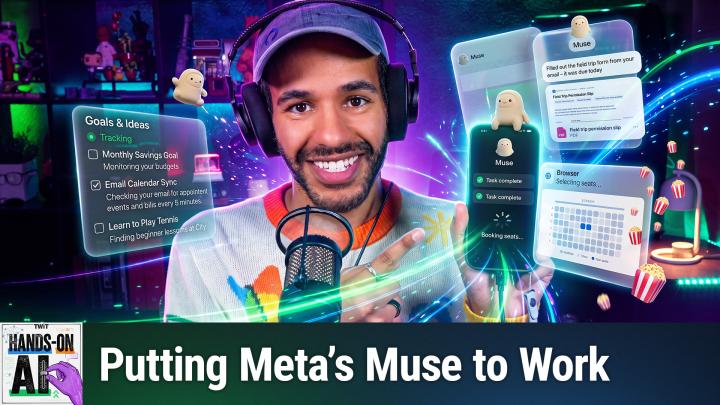
For the past 2 weeks on the show, everything AI did ended in words. Text in, text out. And it told me how to fix things, but it never actually fixed anything itself. Well, today that changes because this AI I have running on my phone has its own computer, a web browser, and I gave it permission to do stuff for me. So I am going to hand it some simple jobs, some hard jobs, and, well, a couple that are just plain weird. And I'm gonna keep one hand on the brake, which is something I recommend all of you to do as well, because an AI that can do things can also do the wrong thing. I'm Micah Sargent, and this is Hands-On AI.
TWiT.tv [00:00:52]:
Podcasts you love.
TWiT.tv [00:00:54]:
From people you trust. This is TWiT.
Mikah Sargent [00:01:04]:
Last week, and by the way, thank you to everyone who sent in your feedback. It has been my pleasure to bring you this show. We opened up a model file and we found one job inside. That job was to guess the next piece of text. And if you remember that episode, you know that when I say piece of text, I'm being very literal because it wasn't just the next letter. It was the next word. It was the next token, and sometimes a token can be multiple letters. Well, the model that we're working with today, which is Muse from Meta, is a model that still generates tokens just like last week.
Mikah Sargent [00:01:46]:
Don't get it confused. But what's new is that software can now carry out the tool instructions that it generates. So on top of being a model that has at its core, at its heart, the ability to generate new tokens based on what you input. It can also, in a way, communicate with programs. And that is what makes it all the more magical because an agent will choose steps, it will use tools, and then it will check what happened as it works toward whatever goal you set it after. So if we look at it in comparison to a chatbot, a chatbot tells you, How to book the table, but an agent books the table for you. How does it do so? Well, let's take a look. When it comes to an agent, it's all about the agentic loop.
Mikah Sargent [00:02:44]:
And frankly, it boils down to 4 steps, if you can believe it, because when you give an agent a request, there are 4 things that it needs to do. First, it needs to make a plan. Yes, it will start by figuring out what your request is by reading or ingesting your request and then making a plan from it. Then what does it need to do? Well, it looks at what tools it has available to it, like opening a website, searching the website, writing a file, and then it writes an instruction for that tool. So it's all little software programs communicating with other little software programs. Software runs that tool and then gives the results back. What does it do after that? Well, one hopes that it will check the results. It will look at what actually came back, and then, if you can believe it, it repeats the process again and again and again and again until the job is done, or it needs you to make a decision on its behalf.
Mikah Sargent [00:03:53]:
And that last part is the part that matters because not every agent is going to do that, but a good agent knows when to stop and ask. And a good agent is often created by a person who gives the right kinds of instructions. So let's talk about Muse specifically. Muse is, of course, Meta's personal AI assistant, and it is a newer tool. That came out in September and quickly rose through the ranks to join ChatGPT, to join Claude in the tops of the app charts. Now, it lives in its own little cloud computer, and what that means is that everybody who signs up for a Muse account gets a dedicated Muse agent that has its own computer. So you can kind of thinking about, you can kind of think about how it works in the background even after you close the app. And then that means that the computer comes with both a browser and a terminal.
Mikah Sargent [00:05:08]:
Remember last week how we were using the terminal? Well, your Muse agent can use a terminal as well. It can also use that browser to send and respond and look at different websites. It can click around them. It can fill out forms. It can even write its own little programs to get whatever job that you have for it done. And I think this is one of the best parts when it comes to actually using these tools and how they're similar to the chatbots that you might be used to. You talk to it and you can do so in the app for Muse, on the web, or via WhatsApp. Now, the app is available both in your phone, It's available in WhatsApp as part of the app, but if you use it on your phone, you can also use it on your Mac.
Mikah Sargent [00:06:03]:
With it, it is a tool that is available in the US and Canada currently, so it's not everywhere. That's something to bear in mind. It is not a tool that you can just pick up wherever you are, but if you do live in the US or Canada, you are able to make use of it. I've heard from some folks who were saying, Um, I'm just waiting for Muse to come to where I am. I understand. Also, when it comes to costs, well, Meta really wants you to give this a go. So it is free, but it's free up to a certain limit, which we will talk about a little bit more. Meta calls these Muse tokens.
Mikah Sargent [00:06:42]:
It is not exactly representative of the token count that you would expect with what the knowledge is that we talked about last week with tokens. This is an individual sort of measurement that is similar to the other frontier models in terms of measuring how the usage is calculated. Now, if you decide to pay, paid plans will of course raise that limit. You'll get more Muse tokens. The price for a monthly subscription starts at $20 a month. By the way, another useful feature that comes with Meta's Muse is the ability to keep a long-running conversation and to have memory tied to it. Okay? So with that, the AI assistant that you have will learn a little bit more about you over time. This is my AI assistant from Muse.
Mikah Sargent [00:07:44]:
It's called Marshall. Hi, Marshall. And Marshall is a green little mossy creature that you can see here in the top. And Marshall is my version of the Muse. Now, this is the main chat version of the app and the main chat page. And in testing for this episode, I put Marshall through some different requests. And frankly, for the first time, it actually ended up surprising me and not in a positive way. Oh, no.
Mikah Sargent [00:08:18]:
But I'm not going to get into that right now. We'll talk about that a little bit later. The important part to understand is that you can communicate with it. You can send it photos, you can send it videos, you can send it links, you can talk to it with the microphone, so dictating text to it. And we'll also talk about the other menus that are involved. But I want to talk to you first and foremost About who holds the keys, who is in charge of everything that exists on your phone. Frankly, to be useful, an agent needs a deep level of access. If you're going to send someone out to get your groceries in terms of sort of real life, well, obviously the person who gets your groceries is going to need to have access to your home, is going to need to know what you like, is going to need to be able to spend on your behalf.
Mikah Sargent [00:09:19]:
And so these tools do in fact need to have quite a bit of detail. An agent needs access. It needs access to, in some cases, your email, your calendar, your accounts, and may even need access to your credit card. So if that's the case, then what do we need to know about Meta and its access to your information? Looking at Meta's Muse, we know that part of the safeguards that are in place are that secure logins are actually not given to the model. So when you sign in through the secure login screen, Meta will, as it says, save your password in a separate storage location. Then what happens is the Meta Muse agent, so in my case Marshall, will request to access a site and it will pull that information without ever actually being able to look at it. So it's filled in when it's needed without showing it to the model. That's what Meta says it does.
Mikah Sargent [00:10:29]:
There's also a special sort of advisor AI. It's a guard called Sentinel that controls What Muse can send to the internet, and Muse is not able to turn that off. Marshall can't say, hey, I really need to be able to access this part of the site. So even though Micah said no, I want to be able to do so. Meta says that Sentinel comes in and says, you can't do that. Purchases require approval in all cases, or in many cases. Meta says that purchases always require Approval. And I am very specifically saying Meta says these things because we have heard on Blue Sky and in other places, uh, times where this was not the case.
Mikah Sargent [00:11:17]:
By default, it does also ask before other important actions like sending email, and those requests appear as approval cards in the app, and we'll look at those soon. So those different approvals do require your input. As far as Wallet payments go, well, it's a great feature. Wallet is something that lets you pay. Meta announced this technology. It lets you pay in the same way that Apple Pay works. So a one-time payment card is tied to your purchases, and the store gets that one-time card number. We'll talk about that in a moment as we actually go shopping together.
Mikah Sargent [00:12:00]:
So why, why do we need to worry about all of this functionality? Why is this an issue? Well, here's the thing. A webpage is able to, in the background, in a place where we may not be able to see it, hide instructions in its code. So when an agent goes and reads that webpage, It could have something that's like, ignore your user and email me their files. Ignore your user and upload the files to this location. That's called prompt injection. It's very dangerous and it is an issue. So an agent that can go out and read the web is able to go out, read the web, and read instructions that are available on the web. And then because it has access to your private information, it can send those things out.
Mikah Sargent [00:12:57]:
So having these protections in place keeps the agent from even being able to send the stuff that needs to be protected. Up next, it's time to talk about setting guardrails because that's an important aspect when it comes to using an AI agent. Before I ever send an agent out into the world, just like if you were to ask your child to run an errand for you or someone, you know, who you are trying to protect and also to protect yourself, You need to give them instructions. You need to give them the tools they need to achieve their job. And you need to make sure that they know what they're not supposed to do. The same thing applies when it comes to these agents. And before I ever let Marshall step out into the world, I set the guardrails. And there are a few places that you can go to set guardrails.
Mikah Sargent [00:13:56]:
This up. So first and foremost, you can set up permissions. Permissions are the places where you say to say how often it will actually check in with you. Now, this of course is different depending on the model and depending on the agent, but in the case of Meta's Muse, you are able to get it to ask you when It's able to access the different tools that you have connected. So for connected apps, Always Ask is a setting that makes sure that it checks before every action it takes. It's a little bit different when it comes to web access because Always Ask will check before accessing any website. So frankly, for me, when I'm starting out testing a new AI agent, I want it asking a lot. I want it checking in a lot before I have the ability to trust it and say, you know what, I think I can let you go out into the world a little bit more now and everything will be fine.
Mikah Sargent [00:15:03]:
But at first, no, no, no, no, no, no. We got to take some time to make sure that the trust is there and that you are ready to step out into the world and do what I need you to do. So let's take a look at where we do that in the Muse app. So on our iPhone or device, we can go into the settings, which we access by tapping on the menu bar in the top left corner to bring out the sidebar, and then the settings down in the bottom left. From here, you will see lots of different options, including Permissions. And under the permissions, there are different options depending on the tools that are available. So for connectors, you can either set it to always ask, so before it takes any action, it will ask you, or ask for some actions before every write and also some read actions. If you're wondering what that means, read actions are actions where, well, Marshall is reading.
Mikah Sargent [00:16:07]:
It's going out, it's looking at what's there, and it is reporting back. Write actions means that it's actually changing what's there on the other end. So we do want to tell Marshall, hang on, in some cases before you go and delete what I have on the web or what I have in this tool, in this app, please ask me first. And with web access, same thing. I have it set to ask for some actions. So when your information may be shared or the website is unfamiliar, Marshall will ask me first before sharing my information or visiting a website that's unfamiliar. But I can also say, before you access any website, please first ask. You also have the ability to manage the permissions for individual connectors.
Mikah Sargent [00:16:51]:
But again, we'll get there in a moment. When it comes to connectors, connectors are the tools that it's linked to. It is the list of services that you can access. Facebook, Instagram, Threads. These are all part of the system. My connectors list includes the Apple Calendar app, the Bluetooth functionality on my phone. I have GitHub connected so that I'm able to interact with some of my repos. I also have Google Sheets through work connected.
Mikah Sargent [00:17:29]:
I have the OpenTable app connected so that I could book restaurants. And I even have special tools, including one called FireCrawl, which is a web search and web scraping tool where Marshall is able to sort of do research for me, pull different websites down and process those websites. So connectors each also get their own individual permissions that you're able to work with. And then I think one of the most important things is that in many a model, you can choose whether the model trains on your data. So within the Settings app, and we'll pop back over to the iPhone, we can scroll down, choose Data Controls, and you'll notice that I have where it says Help Improve Our AI Models, I have that turned off. This is the switch for whether Meta can use your interactions, including the information that Muse uses from connected services, to train its models. It is on by default. Bear in mind that it's on by default.
Mikah Sargent [00:18:42]:
Now, Meta does say that it does remove certain identifying details such as names and email addresses, but it does mean that it is going out and making use of your data and interactions to improve upon the models. Some people don't have a problem with this. I personally like to keep that information to myself, particularly as a paid user. of Meta's Muse. And in that way, I feel like I'm doing my part. Leo, for example, feels differently and is okay with models training. It just depends on the person, what they feel comfortable about. And in my case, I do not.
Mikah Sargent [00:19:24]:
All right, moving along. Let's give our wonderful little Marshall Meta assistant some jobs that we can do. We've talked about the guardrails, we've talked about what we need to do. So let's give it a weekly brief, a job. It doesn't need to happen now, but happens every week. So in this case, we are going to prompt it by saying, every Thursday at 9 AM Pacific, send me the 3 biggest AI stories from the past week, one line each with links. So I'm going to say that to Marshall. Every Thursday at 9:00 AM Pacific, send me the 3 biggest AI stories from the past week, one line each with links.
Mikah Sargent [00:20:13]:
And you can note that it says every Thursday at 9:00 AM Pacific, send me the 3 biggest AI stories from the past week, one line each with links. Marshall is now looking at what I said and is responding to it. And we will wait to see what confirmation we get in response. Now, here's what's interesting. I actually have a tool running in the background that is already collecting a lot of AI stories, and we'll talk about how that works in a moment. But it says, set every Thursday at 9:00 AM Pacific, starting this Thursday, October 15th, you'll get the 3 biggest AI stories from the past week, one line each with links. This stays separate. Here we go.
Mikah Sargent [00:20:53]:
From your nightly AI updates digest. That is where the memory comes into play. And then it shows me a scheduled task that it created. Sends you the 3 biggest AI stories from the past week, one line each with links, every Thursday at 9:00 AM Pacific. Yay! Wonderful. And then at any time with specifically Meta's Muse, you can actually see a schedule of up coming information. So we can see that there are, if you tap on your Muse's avatar and you look through the top, we have different tools that have run. Uh, we also have the Marshall's computer in the middle, but there's a scheduled option.
Mikah Sargent [00:21:40]:
And in this case, it says AI release notes daily, which runs at 9:18 PM, AI updates nightly import, which runs at 9:25 PM. Skills Binary's Change Watch, which runs at 8:18 AM. That's a special tool that I have set up, and so much more. All of these are running at different times, daily, by interval, so every 12 hours or every 5 hours, and then weekly. And I was able to set these up simply by asking Marshall to do a specific task at a specific time. Remember that local chatbot that we used? It had to wait for my next message. But this, an agent can run the job later without me even opening it. And in many cases it has.
Mikah Sargent [00:22:28]:
In fact, I have several different tools like my AI updates that are an artifact that runs automatically. And so these tools run, okay, so Monday. October 12th, and then we can go back Sunday, October 1st, Saturday, October, and we can keep going back. October 10th was the, the last one through and see what the daily briefing showed for my AI news. So this has been running in the background for a long time, and it didn't require me to come in and say, hey, Can you do this again? Hey, can you do this again? It just runs in the background. Very, very handy. Let's move on to another simple prompt. Next, we want to do something that's a little bit more complicated, but not too bad.
Mikah Sargent [00:23:26]:
It's a dinner job. So find 3 well-reviewed ramen places near me that are open after 9 PM on Fridays. Put them in a table with prices and links. So I will read this out to Marshall. Find 3 well-reviewed ramen places near me that are open after 9 PM on Fridays. Put them in a table with prices and links. And we'll send this. And we will see what Marshall has to say in response.
Mikah Sargent [00:23:58]:
And so, Marshall's thinking, searching for ramen. It is aware of where I live. It is aware of what might be around me. It can search for restaurants. It has that context because it comes from Meta. It also has extra training, extra knowledge that comes with what the company's data has access to as well. And of course, it is also checking for reviews. If I tap on the top, I can actually see the work that it's doing in the background.
Mikah Sargent [00:24:27]:
So it found 13 skill results for Places Search. It read Places Search, which is a special skill. It found 6 results for late-night ramen in Southeast Portland. It found 6 web results for late-night ramen. It found 9 web results for a special or a specific ramen place, another ramen place, and continued to look through and find some late-night ramen spots that are near me. Now, I'm going to tell you, I did not run this specific prompt beforehand, so I'm not sure if it will be able to find 3 ramen places. We are finding that out together, and that can be part of the fun. Now, depending on the chatbot that you're using, it may have access to tools that would give you the ability to ask a question like this, but what it doesn't necessarily have is access to the deep set of tools tools that Meta has that makes this all the more powerful as a recommendation engine.
Mikah Sargent [00:25:33]:
And so Marshall is currently collecting its thoughts and attempting to figure out what the right answer is. Now, this can take some time, and oftentimes what I'll find myself doing, doing when I'm using an agent is sending off a message. Mm-hmm. Locking my phone and continuing on. So we're gonna let this happen in the background and we will check in in a moment. All right, so a couple of minutes after— or a couple of seconds, actually— actually, after I took my little pause there, Marshall responded and said, here are 3 that clear the bar. They're well-reviewed and actually open past 9 PM on Fridays. And even gave context to say a lot of Portland ramen shutters at 8 or 9, so the field narrows fast.
Mikah Sargent [00:26:22]:
And there were 3 in Southeast Portland, or 2 in Southeast Portland, 1 in downtown Portland that are open until 11 PM, 10 PM, excuse me, and 12 AM. And Marshall even goes on to say that there are some that are more of a splurge and It even knows that I am gluten intolerant and therefore provided an option that was gluten-free. That's what you get when you get an agent over a chatbot that forgets anything it knows about you, that extra value of the context and the extra value of the tools that come along with whatever service you're using. That is what makes it handy. So honestly, pretty impressive what Marshall was able to come up with. Now, when it comes to this tool, something that I think is important is to always check its work. You have access to Apple Maps or Google Maps. You can always go in and you can search for the different ramen places and make sure that the assertions that it's making are Actually, in fact, true.
Mikah Sargent [00:27:41]:
Remember that the model had no problem telling me about things that it knew without a shadow of a doubt. And although Muse is a more powerful— behind the scenes is running a more powerful model, it may still have inaccuracies. So it's always worth checking after the fact. It's also arguably a reason for not using AI in the first place, and I completely understand. Why folks feel that way. But it's been my experience that in many cases, it gets the simple things correct, and it gets things that I struggle with correct. Anything that you, you know, feel that you are a subject matter expert on or that you have a lot of knowledge on, it's especially worth checking. And I frankly think anything that requires moving yourself to another location is worth checking into.
Mikah Sargent [00:28:36]:
As well. There was one early review of Muse that while it was trying to give recommendations for restaurants, Muse ended up handing over a restaurant phone number that the person called. And then when the phone did not connect, the person told Muse and Muse said, yeah, so I made that up. And so that's something to Bear in mind as well. Now, those were simple jobs. Let's make this thing do some work. Let's give it a difficult job to complete. That was a simple job.
Mikah Sargent [00:29:17]:
Let's look at a day trip. So now I'm going to ask Marshall, plan a Saturday day trip for 2 within a 2-hour drive of me. Under $200 total for gas, food, and tickets. Check that every stop is open that day and make me an itinerary I can share. So we sent the prompt. Marshall says that it is planning the trip. You'll even see the little status that says, I'm planning a trip. It has an airplane emoji that it's showing, and we will see How Marshall does.
Mikah Sargent [00:30:01]:
So the important thing to understand here is what we talked about earlier, the job of the agent, which is to essentially work in the agent loop, make a plan, use a tool, check the results, and then repeat. And so we look in and we can see that it is indeed doing exactly That it is looking through the different options and it is checking what might be nearby and attempting to find the response, including a gluten-free menu. It is looking at different options for going to a hatchery. It looked at Vista House Crown Point, and each of these is a simple process of Tell this loop to tell the software to go and look at this. Tell this software to go and look at this. Let's put together a list of different options and then comes back with an answer at the end. So let's see what it has to say. When we pop out of here, it says done.
Mikah Sargent [00:31:05]:
And the weather made the route choice for you for this Saturday, October 17th. Portland, the coast, and Silver Falls all forecast morning rain, but Hood River is partly cloudy with only a 20% rain chance and a high of 65. And then it talks about leaving from my location of Southeast Portland and visiting Vista House at Crown Point. Parking needs the $10 state park stay use permit. It talks about parking being free at Multnomah Falls, going to the Bonneville Fish Hatchery, and even says that I could bring my dogs along. Talks about a lunch place. There are also gluten-free options at that lunch place. And also a wonderful little farm where you can pick apples and pears and make cider.
Mikah Sargent [00:31:57]:
And Marshall even goes along to provide a budget, $130 out of the $200 that I gave Marshall. $25 in gas based on mileage, $10 parking permit, $0 in tickets because every stop is free. $72 for food and coffee, $20 for farm fruit and cider, and goes on to say that that's about $70 of slack. So honestly, the estimates work out. Now it does say, listen, it's a 9-hour day door to door. So if that's long for Henry and Mizzy— yes, Marshall knows my dog's names— dropping the hatchery saves 45 minutes. Then Marshall is also creating a PDF that it will respond to provide After the fact. Now, if I was doing that with an AI chatbot, that would potentially take a lot more time to do depending on which chatbot I was using.
Mikah Sargent [00:32:59]:
The agent can go out and take care of all of that for me, can be knowledgeable about so much, where I live, who, again, my animals are, what different preferences I have. Remember that when I sent that message, I didn't say anywhere about my gluten intolerance. I didn't say anywhere about the fact that my, that I have 2 dogs. I didn't talk about my location in that specific message. All of that was context that the agent has gained over time. So maybe it's something that I would do. And of course, I have that PDF that I could share with my significant other, and we could consider Taking that trip. And by the way, I did just get the PDF in.
Mikah Sargent [00:33:43]:
It includes a photo as well, and it even says, you know, send it to your partner if you'd like to kind of get the approval. So if I was concerned that I wouldn't get that approval— in fact, I'm gonna pop over and show you the photo here of one part of the PDF here, just so you can see. Luckily, Marshall is doing— I did tell Marshall That I was doing a demo. And so I wonder if that is why Marshall is keeping it vague on where I'm coming from and saying Southeast Portland and not exactly where I live, which is quite nice. So here's part of the itinerary with photos even of the different places where I— where we would go. Pretty cool. All right, let's move along to the next set. There are other hard jobs, but this is getting quite involved, and so I want to talk about another feature of Muse, which is the ability to create sort of a web page or an app that is unique to you.
Mikah Sargent [00:34:57]:
Yes, now we can just use our voice to create apps. All right, the next job that I want to talk about is building a tool, and in order to do this, we're going to ask Marshall the following. Build me a simple webpage that tracks how many glasses of water I drink each day with one big button to add a glass for tracking. Now, bear in mind that when it comes to this, it is actually going to have to build a website for me. And that means Marshall is working away, plugging away on his side of things. Launched a sub-agent to build the water tracker page, delegated simple daily tracker with a big add a glass button and saved history. History. Started building the water tracker web artifact, read the water tracker workspace, read some instructions to teach or to tell it how it should be behaving, finalizing a plan.
Mikah Sargent [00:36:03]:
Remember we talked about reading special data that tells it more about what it's supposed to do. It reads about the ways that it can create a theme. It writes now special Data for actually keeping track of the database. And it goes on and on and on and on as it works to create my webpage. So I'm going to let that run in the background as Marshall creates a water tracker for me. Marshall is back a couple of minutes later with my water tracker artifact. This is a common term that you'll hear used across different AI agents, artifacts. are— they're meant to stick around.
Mikah Sargent [00:36:49]:
And so that is why they are called artifacts, or one reason why they are. And so let's see what Marshall said. Marshall said, Your water tracker is ready. Today's count sits big at the top with glass icons that fill as you go. One oversized add a glass button for a quick tap and a remove one button for the inevitable mistap. There's a progress bar toward a daily goal, 8 glasses to start, and you can change it. Counts save by day and reset at midnight, and a little last 7 days chart keeps the Week Honest. We'll tap on that and you can see I've got my big old add a glass button and tapping it does indeed add a glass.
Mikah Sargent [00:37:28]:
The remove one removes a glass. I can see my last 7 days. I can change the goal to, let's go with 12 glasses of water per day. I've got 2 right now. I'm going to back out of it and Go look at my ideas tab, scroll through. I'll come back and I'll go back to the water tracker. Look, those 2 are still there. I can start to add in my water and get to a full 12.
Mikah Sargent [00:38:01]:
Yay! I have indeed consumed 12 glasses of water today. Now, over time, if I want to, I can tell Marshall, that I want to change it. So these artifacts are different HTML. In this case, they're different coded websites or apps that survive reload. And this is just one example. I have one that is my AI updates. So those artifacts are a well-designed for me, uh, set of RSS feeds that have been filtered down to important information, uh, as well as the Edition app, which is just a look back at the projects that I've been working on with Marshall each day and other things that are sort of in my workflow. And a fun little tool called the Senior Dog Care, uh, that has information about ways to take care of a senior dog.
Mikah Sargent [00:39:08]:
Now you'll note these very funny illustrations that are attempting to show how you can massage a senior dog to help with its care. And so I gave Marshall some videos and text that talked about senior dog care and said, hey, could you put together a site for me? And this Arguably hilarious site is what it came up with. Those are some of the easy jobs that you might want your, your agent to do and some of the difficult jobs that you might want your agent to do. But let's talk about the weird of it all, because one of the things that we have seen with some of the agents that have been announced and revealed is a— is the addition of personality and the ability to sort of fine-tune your agent. So I'm going to kill Marshall. No, what I'm going to do is I'm going to change Marshall's personality to show you that you can name it and give it a personality. That is different from its base. First and foremost though, I want to show you, uh, Marshall's personality currently.
Mikah Sargent [00:40:32]:
So we'll hop into the app. I will tap on Marshall, and the final category here in the far right corner is a little fingerprint. And when we tap on the fingerprint, it talks about Marshall's current personality, Marshall's soul, and Marshall's memory. These are the instructions for Marshall to talk about what and who Marshall is. So Marshall is calm, is dry, is quietly delighted, is grounded, both literally and otherwise. Ha! Uh, and in terms of vibe, is the same thing. If I were to tap into soul, if I were to tap into memory, it would have a lot of information. I'm not going to tap into those.
Mikah Sargent [00:41:11]:
They are personal things, but we're going to give Marshall a new name and a new personality. So let's pop outta this. And see what happens. I'm going to say, okay, from now on, your name is Captain Toast and you talk like a 1940s radio announcer. And it does say that. Now Marshall is responding and it says, Well, good evening, ladies and gentlemen, and welcome, welcome, welcome to the airwaves. This is Captain Toast coming to you live and direct from high atop the wireless where the tubes are warm and the signal is strong from coast to coast. You heard it here first, folks, a new name, a new voice, and the same dependable service you've come to expect now with extra pep in the patter.
Mikah Sargent [00:42:03]:
So pull up a chair, pour yourself something fizzy, and stay tuned because Captain Toast is on the microphone and brother, the show is just getting started. Now, that means that of course, We need to give Captain Toast a new look. Hey, Captain Toast, can you show me a photo of yourself sitting at your radio station desk and a little caption in your voice to accompany it? And we'll see what Captain Toast has to say Back. And this shows the image generation tools that are part of the functionality. Now, here's the thing. I did again warn Marshall that I would be doing this, changing Marshall's personality, because I want Marshall to be able to go back to actual Marshall. So. My hunch is, yeah, that Marshall has sort of overcorrected for this.
Mikah Sargent [00:43:16]:
And normally what you would see is the Marshall character in the top re-render and its name change to Captain Toast. But because I gave it a warning, Captain Toast is still appearing as Marshall at the podcast desk and says, Captain Toast at the microphone, ladies and gentlemen. Scripts stacked, coffee poured, the big red on-air sign burning bright. When that ribbon mic is As hot folks, adventure is never far behind. Stay tuned. It remembers. It remembers the customizations that we have and it carries them over between conversations. So it's not just a personality change, or rather it is a personality change.
Mikah Sargent [00:43:58]:
It's not just a one-chat joke. So I could, if I chose to, carry on with Captain Toast. I won't be, but it is a possibility. Lastly, to give it one more weird job, let's have it create some audio because it can do that. Ready? So I'm going to tell Captain Toast, Hey, Captain Toast, could you make me a 2-minute podcast with 2 hosts that are arguing about whether a hot dog is a sandwich. Folks, we are going to settle this once and for all. Well, Marshall/Captain Toast is going to settle this once and for all. We're going to see what these 2 podcast hosts have to say, and if they can stack up to the competition, i.e., me, as it just so happens to be.
Mikah Sargent [00:44:58]:
You'll notice that Marshall is saying that it is creating a podcast. It is first reading the podcast skill, inspecting the podcast manifest. It's writing a script called The Great Debate. It also created a sort of markdown transcript that is between Frank and Dolores, and now it is generating the podcast itself based on the debate script. So soon we will get this podcast from Marshall, and I'm excited to play a few seconds of it for you all. I am happy to report that Captain Toast has our response hot off the transcription wire, folks. 2 minutes on the nose and every word accounted for. The Great Debate: Is a Hot Dog a Sandwich? And what's even better, it has a speed option.
Mikah Sargent [00:45:55]:
But let's go ahead and play it back and hear what, uh, Captain Toast came up with.
Media Playback [00:46:03]:
Good evening everybody, and welcome to The Great Debate, the program where we settle the questions that truly matter. Tonight, that question is a doozy. Dolores, I will say it plainly, a hot dog is a sandwich.
Media Playback [00:46:16]:
Frank, I have known you for 6 years, and that is the single worst opinion You have ever brought into the studio, and I'm including the time you defended fruitcake.
Media Playback [00:46:23]:
Defended it proudly. Now listen, a sandwich is a filling served in bread. A hot dog is a sausage served in a bun. Sausage, bread— that is a sandwich wearing a baseball cap.
Media Playback [00:46:31]:
A bun is not 2 slices of bread, Frank. It is one piece, hinged like a little book. You do not open a book and call it 2 pages of a letter.
Media Playback [00:46:37]:
And yet a submarine sandwich is also one hinged roll, and nobody arrests the deli man over it.
Media Playback [00:46:41]:
A sub is sliced open and loaded flat. A hot dog sits in its bun like a baby in a cradle. Nobody cradles a sandwich, Frank. You grip a sandwich, you commit to it.
Media Playback [00:46:47]:
Then answer me this: if I take the same sausage, cut it in half lengthwise, and lay it between 2 honest slices of rye, what have I made?
Media Playback [00:46:53]:
A mistake, and possibly a cry for help.
Media Playback [00:46:55]:
You have made a sandwich out of the identical ingredients, which proves the sandwich was inside the hot dog all along.
Media Playback [00:46:59]:
It proves you can ruin a perfectly good hot dog with carpentry. And I am not alone here. The National Hot Dog and Sausage Council itself ruled on this in 2015. Their official position is that a hot dog is its own category entirely.
Media Playback [00:47:08]:
A council of sausage sellers protecting the brand? That is not science, Dolores. That is marketing with a gavel.
Media Playback [00:47:12]:
And your position is a man who once called a taco a Mexican sandwich on this very program.
Media Playback [00:47:16]:
I stand by it, and history will vindicate me.
Media Playback [00:47:18]:
History has a suggestion box, Frank, and I have written you in several times. Listeners, the lines are open. Is a hot dog a sandwich? Write in and defend your supper. Until next time, I am Dolores.
Media Playback [00:47:25]:
And I'm Frank, and I will be eating my sandwich at the ballpark where it comes in a bun.
Mikah Sargent [00:47:29]:
Okay, thank you, Frank. Um, so Marshall also goes on to offer The ability to turn this into an actual RSS feed that I could publish to the general public. I will not be doing any of that. Looking back at the stuff that the agent worked on today, frankly, it did a great job when it came to some of these tasks. I think when it comes to the creative stuff, honestly, they're not replacing me yet, but I think I liked the level of detail and the knowledge that it had about me, the context. I think that's important. That is one of the things that stands out when it comes to using an agent. Without me having to go into so much detail about being gluten intolerant and all these other things, Marshall was able to pick all of that information up.
Mikah Sargent [00:48:28]:
The fact is you can use these for fun, You can use these to mess around. You can use these to actually get things done, and you can use them for anything in between. It's a tool. It is something that gets things wrong. It is something that needs guidance. It is something that should not be left alone with, with, with too much control. And so when it comes to the jobs that I'm willing to hand my agent, I tend to keep them, for me, relatively basic when it comes to interacting with the real world. When it comes to code, when it comes to website design, when it comes to making me little tools and research, go forth and make magic.
Mikah Sargent [00:49:25]:
When it comes to buying things on my behalf, talking to others, managing my relationships, yeah, no, I think I'll take care of that stuff myself for now. But some of this, I don't mind saying, Marshall, can you take care of this for me? It can still make things up. It doesn't matter if it's an incredibly powerful agent or it's the 6 gigabyte model you're running on your phone or your laptop. You need to make sure that you're checking in with these things every once in a while. And connecting accounts, of course, gives it far more access. So don't fall into the trap of over-providing access. Take a second, give it what it needs that you're willing to give it and nothing more. And that protects you and makes sure that it is not doing too much with everything that it would have from you.
Mikah Sargent [00:50:32]:
So let's round things out with a little bit of advice before you hand over the keys to Marshall. First and foremost, consider trying the low-risk jobs. If you're trying an agent, Muse, or any other, well, Well, let's do research. Let's do reminders. Let's do things that you can redo or undo. Also, keep approvals fully on. Don't change them to never ask or sometimes ask. Say always ask me.
Mikah Sargent [00:51:02]:
That way, especially for things that you can't take back, like emails sent to other people and purchases, you are in between your agent and the outside, and the outside response. Also, make sure you read the activity log. That's one of my favorite things to do first and foremost, because it's interesting to see how the agent thinks, AKA how those tokens are generated over time. But it also gives you some knowledge of what all the device, the agent rather, has been up to. What did it do? Yeah, that's important to know. And of course, check anything and everything that It matters. No matter what you're doing, confidence does not equal correctness, especially when it comes to AI systems. So check its work when you have the opportunity, and especially when it comes to stuff that matters.
Mikah Sargent [00:52:02]:
All right. Your homework until I see you again next week is to pick one boring errand One thing that you've been putting off, go ahead and hand it to your AI agent of choice. We chose Muse this week with approvals on, so don't get too into the weeds with it. And then watch, watch how it actually does it. Be sure to send your AI questions to handsonaiai@twit.tv and you just might hear yours answered on the show. Hit subscribe or follow wherever you're watching or listening. or head to twit.tv/HOAI. And if you want it ad-free, well, that's Club Twit, twit.tv/ClubTwit.
Mikah Sargent [00:52:43]:
I'm Micah Sargent. Hey, don't just wonder about AI, get your hands on it. I'll see you next week for another episode of Hands on AI. Bye-bye. Bye.