Wyze Cam Floodlight Pro Review: Good Concept, Frustrating Execution
As a longtime Wyze ecosystem user with multiple Wyze Cam Pans (or is it Wyze Cams Pan?), an outdoor cam, and even a robot vacuum in my home, the Wyze Cam Floodlight Pro seemed like a natural choice for our backyard security needs. With occasional coyote visitors we wanted to be aware of and the desire to replace aging floodlights with smart, motion-activated ones, this $149.98 camera promised to kill two birds with one stone.
Installation: Mixed Results
Unlike plug-and-play Wyze products, the Wyze Cam Floodlight Pro requires professional hardwired installation, which is exactly right for an outdoor floodlight. Although I had purchased the camera well over a year ago, it took a while to find an electrician who could come to our house and install it (as well as complete some other jobs we had around the house.) The physical installation was straightforward, with our electrician noting he'd installed several Wyze floodlights before, including on his own home.
The software setup, however, was maddening. Despite mounting the camera directly above the room with our wireless router, the app repeatedly failed to find our network. After 30 frustrating minutes of restarts and retries, it finally connected. This installation headache seems increasingly common with newer Wyze products...but at least those other products don't have you standing 15 feet off the ground on a shaky ladder.
Performance Highlights
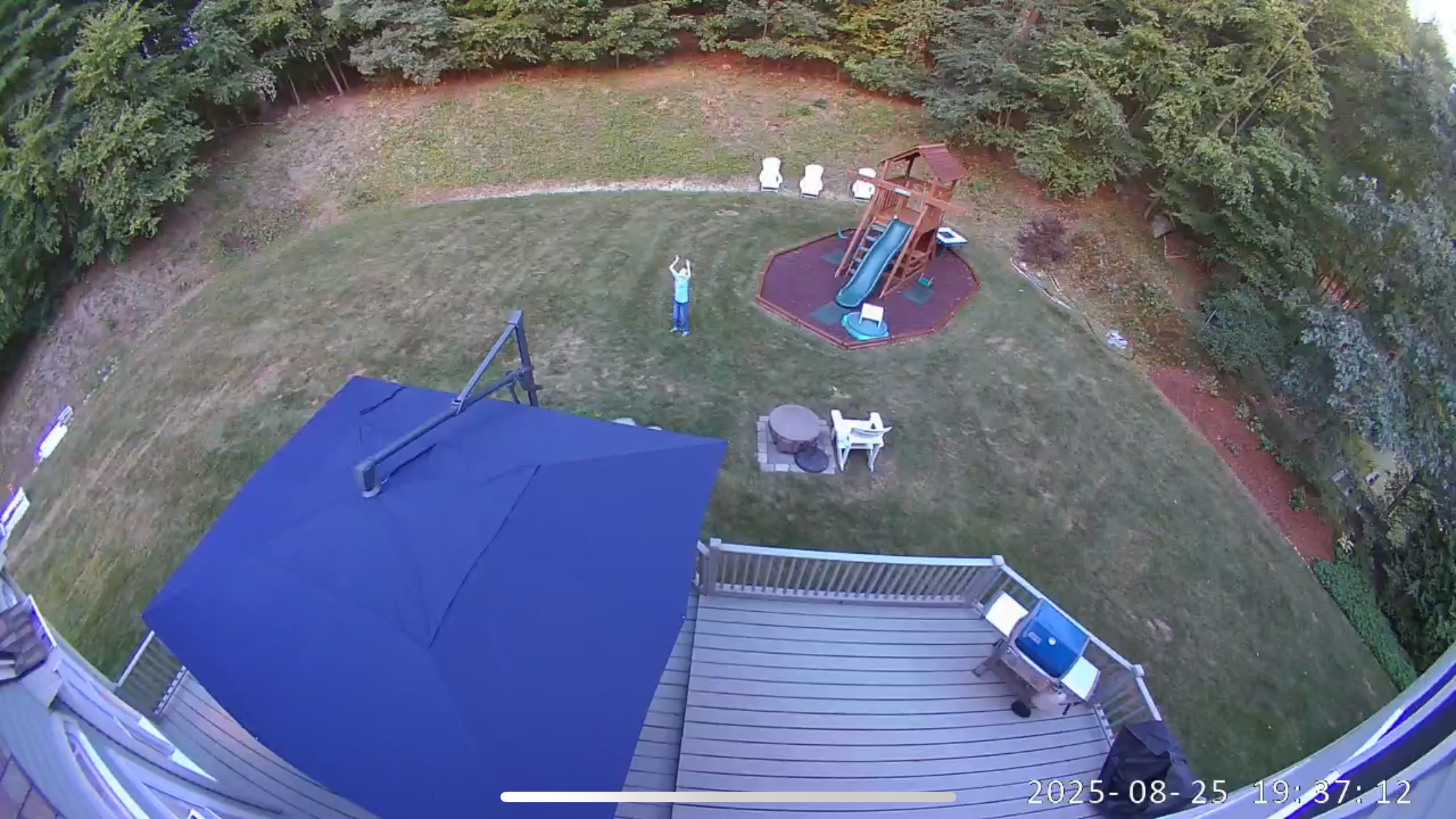
When working, the Wyze Cam Floodlight Pro delivers impressive results. The HD video quality is excellent, capturing fine details across our entire backyard. The 180-degree field of view eliminates any need for pan functionality, covering everything from directly beneath the camera to our hill 50 feet away. The 3,000-lumen LED floodlights provide excellent illumination when motion triggers them at night.
Color performance remains strong even after sunset, and the night vision mode switches to black and white for dark conditions. The siren feature, combining bright lights with an attention-grabbing alarm, should effectively deter human intruders but may have mixed results with animals. Two-way audio allows communication through the camera, though clarity of what you hear from the camera depends heavily on distance and positioning.
Local MicroSD card recording is a major plus for privacy-conscious users. Our 32GB card stores several days of continuous recording, keeping everything local rather than in the cloud.
Major Frustrations
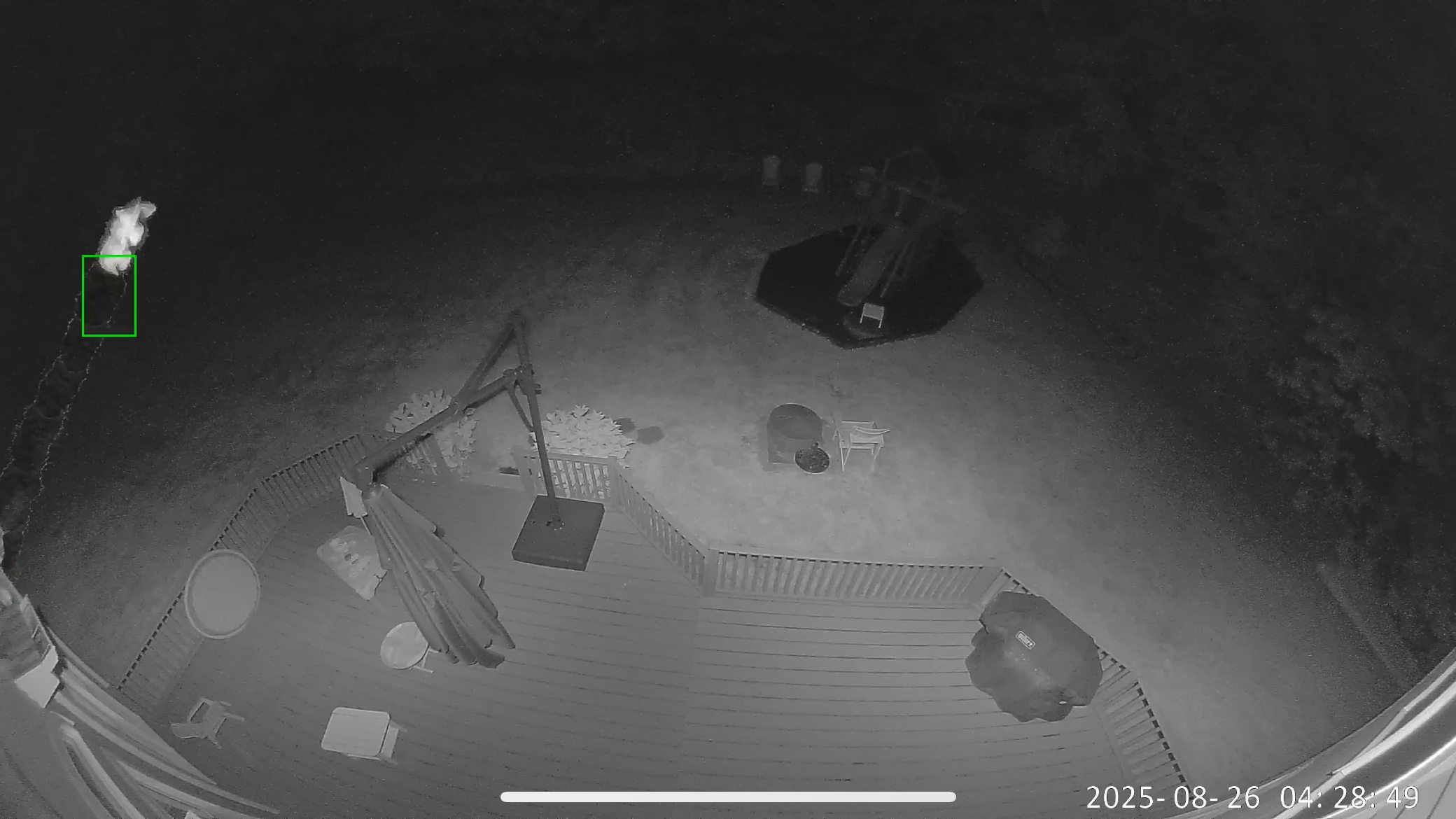
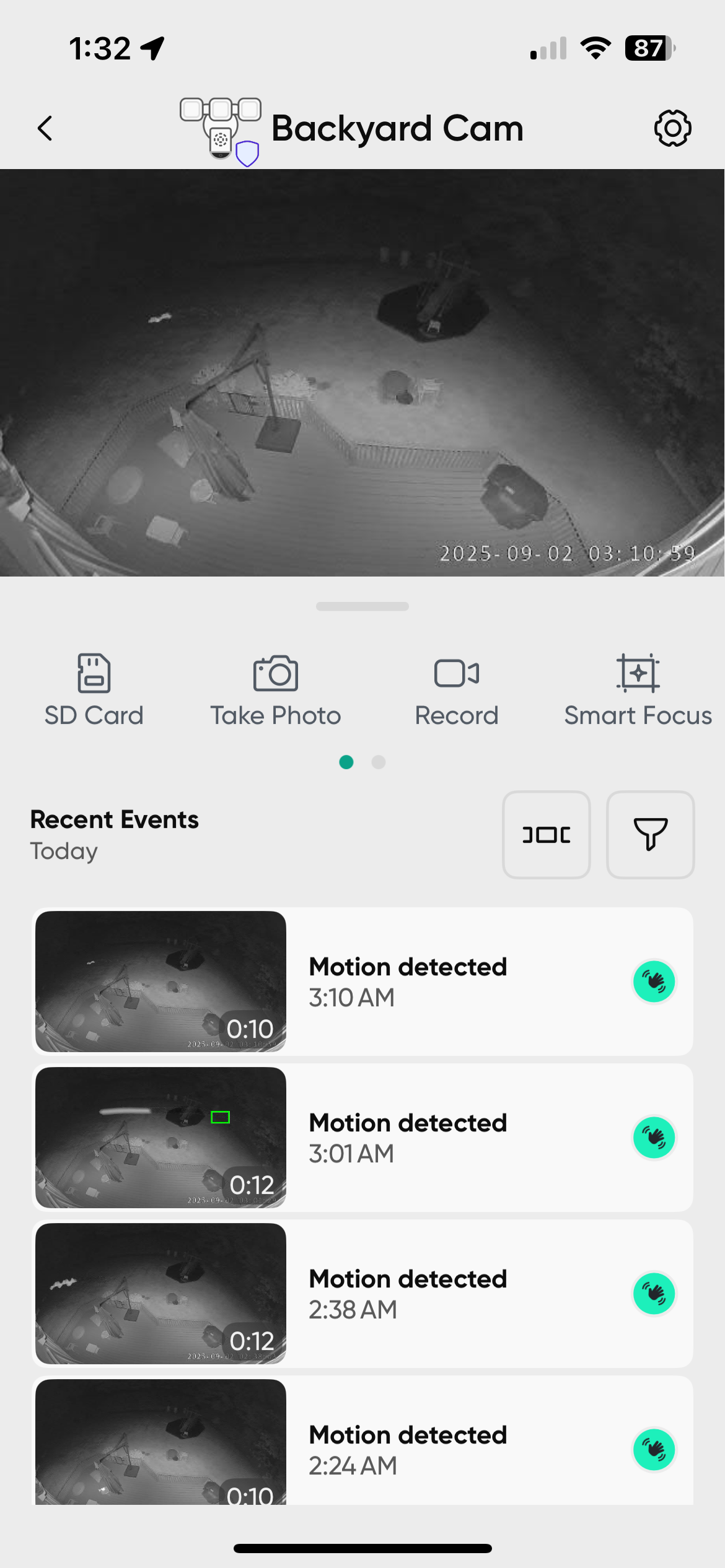
The motion detection system is fundamentally broken. Despite Wyze's claims about "onboard AI motion sensing" that should distinguish meaningful motion from insects and debris, the camera treats every flying bug as a motion event. This renders motion notifications completely useless—any genuine security threat would be buried among dozens of insect alerts.
Even more concerning, the automatic night vision mode simply doesn't work. Unlike other Wyze cameras that seamlessly switch to night vision in low light, the Wyze Cam Floodlight Pro stubbornly stays in "Off" mode even when set to "Auto." The workaround, leaving night vision permanently "On," sacrifices daytime color video.
Most critically, the camera suffers from devastating reliability issues. It randomly stops showing live video entirely and ceases all recording during these outages, then mysteriously resumes working hours or days later. Sometimes toggling the floodlight helps restore functionality, but not consistently. This means the camera can completely fail to capture security events without any warning or notification. For a security device, these total system failures make it fundamentally unreliable.
The Bottom Line
The Wyze Cam Floodlight Pro embodies both Wyze's strengths and weaknesses. The hardware concept is sound with excellent video quality, robust floodlights, and local storage at an attractive price point. However, software problems undermine its reliability as a security device.
For casual backyard monitoring and occasional critter-spotting, it might be acceptable if you don't mind missing events during the random outages. But for any legitimate security application, the complete system failures that leave no record of events make it entirely unsuitable. The optional Cam Plus subscription ($35.88 annually per camera, often discounted) doesn't address these fundamental reliability problems and isn't worth the cost.
Wyze has built a compelling hardware package that's hampered by software execution. Until firmware updates address the motion detection and night vision issues, the Wyze Cam Floodlight Pro remains a product with great potential that falls short of its promise.