iOS 26.5 Update: The Most Useful Features, Security Fixes, and Why You Should Update
AI-generated, human-reviewed.
The iOS 26.5 update adds more than minor tweaks—it offers meaningful new features, strong privacy improvements, and helpful adjustments that enhance the day-to-day experience for iPhone and iPad users. From end-to-end encrypted RCS messaging to smarter reminders and new customization choices, now is the time to update your device.
On iOS Today, Mikah Sargent and Rosemary Orchard highlighted the most important changes in iOS 26.5, explaining why these upgrades matter and how they deliver both peace of mind and practical value.
Essential Security and Privacy Fixes
A cornerstone of the iOS 26.5 release is a long list of security updates addressing vulnerabilities across the system.
- Improved Privacy Controls: Apps are now prevented from bypassing privacy preferences, especially in cases involving shortcuts and inter-device file exchanges.
- Crash Protection: Fixes stop malicious files from causing unexpected app termination, with smarter fallbacks to keep your data safe.
- Consent Prompts: Where shortcuts could unintentionally expose sensitive data, extra confirmation dialogs have been added.
For everyday users, this means stronger safeguards against potential hacks and leaks. These keep your device, messages, and files secure without added complexity.
Major Feature: End-to-End Encrypted RCS Messaging
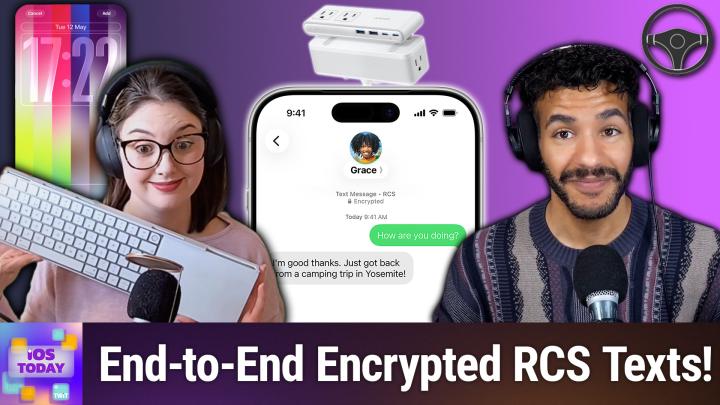
One of the most requested upgrades is now live: RCS messaging on iPhone finally supports end-to-end encryption.
- What is RCS? It’s a more advanced text messaging protocol that improves pictures, group chats, and delivery status for SMS-like messages, bridging communication between iOS and Android.
- Why it matters: Before, conversations with Android users were less private and lacked features like typing indicators. Now, all your messages can be encrypted, improving both privacy and usability if your carrier supports the feature.
Mikah Sargent emphasized the real-world impact: better photo sharing, active status indicators, and more confidence that your conversations won’t be intercepted.
More Customization with Pride Lumina Wallpapers
iOS 26.5 introduces the Pride Lumina wallpapers in honor of Pride month, expanding Apple’s commitment to inclusive personalization.
- These new wallpapers offer colorful, Pride-themed designs with customizable color choices. They’re available for both iPhone and iPad.
- Rosemary Orchard noted users can select specific colors or stick with classic stripes, making it easy to match your personal style or show support during events.
Smarter Reminders and Notifications
Reminders in iPadOS 26.5 get a useful tweak: snooze options now indicate exact times (like “Tomorrow, 9am” instead of just “tomorrow morning”). This removes ambiguity, aligns better with third-party apps, and helps users manage tasks more effectively.
Apple Maps Gets Suggested Places
A quiet but helpful upgrade: Apple Maps now recommends places you might like based on popularity and your search history, similar to Apple Music or Photos suggestions. According to Mikah Sargent, these smarter recommendations can streamline trip planning and uncover new locations, while still maintaining Apple’s privacy-first approach.
Subscriptions: Annual Commitment, Monthly Payments
Developers can now offer annual subscriptions billed monthly. This lets users commit to a year (typically at a lower price), but with the cost spread over 12 months. However, canceling early isn’t possible; you must finish out the annual term.
The new model gives users flexibility, helps developers with more predictable revenue, and mirrors trends seen with “buy now, pay later” services.
Other Noteworthy Changes
- Third-party Wearables in the EU: EU iPhone users now get AirPods-like pairing prompts and notification forwarding for select non-Apple devices, aligning with new regulatory requirements.
- Magic Keyboard/Mouse Pairing on iPad: iPad users can now pair Apple peripherals simply by plugging them in with no manual Bluetooth setup required.
- CarPlay Chatbot Integration: Popular AI chatbots (like ChatGPT and Anthropic Claude) are beginning to work with CarPlay, allowing for hands-free idea sharing and productivity while driving.
What You’ll Appreciate
- Install iOS 26.5 for essential security and privacy fixes.
- Encrypted RCS messaging is a big win for safer texting with Android contacts—check if your carrier supports it.
- New wallpapers, reminder snooze options, and Apple Maps suggestions make devices more personal and useful.
- Subscription changes offer flexible annual plans for frequent app users.
- Smaller updates (like easier peripheral pairing and wearable support) make setup simpler and open new possibilities.
While iOS 26.5 isn’t crammed with flashy features, its focus on privacy, real messaging upgrades, and quality-of-life tweaks make it a must-have update for all users. Don’t wait for automatic updates—visit Settings > Software Update to install it now and get immediate security and usability benefits.
For a complete breakdown and more tips, catch the full discussion on iOS Today:
Subscribe: https://twit.tv/shows/ios-today/episodes/802