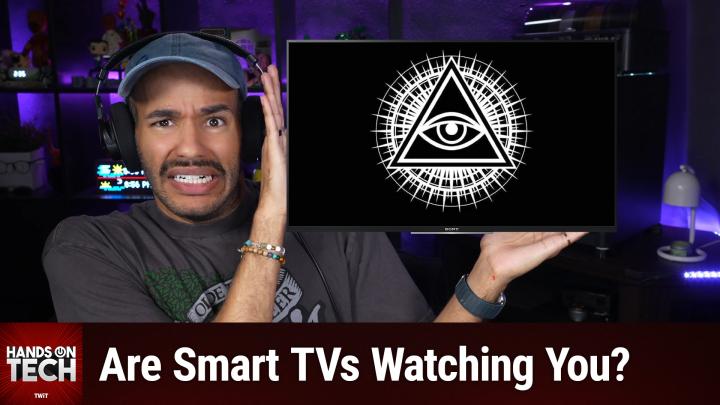
How To Turn Off Smart TV Tracking
AI-generated, human-reviewed.
Many smart TVs track what you watch by default, but you can take simple steps to protect your privacy and control what data your television collects and shares. On Hands-On Tech, Mikah Sargent outlined exactly how this tracking works and offered easy instructions for turning unwanted features off, with additional tips for completely private streaming.
Quick Summary: Smart TV Tracking Is Real—Here’s What You Can Do
Most modern smart TVs use a technology called Automatic Content Recognition (ACR) to monitor what’s on your screen—even sources connected by HDMI like cable boxes or game consoles. Manufacturers use this information to serve targeted ads and often sell the data to third parties. The good news: you can disable much of this tracking by digging into your TV’s settings or by never connecting your TV directly to the Internet.
How Smart TVs Collect and Use Your Data
- ACR (Automatic Content Recognition): Like "Shazam" for your screen, ACR regularly samples images and audio from anything displayed. It matches these to a database of shows, movies, and ads, identifying what you’re watching.
- Broad Scope: ACR isn’t limited to built-in apps—it can monitor any input, whether it’s your streaming stick, Blu-ray player, or game console.
- Why It Happens: TV prices are subsidized by ad revenue and data sales. That’s why most TVs are affordable but come loaded with tracking features.
- What This Means: You may notice ads and recommendations eerily matched to what you’ve watched, not just on your TV, but sometimes across devices.
How to Turn Off Smart TV Tracking (Brand by Brand)
Mikah Sargent made it clear that while these options are buried in settings, most TVs let you turn ACR and targeted ads off:
- Samsung: Go to "Terms and Privacy." Look for "Viewing Information Services" and "Interest Based Advertising." Uncheck or disable both.
- LG: Disable "Live Plus."
- Roku TVs: Under "Privacy," find "Smart TV Experience" and turn off "Use info from TV inputs."
- Sony: Look for "Samba Interactive TV" and disable it.
- Google TV: Check the "Ads" section in settings.
- Vizio: Turn off "Viewing Data."
- Fire TV: ACR is labeled directly. Turn off ACR and personalize ad toggles.
Tip: Settings names may vary; look for terms like "Viewing Information," "Interest-Based Ads," or similar. Full step-by-step guides, like the one from Consumer Reports, are helpful for specific TV models.
Keeping Your TV Truly Private
If you want even stronger privacy:
- Don’t Connect Your TV to Wi-Fi: ACR and tracking features can’t send data if the TV has no internet access.
- Stream with an External Box: Use devices like Apple TV, Roku, or Fire Stick. This limits data collection to just the streaming box—not everything you view.
- Apple TV: Known for strong privacy policies. Limits tracking much more than most.
- Loss of Smart Features: If you skip the built-in apps, you might lose smart TV convenience, but an external box can replace all streaming functionality.
Can You Still Buy a Non-Smart “Dumb” TV?
- Very Limited Selection: Nearly all modern TVs have smart features. Brands like Scepter, Westinghouse, and Impecca offer some small, basic models without smart platforms, but options are limited.
- Commercial Displays: Higher quality, non-smart "commercial" TVs exist (often used in sports bars), but these are usually more expensive and may have weaker speakers or limited consumer features.
Key Takeaways
- Most smart TVs track what you watch by default using ACR.
- You can disable tracking in the settings, but the feature may be called something else.
- Not connecting your TV to the Internet is the most effective way to block tracking, especially if streaming through an external device.
- Truly non-smart TVs are rare and typically either small, basic, or expensive commercial models.
- Data collection practices have spurred lawsuits and government attention, underlining the real privacy risks.
What This Means for You
If you own a smart TV, take a few minutes to review and adjust your privacy settings according to your brand. For extra privacy, consider disconnecting your TV from Wi-Fi entirely, using a trusted streaming box, or seeking out a rare “dumb” television.
The Bottom Line
Smart TV tracking is widespread but manageable. To reclaim your privacy, disable ACR and interest-based ads in your television's settings, avoid unnecessary internet connections, and consider external streaming devices for more control. For most people, the best mix of privacy and convenience is a high-quality smart TV kept offline, paired with a streaming box.
Want more practical tech tips?
Subscribe to Hands-On Tech: https://twit.tv/shows/hands-on-tech/episodes/276