How to Plan the Perfect Vacation Using iPhone Apps
AI-generated, human-reviewed.
Smart travelers turn to their iPhones for seamless vacation planning, but picking the right combination of apps—and using them effectively—can make the difference between stress and success. On iOS Today, Rosemary Orchard revealed her full workflow for preparing trips, from downloading offline maps to organizing bookings and packing lists. Follow these expert-backed tips and app picks to make your next getaway easier, even when you’re traveling off the grid.
Why iPhone Travel Planning Matters
Many travelers overlook crucial steps, like offline navigation or collaborative packing lists, until they hit a snag far from home. Rosemary Orchard found that leveraging iPhone tools not only prevents mishaps when mobile coverage fails but also keeps group trips coordinated and stress-free. The right setup handles everything from boarding passes to beach gear, all without needing extra gadgets or paper clutter.
Essential iPhone Apps and Features for Vacation Planning
1. Download Offline Maps Before You Go
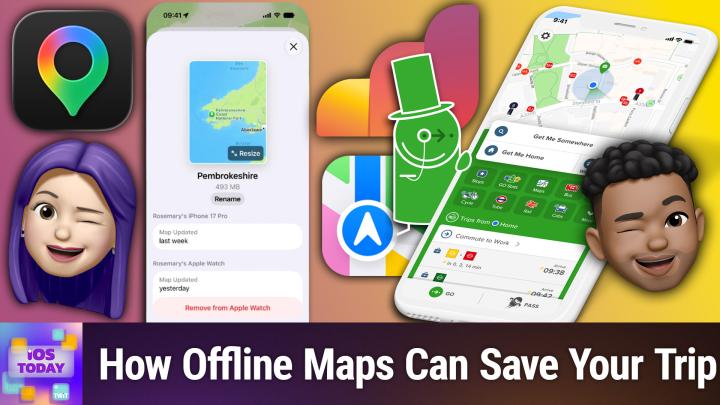
Not all destinations have reliable cell service. Both Apple Maps and Google Maps allow you to download maps to your device, so you always have directions, even underground or in remote areas. This prevents navigation headaches during road trips, hikes, or spotty urban transit.
- How to do it: Open your maps app, find the offline maps section near your profile icon, and select the region you'll visit.
- Pro tip: Start the download ahead of time on Wi-Fi and verify it’s completed before you leave home. Optimized storage may remove unused maps, so refresh if your trip is weeks away.
2. Organize Plans and Packing with Notes & Reminders
For day-to-day planning, built-in apps like Apple Notes and Reminders simplify shared checklists, travel itineraries, and last-minute items.
- Notes: Great for collaborative trip overviews, wishlists, or attaching tickets and images. You can share folders and edit together.
- Reminders: Perfect for packing lists or assigning tasks to travel companions. With features like scheduling and geofenced alerts, you’ll avoid last-minute scrambles.
- For collaborative trips: Shared folders or lists keep everyone synced, so group travel doesn't become chaotic.
3. Use a Trip Organizer: TripIt, Tripsy, or Wanderlog
Three major apps stand out for organizing complex itineraries:
- TripIt: Imports reservations automatically and integrates with many third-party programs—ideal for business or frequent travelers. However, some users may have privacy concerns; review settings before forwarding sensitive documents.
- Tripsy: Indie alternative with a more privacy-friendly approach and a clean design. Good for personal trips or users who favor minimal data sharing.
- Wanderlog: Especially strong for collaborative planning, notes, and expense tracking. Lets you save general travel advice—not just bookings.
Pricing: Wanderlog’s pro subscription is roughly $40-50/year, but there’s a robust free tier. TripIt and Tripsy also offer both free and paid versions.
4. Track Flights Like a Pro with Flighty
Flighty is a robust flight-tracking app used by travel enthusiasts and casual flyers alike. Even if you only travel occasionally, its weekly subscription option makes it accessible.
- Features: Real-time updates, live activity integration, and even advanced notice of delays or gate changes, often faster than airline apps.
- Value: Purchase a week pass before a trip or subscribe annually for frequent flyers.
5. Save Money and Stay Connected With eSIMs
Traveling internationally? Skip pricey roaming charges by buying a local or multi-country eSIM data plan from providers like Airalo. Purchase and activate before you fly to avoid airport Wi-Fi hassles.
6. Navigate City Transit with Citymapper
For urban adventures, Citymapper helps with real-time transit, walking, and biking options. It’s free and covers many major cities, providing offline navigation as soon as you start your route.
How to Apply: Practical Steps
- One month out: Book accommodation/travel, and immediately save details in TripIt, Tripsy, or Wanderlog.
- Two weeks before: Create packing and activity checklists in Reminders or Notes; invite anyone traveling with you to edit.
- A few days before: Download offline maps and confirm they’re up-to-date. Buy and activate any necessary eSIM plans.
- Day of travel: Use Flighty for flight tracking and Citymapper for on-the-ground transit.
The Grand Plan
- Offline maps are insurance against bad connectivity! Invaluable during rural drives or in subway dead zones.
- Shared notes and reminders keep travel companions aligned and minimize forgotten tasks or items.
- Dedicated trip-planning apps like TripIt, Tripsy, and Wanderlog each excel in different areas; pick the one matching your need for automation, privacy, or collaboration.
- Flighty outpaces airline apps for real-time updates and tracking, easing travel anxiety.
- eSIMs cut your phone bill when abroad.
- Citymapper optimizes multi-modal city transit.
Leveraging iOS apps and features transforms stressful vacation prep into a streamlined, collaborative process, even if you’re not a natural planner. From offline navigation to smart packing lists and trip management, the right tech makes every trip easier and more enjoyable. When prepping for your next getaway, combine Apple’s built-in tools with power-user favorites like Flighty or Wanderlog for the best results.
Subscribe for more expert iOS travel tips and tech walkthroughs: https://twit.tv/shows/ios-today/episodes/811