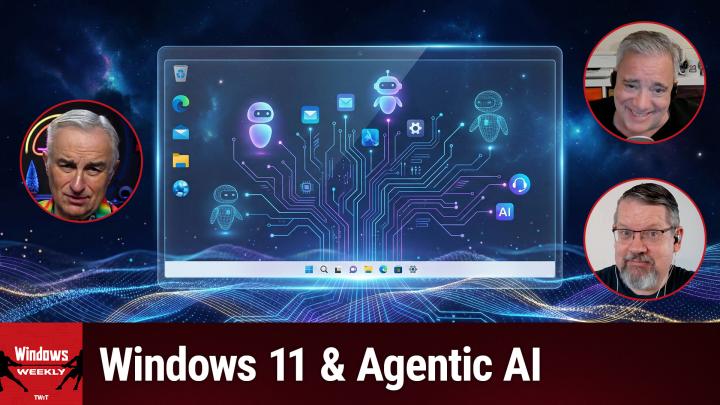
How Agentic AI Could Change How You Use Windows
AI-generated, human-reviewed.
Microsoft is bringing agentic AI capabilities to Windows 11, signaling a pivotal shift in how users interact with their PCs. These new features are designed to automate common tasks, improve productivity, and put users firmly in control by making them opt-in rather than forced upgrades. According to Paul Thurrott and Richard Campbell on this week’s episode of Windows Weekly, Microsoft is focusing on gradual, user-centered deployment—ensuring that these tools are both powerful and optional.
What Is Agentic AI in Windows?
Agentic AI refers to software agents powered by artificial intelligence that can perform tasks, anticipate user needs, and handle workflows autonomously. In practical terms, an agent might compose emails, summarize documents, or automate file searches—working alongside you to handle routine operations.
On Windows Weekly, Paul Thurrott emphasized that these features aren't just background upgrades; they're meant to streamline complex tasks and make PC use more natural. Agentic AI in Windows will coordinate with apps, cloud services, and local processing to create seamless, intent-based interaction—whether through chat, voice commands, or more automated workflows.
Why Microsoft Is Making AI Features "Opt-In"
One of the most notable aspects discussed on Windows Weekly is Microsoft's commitment to user choice and privacy. Paul Thurrott highlighted commentary from Navjot Virk, Corporate Vice President for Windows Experiences, who stated that all new agentic experiences in Windows 11 are optional and controlled by users. This means you decide if and when AI agents are enabled, and in IT-managed settings, admins can also configure access.
This approach marks a departure from past years, when Microsoft pushed icons and features into Windows without clear opt-out options. As Richard Campbell explained, skepticism from IT professionals and change-averse users is understandable, but the current model is more mature—with clear governance and gradual adoption.
How Agentic AI Could Change Your Workflow
According to Windows Weekly, agentic AI is being deeply integrated across core system features. Examples include:
- AI-powered writing assistance (available system-wide, not just in individual apps like Word or Notepad)
- Fluid dictation, letting users speak naturally and have AI understand context, punctuation, and grammar—even correcting filler words automatically
- Enhanced search orchestration, where the Windows search box selects the most suitable method (file search, web, Copilot, or launching agents) based on your query
- Taskbar notifications for AI agents, allowing users to monitor agent activity or respond to requests directly
These changes mean that instead of memorizing complex menus or navigation, you’ll simply express what you want to do—by voice or text—and let AI handle the details. As Richard Campbell noted, this could free up users to focus on meaningful work instead of tool mastery.
What You Need to Know
- Agentic AI in Windows 11 is opt-in, giving users full control over activation.
- Privacy and security are central, with granular options for both individuals and organizations.
- Agentic AI tools aim to automate routine tasks, improve accessibility, and offer intelligent productivity features.
- AI agents may soon interact with local and cloud models for faster, offline functionality.
- Opt-in settings allow IT departments to stage rollout, minimizing disruption and maximizing safety.
- Microsoft is focusing on incremental, careful deployment, learning from feedback, and avoiding disruptive UI changes.
- Look for ongoing improvements and expanded agentic integrations as feedback from early adoption builds.
The Bottom Line
Microsoft’s shift toward agentic AI in Windows 11 is designed to enhance productivity without sacrificing user autonomy. By making these features opt-in and user-controlled, Microsoft is empowering both everyday users and IT teams to leverage advanced AI capabilities at their own pace. As explained on Windows Weekly, this balanced approach blends innovation with respect for user needs and privacy.
If you want to stay ahead of the curve—or just make your daily PC tasks easier—keep an eye out for these new agentic features as they roll out. Whether you choose to experiment now or wait until the tools mature, you’ll be able to make an informed decision on how AI works for you.
Subscribe to Windows Weekly for more expert analysis:
https://twit.tv/shows/windows-weekly/episodes/960