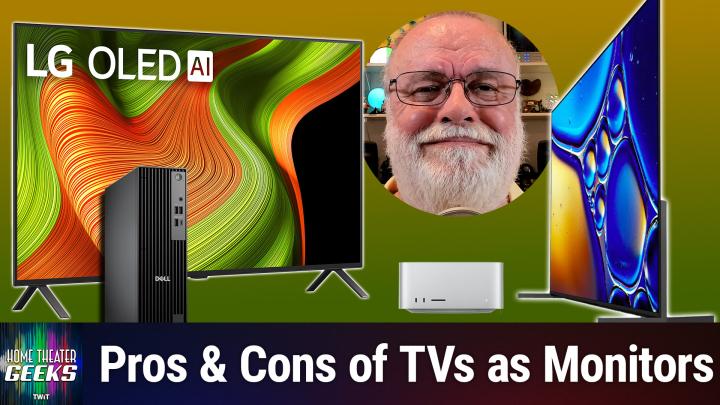
Can You Use a High-End TV as a Computer Monitor?
AI-generated, human-reviewed. This post also contains affiliate links.
A high-end TV can be an affordable way to get more display real estate for your computer setup—but there are some essential considerations before you replace your monitor with a massive OLED or QD OLED TV. On Home Theater Geeks, host Scott Wilkinson breaks down whether using a premium TV as your primary computer monitor is a brilliant idea or a costly mistake.
TV, or Not TV, That Is the Question
Many users turn to large TVs for their impressive size and affordable 4K resolution, compared to pricey, extra-large computer monitors. While the extra workspace is appealing, you need to know about potential issues that come with using a TV so close to your desk, like pixel density, viewing angles, and text clarity.
What to Consider Before Making the Switch
Pixel Density and Viewing Distance
- Pixel Density: TVs, especially 65-inch models, have the same 4K pixel count as monitors but stretch those pixels over a much larger area. Sitting just 2 feet from a 65-inch display means you'll likely spot individual pixels, which feels distracting and reduces image sharpness.
- Optimal Viewing Distance: According to display experts, you'd need to sit at least 4 feet away from a 65-inch TV to avoid seeing pixelation. Sitting too close also means it's harder to take in the entire screen, as your eyes will constantly scan to see everything.
Viewing Angle Issues
- If you use a massive display at typical desk distances, the viewing angle often exceeds 90 degrees. This can cause color and image quality to degrade toward the edges, especially problematic with certain OLED panels when used outside the recommended 30-40 degree range.
Color Accuracy and Calibration
- High-end TVs like the Sony Bravia and Samsung QD OLEDs often have good color accuracy, especially in Cinema or Filmmaker modes.
- For professional content creation, you may need professional calibration. Uncalibrated TVs, or those with enhancements turned on, may distort colors.
Gaming Features & Input Lag
- Input lag is critical for desktop use and gaming. Top TVs now support variable refresh rate (VRR) and low input lag—look for models (via affiliate links) like the Samsung S95F (165Hz) and LG G5 (165Hz, AMD FreeSync).
- The Sony Bravia 8 II delivers about 8.6ms best-case input lag, but the LG C5 offers even better performance at 5.3ms.
Chroma 4:4:4 Support for Text Clarity
- Chroma 4:4:4 is a color encoding that ensures text and fine details stay crisp, avoiding distracting blur. Not all TVs handle this properly, so consult reviews to verify support.
Image Retention Risk
- OLED TVs can suffer from image retention (temporary or permanent burn-in) if static UI elements or document windows are displayed continuously for hours or days.
Recommended Models and Top Picks
On Home Theater Geeks, Scott Wilkinson referenced a rtings.com roundup of TVs (affiliate links below) suited for computer monitor use, highlighting these top choices:
- Samsung S95F: QD OLED, 165Hz, excellent for gaming/desktop (lacks Dolby Vision, which is not a monitor concern).
- LG B5 and C5: OLED models with top-tier input lag and VRR support.
- TCL QM7K and QM6K: QM series models, 144Hz, solid monitor features.
Note: The Sony Bravia 8 II, though excellent for home theater, is not specifically recommended by rtings.com for desktop use due to uncertain chroma 4:4:4 support.
The Big Picture (Literally)
- A large-screen TV offers exceptional workspace at a lower cost than most monitors, but only makes sense if you can place it at least 4 feet away to maintain text clarity and comfort.
- Prioritize low input lag, chroma 4:4:4 support, and wide viewing angles for best desktop performance.
- Avoid leaving static images up for hours to reduce OLED image retention risk.
- If you're a creator, get professional calibration for color-critical work.
If you want a sprawling 4K desktop for less money, today's high-end TVs can work—but you must pick models with the right features and be mindful of placement and usage habits. For most users, the Samsung S95F, LG C5, and TCL QM7K are excellent options. Double-check online reviews for chroma 4:4:4 support and input lag specs before you buy.
Subscribe for more expert advice at: https://twit.tv/shows/home-theater-geeks/episodes/506