Best Cross-Platform Apps for iOS and iPadOS
AI-generated, human-reviewed.
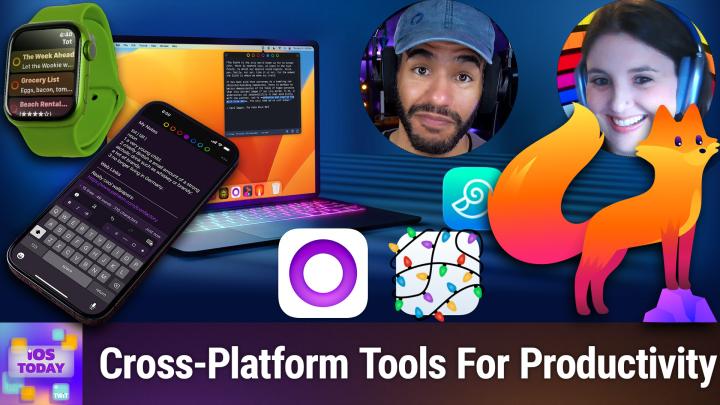
Cross-platform apps make life easier by letting you keep notes, files, and browsing data synced across all your devices. On iOS Today, the hosts reviewed their favorite apps originally from other platforms that now work seamlessly on iOS and iPadOS, helping users boost productivity and stay organized.
As more users carry multiple devices—Mac, iPhone, iPad, and sometimes PCs—having apps that keep data in sync without extra effort is becoming essential. Apps that started on other platforms are increasingly optimized for iOS, offering familiar features and reliable syncing.
Top Cross-Platform App Recommendations
On iOS Today, Mikah and Rosemary highlighted several apps that have successfully made the jump to iOS and iPadOS.
DevonThink To Go 3
- Originally a Mac app, now offers robust file and document management on iOS.
- Handles multiple databases, lets users store various file types, and boasts powerful search (including PDFs with optical character recognition).
- Supports indexing files from iCloud Drive without duplicating them, so files can stay organized elsewhere while still appearing in DevonThink.
- Priced as a premium app; great for those managing manuals, recipes, finance documents, or reference notes.
Pros:
- Excellent search functions
- Flexible storage options
- Works with many file types
Cons:
- Can feel complex at first
- Best for users with lots of data to organize
Who It's For
Anyone who needs to store and search a range of documents, especially users familiar with the Mac version who want their data everywhere.
Tot
- Tiny text editor available for Mac and iOS (Tot Pocket). Syncs notes instantly across devices.
- Simple, minimal design ideal for jotting down quick notes, links, or reminders.
- Made by Icon Factory, a highly regarded developer.
Pros:
- Immediacy and ease of use
- Auto-sync without fuss
Cons:
- Not loaded with features, so best for quick, temporary notes
Who It's For
Those needing a fast spot for text that auto-syncs, such as podcasters, remote workers, or anyone juggling info between their phone and computer.
Drafts
- Powerful notes app with actions (like sorting lists or sending content as messages, emails, or reminders).
- Integrates with Apple Watch so users can dictate notes on-the-go without needing their phone.
- Offers a community with pre-made actions and themes, so you don’t need coding skills to get advanced functionality.
- Available on iOS, iPadOS, macOS, and WatchOS, with free and premium tiers.
Pros:
- Customizable
- Large community support
- Dictation-friendly, great for recording fleeting ideas
Cons:
- Ephemeral notes disappear unless saved elsewhere
- May require setup to fully leverage actions
Who It's For
Anyone who needs a flexible entry point for text—frequent note-takers, productivity enthusiasts, and those who prefer dictation.
Firefox & Chrome
- Browsers like Firefox and Chrome now run smoothly on iOS, with full tab and bookmark syncing to desktop accounts.
- Firefox offers easy switching to desktop mode and explicit dark mode controls.
- Chrome maintains strong update support and device integration if you’re committed to Google’s ecosystem.
How to Apply These
- Try setting up these apps on both desktop and mobile devices, using built-in sync features.
- Start by using Tot or Drafts for daily notes, then expand to DevonThink for storing more complex documents.
- Use Firefox or Chrome for browsing to leverage synced bookmarks and tabs, particularly if you’re switching devices.
Key Takeaways
- Apps originally designed for other platforms are now optimized for iOS, providing seamless sync and a consistent experience.
- Productivity and organization improve when you use the same app across Mac, iPhone, and iPad.
- DevonThink, Tot, Drafts, Firefox, and Chrome are top recommendations for cross-platform workflow.
If you’re looking to boost productivity and keep your notes, documents, and browsing in sync, apps like DevonThink To Go, Tot, Drafts, Firefox, and Chrome are worth installing on your iOS device. Each app is designed to maximize what’s possible on iOS and iPadOS, especially if you already use their counterparts elsewhere. Take advantage of their syncing features to avoid information bottlenecks and enjoy a unified experience.
Subscribe to iOS Today for more practical app reviews and workflow tips:
https://twit.tv/shows/ios-today/episodes/796