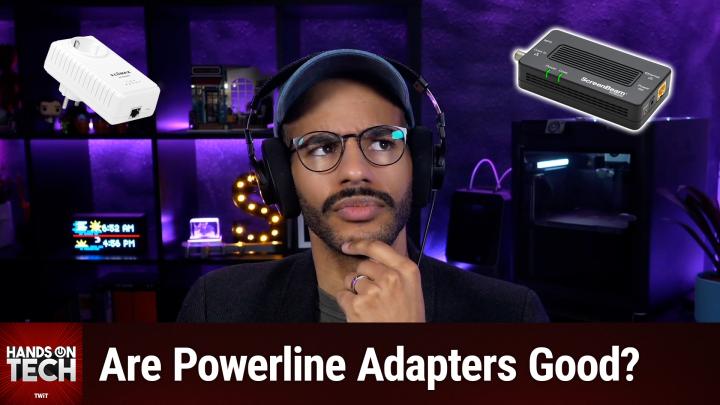
Are Powerline Ethernet Adapters Worth It?
AI-generated, human-reviewed.
If you're looking to boost your Internet connectivity at home, Powerline ethernet adapters might seem like a clever solution. However, as explored on Hands-On Tech, Powerline networking comes with significant drawbacks and some notable alternatives that are often better suited for most households.
What are Powerline Ethernet Adapters?
Powerline adapters use your home's electrical wiring to transmit Internet data between rooms. This technology lets you extend your network without installing new cables, making it attractive for renters or those unable to run cables through walls.
Pros & Cons of Powerline Networking
Pros
- Plug-and-Play Simplicity: Most Powerline kits require minimal setup; just plug them into outlets and connect your devices.
- No Drilling Required: Great for renters since no permanent changes to the home are needed.
- Reach Difficult Areas: Useful for spots where Wi-Fi struggles—like basements, garages, or rooms surrounded by thick walls.
- Lower Latency (sometimes): Wired connection can offer lower latency than Wi-Fi, but real-world results vary.
- Reduced Wireless Interference: Good option if Wi-Fi signals are crowded by neighboring routers.
- Security: Data travels through electric cables, reducing wireless interception risk.
Cons
- Significant Speed Loss: Expect 20%-40% less speed than advertised—even with the newest AV2 models promising up to 1–2 Gbps, real throughput is often disappointing.
- Circuit Limitations: Both ends must be on the same electrical panel and circuit; otherwise, connectivity drops or fails.
- Sensitive to Electrical Noise: Common appliances (vacuum cleaners, dimmers, chargers) degrade signal quality.
- Direct Wall Connection Needed: Doesn't work through surge protectors or UPS units.
- Old or Poor Wiring Issues: Older homes or aluminum wiring often result in unreliable performance.
- Limited Expansion: Occupies valuable wall outlets and gets less effective the further adapters are apart.
- Interoperability Problems: Mix-and-match standards (HomePlug, AV, AV2) often don't play well together.
- Higher Cost: Powerline kits frequently cost more than basic Wi-Fi extenders and can overheat.
- Not a True Whole-Home Solution: Only connects two specific points—unlike mesh Wi-Fi or robust extenders.
On Hands-On Tech, Mikah Sargent found that Powerline networking is often more trouble than it’s worth, citing reliability issues, misleading marketing speeds, and unexpected technical limitations.
Better Alternatives to Powerline Networking
MOCA adapters use coaxial cable (TV wiring) already present in most homes to deliver fast, stable Ethernet connections. MOCA provides better insulation, cleaner signals, and more reliable networking, making it a preferred choice when available.
Wi-Fi extenders and mesh systems are usually cheaper, easier to upgrade, and don’t depend on electrical wiring quirks.
Who Should Consider Powerline Adapters?
Based on Mikah Sargent’s insights, only consider Powerline networking if:
- Wi-Fi is completely unusable or mesh/extenders are ineffective due to house layout or thick walls.
- No coaxial cable is available for MOCA adapters.
- Drilling new Ethernet lines isn’t possible.
- You’re willing to accept inconsistent performance and hassle.
Otherwise, most users will get better results using Wi-Fi mesh systems or MOCA adapters, if their home supports them.
Key Takeaways
- Powerline adapters work, but not as well as advertised.
- Electrical noise, wiring quality, panel segmentation, and device quirks often cause more issues than solutions.
- Alternatives like MOCA and Wi-Fi extenders are generally faster, more reliable, and easier to install.
The Bottom Line
Powerline networking should be your last resort for extending your home's Internet connection. Unless you have no other options, it’s smarter to invest in MOCA adapters for coaxial-equipped houses or a well-placed Wi-Fi mesh system for most layouts. As Hands-On Tech highlights, understanding what will actually work in your specific situation is crucial to avoiding frustration and wasted money.
Want more hands-on advice or tech tips? Subscribe for weekly episodes: https://twit.tv/shows/hands-on-tech/episodes/242